
Unlock Peak Performance Google Cloud Boost for Serverless and AI

The way businesses use technology changes all the time. In 2026, companies rely on cloud computing more than ever to run their important tasks. But just having your apps in the cloud isn’t enough. These apps need to be super fast and work without problems. That is why getting the best performance from your cloud setup is a big deal. Tools that help with this, like what Google Cloud Boost offers, and services on a lambda cloud, are now more important than ever.
What Google Cloud Boost and Lambda Cloud Bring to the Table
When we talk about Google Cloud Boost, we mean all the ways Google Cloud makes your business apps run better and faster. For example, Google Cloud has new storage options that can handle huge amounts of data very quickly. This includes things like Rapid Bucket, which can move lots of data in a blink, making sure your apps don’t slow down waiting for information. They also offer powerful AI infrastructure with things like new TPUs that help with complex tasks, making them faster and more efficient. These kinds of updates help businesses handle a lot of work without issues.
On the other hand, many businesses also use "lambda cloud" services. This often refers to serverless computing, where you run small pieces of code (functions) that only turn on when needed. A popular example is AWS Lambda. Even though these functions are small, they still need to be tuned to work quickly and without errors. Making sure these parts of your cloud infrastructure are also set up for speed is key to good overall performance. Optimizing both large cloud services and smaller serverless tasks helps everything run smoothly.
Why Senior Leaders Care About Performance Tuning
For business leaders, making sure their cloud systems run well comes down to three main things:
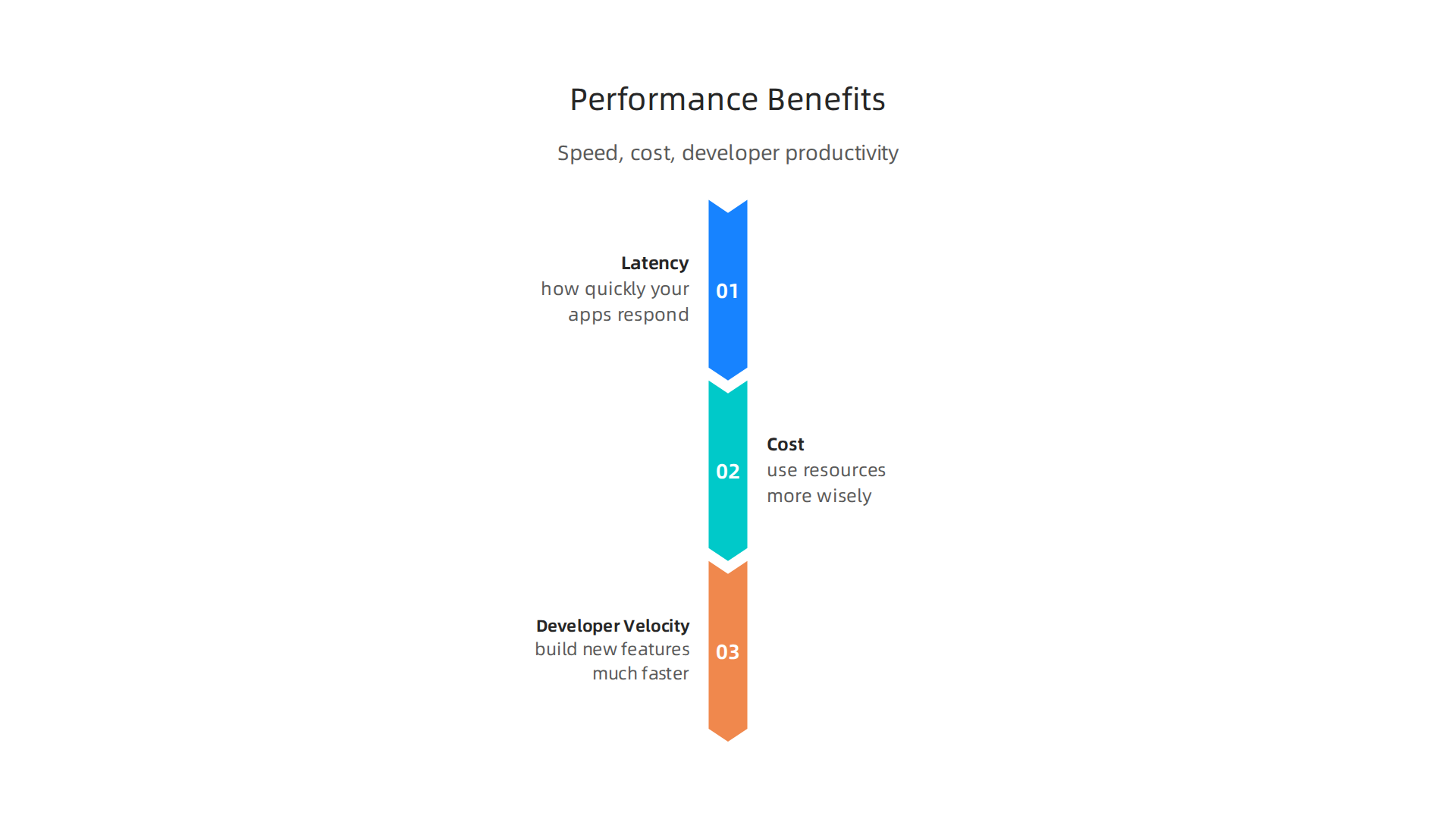
- Latency (Speed): This is how quickly your apps respond. If an app is slow, customers might get frustrated and leave. Employees also work slower when their tools are laggy. Faster response times mean happier users and more productive teams.
- Cost: Running cloud services can get expensive. But when systems are set up for top performance, they use resources more wisely. This means you can get more done with less, saving money. Good performance tuning helps you avoid wasting money on inefficient cloud usage.
- Developer Velocity (How Fast Your Team Can Build): When your cloud setup performs well, developers can build new features and fix problems much faster. They spend less time troubleshooting slow systems and more time creating new things that help the business grow. This speeds up how quickly new ideas become working parts of your business.
Looking ahead, ensuring your cloud applications are finely tuned is not just a technical detail. It’s a strategic move for any business aiming to stay competitive and efficient.

Understanding how to future-proof your IT infrastructure management for 2026 by focusing on performance is a must.
To keep up with all the fast-moving changes in enterprise technology and AI, there’s a valuable resource available. The AI Newsletter Worth Reading delivers clear, daily updates right to your inbox.
When we talk more deeply about Google Cloud Boost, we are looking at specific ways Google Cloud makes things faster. It’s like giving your apps a turbo boost. This boost comes from three main areas: better hardware, smart ways to store data quickly (caching), and super-fast networks.
Hardware Acceleration for Tough Jobs
Imagine you have a really big problem to solve, like teaching a computer to understand pictures or language. This takes a lot of computing power. Google Cloud Boost uses special computer parts called TPUs (Tensor Processing Units) and GPUs (Graphics Processing Units). These are not like regular computer chips. They are built just for these tough jobs, especially for Artificial Intelligence (AI) and Machine Learning (ML) tasks.
For example, at the Google Cloud Next 2026 event, they showed off the 8th Generation TPUs. These new TPUs are much faster and can handle many AI tasks at once without slowing down. They help with things like ML inference, which is when AI uses what it learned to make predictions or decisions very quickly. This kind of power helps businesses use AI to do amazing things, like making smart helpers or giving quick answers to customer questions.

You can learn more about these advances and others from Google Cloud Next ’26.
Smart Caching and Storage
Another way Google Cloud Boost makes things speedy is through smart storage and caching. Think of caching as having a small, super-fast notepad right next to your computer’s main brain. The computer puts the information it needs most often on this notepad so it doesn’t have to go looking for it far away every time.
Google Cloud has new ways to store data quickly, like the "Rapid family" of storage options. One example is Rapid Bucket. This allows businesses to store and get back huge amounts of data very, very fast. We’re talking about moving many terabytes of data in a short time, with almost no delay. This means your apps don’t wait around for data, which keeps them running smoothly. These new storage features give a huge performance boost, sometimes making things 10 times faster, as seen in Next 26 storage announcements.
Top-Notch Network Optimizations
For any cloud system, how fast data travels between different parts is super important. Google Cloud Boost focuses on making its network very quick and reliable. This means that when your app needs to send information to a database or another service, it gets there almost instantly. They constantly work to improve how data moves across their vast cloud infrastructure.
Good network performance is especially key for things like high-throughput APIs. These are like busy switchboards that handle many requests at once. If the network is slow, the whole system gets bogged down. Google Cloud works hard to make sure their network can handle these heavy loads. You can even benchmark network bandwidth for VM instances to see the improvements.
When Google Cloud Boost Helps Most
So, when do these boosts really make a difference for your business?
- Large ML Inference and Training: If your company uses AI models to make fast decisions or needs to train big AI models often, the hardware acceleration from Google Cloud Boost is a game-changer.
- High-Throughput APIs: For apps that need to handle many user requests at the same time, like popular websites or mobile apps, the network and caching boosts keep everything responsive.
- Big Data Analytics: If you work with huge amounts of data and need to pull insights from it quickly, fast storage and efficient data pipelines are a must.
- Real-time Applications: Any app that needs to react instantly, such as live chat, online gaming, or financial trading, will see huge benefits from these performance improvements.
These focused improvements from Google Cloud Boost help businesses run their most demanding tasks faster and more reliably. They help avoid common slow-downs, especially when dealing with complex AI, large data sets, or many users at once.
The amazing speeds from Google Cloud Boost can also greatly help serverless platforms. Serverless means you build and run apps without needing to worry about the actual servers. Google Cloud takes care of all that for you. This way, you can focus on writing your code, not on managing computer parts. It’s a smart way to make building software easier, as serverless architecture helps with Productivity.
Google Cloud offers many serverless options, like Cloud Run. This is where you can run your code in small pieces called functions or services. These services automatically start and stop as needed.
How Google Cloud Boost Integrates with Serverless
So, how does the extra power from google cloud boost mix with serverless tools like Cloud Run or even other serverless approaches sometimes called lambda cloud setups?
Serverless functions often need to talk to other powerful services. For example, a small serverless function might get a picture, then send it to a much bigger AI service to figure out what’s in the picture. This AI service can use the special computer parts (TPUs or GPUs) that get a boost from Google Cloud. Even though the serverless function itself might not run on a TPU, it still benefits from the super-fast AI service it calls.
Also, the quick networks and storage (like the Rapid family we talked about before) are a big deal for serverless apps. When your serverless function needs to quickly save or grab information, having very fast storage makes a huge difference. This helps your app respond almost instantly, keeping things smooth for users.
Important Choices When Building Serverless Apps
When you build serverless apps that use these boosted services, there are some important things to think about:
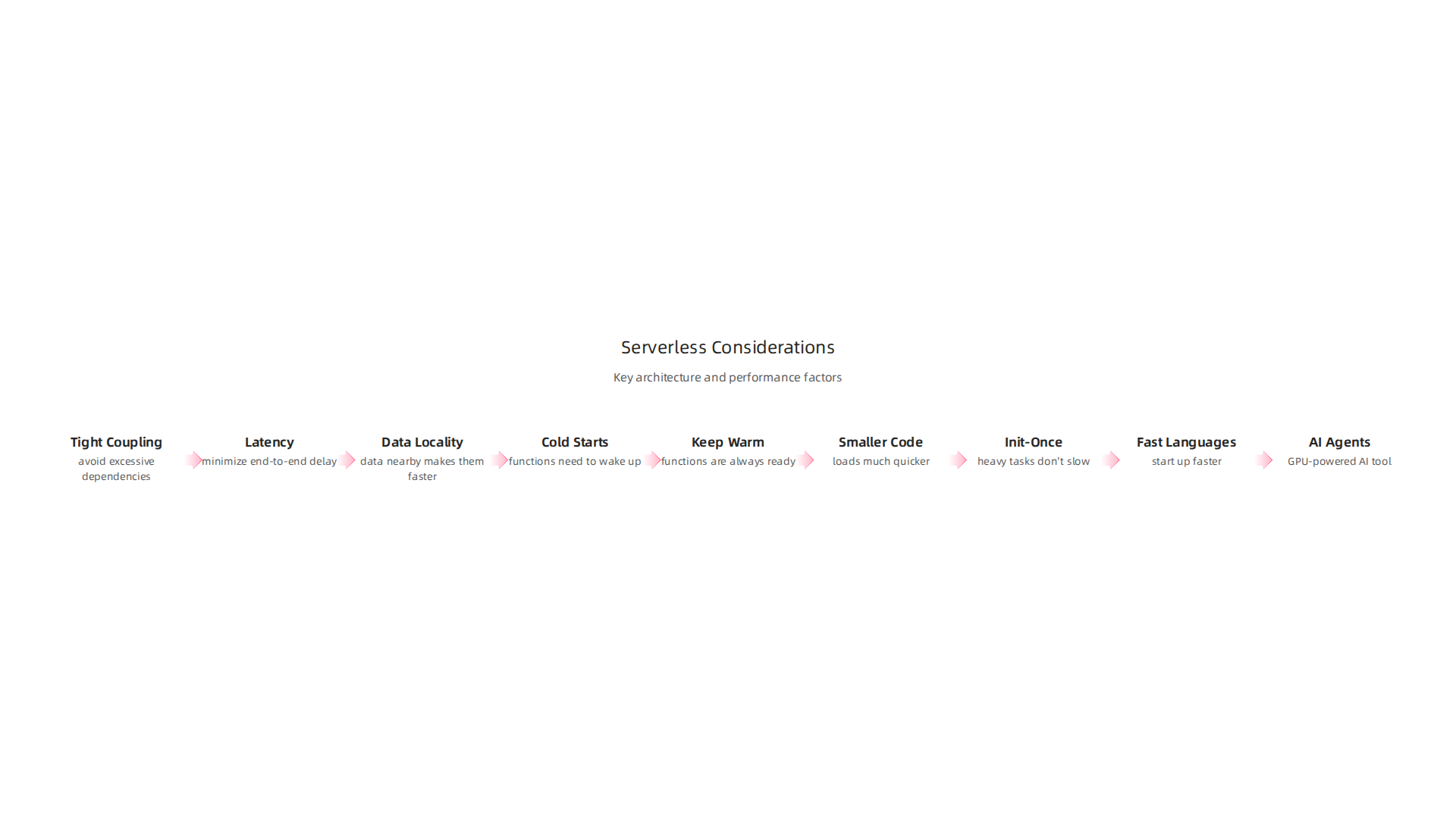
- How Tightly Connected (Coupling): You want your serverless functions and the boosted services they use to work well together. But you also don’t want them to be too dependent on each other. If one part changes, it shouldn’t break the whole system. This is a key part of good planning for your Cloud Provider Ecosystem Enterprise Strategy for 2026.
- Speed of Information Travel (Latency Paths): Even with very fast networks, how you set up your services matters. If your serverless function is in one part of the world and the boosted database it needs is in another, information will take longer to travel. This delay is called latency, and it can cause slowdowns, much like other common cloud issues. Experts highlight that location is everything for serverless performance, according to Serverless Lessons: Location Is Everything!.
- Keeping Data Close (Data Locality): It’s always best to keep your data close to the code that uses it. Imagine trying to read a book from across the room versus having it right in your hands. Getting data from far away takes more time. For serverless functions, having the data nearby makes them much faster. This idea of Data Locality in Serverless Computing is very important. Not planning for this can lead to performance problems, especially when using different cloud services or regions. When you spread your data across many places, handling data locality becomes a real challenge, as seen in efforts to optimize multi-region setups with Lambda@Edge.
- Quick Starts (Cold Starts): Sometimes, a serverless function hasn’t been used in a while, so it "sleeps" to save money. When it’s called again, it needs to "wake up," which takes a moment. This is known as a
cold start. While google cloud boost doesn’t remove cold starts, its super-fast networks and rapid storage can help lessen the impact by making the wake-up process and data fetching much quicker. Caching also helps a lot to Improve Latency in Serverless Architectures.
By thinking about these things, businesses can make their serverless applications even faster and more powerful by combining them with the benefits of google cloud boost.
Staying informed about these fast-moving tech changes is crucial.
The AI Newsletter Worth Reading can give you daily updates.
Performance tuning: latency, throughput, and mitigating cold starts
Even with the fast speeds from google cloud boost, it’s still smart to tune your serverless apps. When we talk about how fast an app is, we often look at two main things: latency and throughput.
Latency is like the time it takes for one person to ask a question and get an answer. It’s the delay in getting a single piece of information. When your serverless function talks to a database or another service, there’s always a small wait. The fast networks and quick storage that come with google cloud boost help a lot here. They make those small waits much shorter, so your app feels snappier.
Throughput is different. It’s about how much work can get done in a set amount of time. Think of it like how many questions can be answered per minute, not just how long one answer takes. It’s the amount of data that can move across a network in one second Cold Start Latency in Serverless Computing: A Systematic …. To boost throughput, you need efficient systems that can handle many tasks at once without getting jammed. Google Cloud Boost’s powerful infrastructure, especially its advanced chips, can process a lot of tasks at once, helping your cloud infrastructure handle more work.
When you use serverless options, including those sometimes called lambda cloud setups, you can make changes to speed things up even more. Here are some key ways to do that:
Strategies to Reduce Cold-Start Penalties
We talked about "cold starts" earlier. This is when a serverless function needs to wake up after being idle, which causes a short delay. While google cloud boost makes the overall system faster, you can also use special tricks to make cold starts less noticeable:
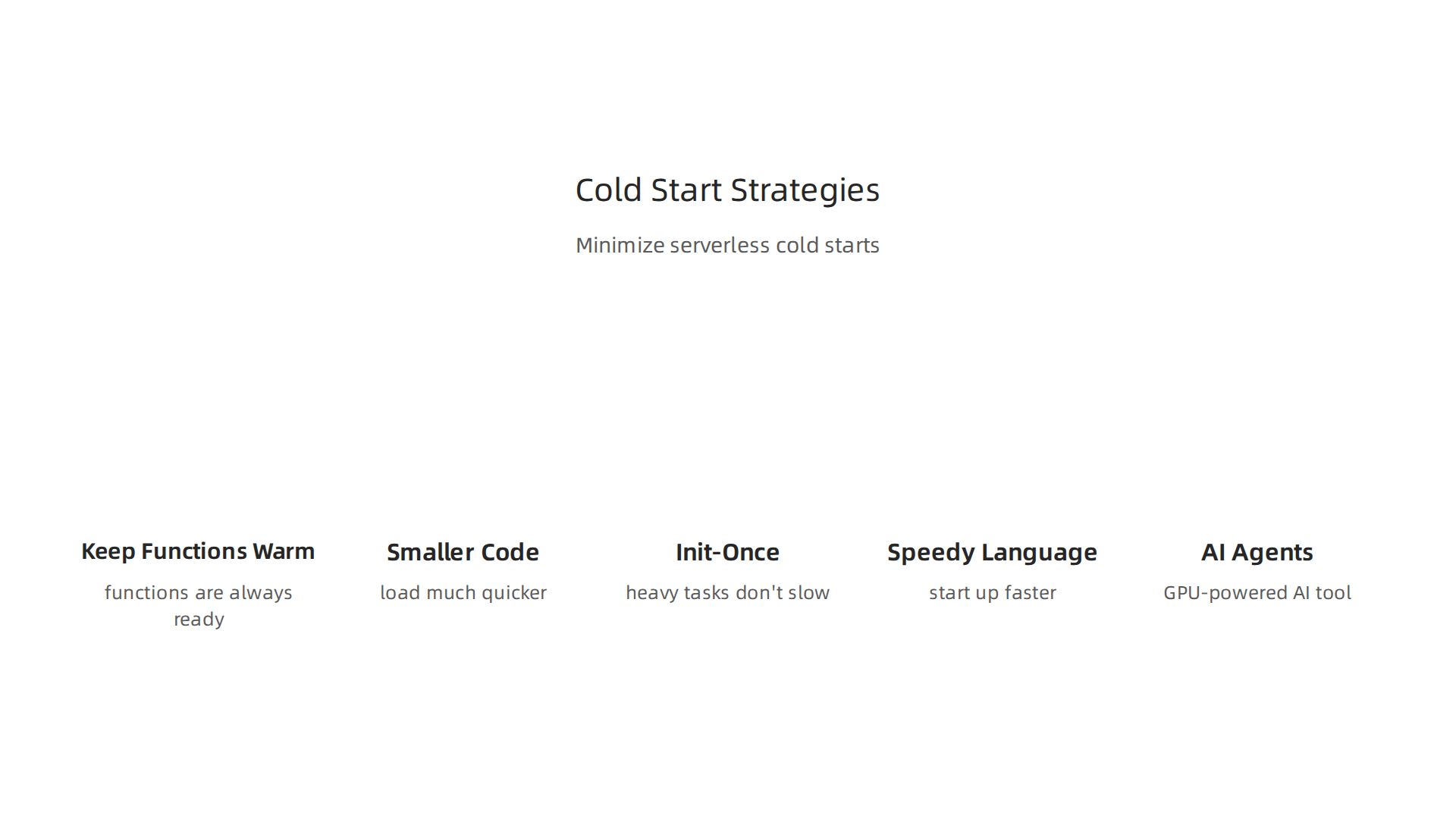
- Keep Functions Warm: One direct way to fight cold starts is to make sure your important functions are always ready. This can be done by telling the cloud provider to keep a few copies of your function "awake" all the time. This is called "provisioned concurrency" or "warm capacity" and is often used for parts of your app where delays would be very bad Serverless Cold Starts, Concurrency & Scale-to-Zero.
- Smaller Code, Faster Starts: The less code and fewer extra tools your function needs to load, the faster it will start. Try to only include what’s truly needed. Making your code package smaller helps functions load much quicker Conquering Cold Starts: Strategies for High-Performance Serverless ….
- "Init-Once" Pattern: If your function needs to do something costly only when it first wakes up (like setting up a database connection), you can tell it to do that part only once. This "init-once" pattern makes sure these heavy tasks don’t slow down every single request Serverless Cold Start Optimization: From Seconds to Milliseconds.
- Pick a Speedy Language: Some programming languages start up faster than others in a serverless environment. Choosing a faster one for critical functions can help reduce cold start delays.
- Be Smart About AI Agents: For things like AI agents that need a lot of computing power, cold starts can be a big problem. A GPU-powered AI tool might take over 40 seconds to give its first answer when "cold," but only 30 milliseconds when it’s already "warm" The Cold Start Tax on Serverless AI Agents – tianpan.co. This shows how important it is to manage cold starts, especially for advanced AI tasks that get a strong boost from Google Cloud.
By thinking about these strategies, you can make your serverless applications, even those that rely on boosted services, more responsive and consistent. This kind of careful planning is vital for good IT infrastructure management for 2026 and helps avoid common performance problems. Getting your cloud infrastructure to work its best involves understanding these details.
Scaling and cost optimization: sizing, pricing trade-offs, and autoscaling patterns
Making your apps faster with a google cloud boost is great, but we also need to think about how much it costs. The speed you gain should make sense for your budget. This is where sizing your serverless functions, understanding pricing rules, and using smart autoscaling methods become very important.

When you use serverless options, like those often called lambda cloud setups, you typically pay only for what you use. This means you are charged for how many times your function runs (called invocations) and for how long it runs (compute time and memory). For example, Google Cloud Run charges for CPU and memory separately, and Google Cloud Functions charges a specific amount per million requests. In 2026, for Google Cloud Functions, the cost can be around $0.40 per 1 million requests [Serverless Costs: Lambda, Functions & Cloud Run (2026) – SpendArk]. Google Cloud is known for its pay-as-you-go system, where you only pay for the services you actually use [Pricing Overview | Google Cloud].
Finding the Right Size for Your Serverless Functions
Choosing the right size for your serverless functions is a key part of managing costs and performance. If you give a function more memory or CPU power, it will often finish its work faster. This can sometimes lower the overall compute time, even if the per-second cost is higher. But giving it too much power means you’re paying for resources you don’t need, which wastes money.
The trick is to find a balance. You want enough power for your app to run well without overspending. Tools and tests can help you figure out the best settings for each function. This helps ensure your cloud infrastructure is both speedy and cost-effective.
How Autoscaling Helps Save Money
One of the best features of serverless computing is autoscaling. This means your functions automatically grow to handle lots of users when busy and shrink down to almost nothing when quiet. This is great for your budget because you’re not paying for idle servers. Google Cloud’s serverless tools, like Cloud Run, have this built-in. They only charge you when your service is actually being used, and can even scale down to zero instances if no one is using your app [Serverless | Google Cloud].
However, some parts of your app might need to be extra fast all the time, especially those powered by google cloud boost. For these, you might choose to keep a few instances "warm" using a method called provisioned concurrency. This means they are always ready, avoiding cold start delays.
Deciding Between Fixed Speed and Dynamic Scaling
Here’s the big question: when should you pay for fixed, top-tier performance (like keeping functions warm with a boost) versus letting them scale dynamically?
- Fixed Acceleration (Warm Functions): If a part of your app needs to respond instantly, every single time, then investing in fixed acceleration is often worth it. Think about critical user-facing features or AI agents that need very fast answers. The extra cost of keeping these functions warm and using
google cloud boostcould lead to a better user experience and better business outcomes. - Dynamic Serverless Scaling: For tasks that don’t need instant responses, or for parts of your app that only get used sometimes, dynamic scaling is usually the smarter choice. It saves money because you only pay when there’s actual work to do.
Making this decision means looking at the "return on investment" (ROI). Does the added speed and consistency from a fixed boost bring enough value to justify the cost? For important business decisions about your overall cloud strategy, it’s wise to consider the entire cloud provider ecosystem enterprise strategy for 2026.
Understanding these trade-offs helps you build a strong, cost-aware serverless architecture.
The AI Newsletter Worth Reading
Get clear daily AI updates from The Deep View Newsletter. Stay informed on the latest advancements and strategies in AI that impact your enterprise. Don’t miss out!
Optimizing costs and making your apps faster is only part of the story. It’s just as important to make sure everything runs safely and reliably. When you add special tools like google cloud boost or use vendor-managed services, you need to think about security, how well things work, and what to do if problems come up.
Security, reliability, and operational best practices
When you use advanced layers like hardware acceleration or tools that a vendor manages for you, the way you think about security changes. It’s no longer just about your own code. Now, you also depend on the cloud provider, like Google Cloud, to keep things safe and working. This is often called a "shared responsibility" model. The cloud provider takes care of the basic cloud infrastructure, while you’re responsible for how you use it and what you put on it.
Adding a google cloud boost layer means a new part of your system is being managed. You need to understand how this new part fits into your security plans. While Google Cloud works hard to keep its systems secure, you still need to pay attention to how your apps connect to these boosted services. Sometimes, if you don’t set things up right, new ways for bad actors to get in might open up. Thinking about these changes helps you avoid issues, just like you would with any other cloud service, even when looking at aws issues on another platform.
Building Strong Operational Plans
Even with the best tools, things can sometimes go wrong. That’s why having good plans for operations is super important. These plans help you handle problems quickly and keep your services running smoothly.
-
Observability: This means having a clear view of what’s happening with your applications and
cloud infrastructure. You need tools that show you how yourlambda cloudfunctions are running, how fast they are, and if there are any errors. This includes:- Monitoring: Watching your systems all the time to spot unusual activity.
- Logging: Keeping records of everything your applications do.
- Tracing: Following requests through different parts of your system to see where delays happen.
These insights are key to making sure yourgoogle cloud boostis always working as expected.
-
Incident Response: This is your plan for when something breaks. It’s a step-by-step guide on what to do when an issue comes up. Who needs to be told? What are the first things to check? How do you fix it? A clear incident response plan helps you react fast and reduce downtime.
-
Runbooks: These are detailed guides for common tasks or problems. Think of them as recipes for your operations team. If a specific alert goes off, the runbook tells you exactly what steps to take to fix it. This is really helpful for making sure everyone knows what to do and that problems are solved the same way every time.
By putting these practices in place, you can make sure your boosted serverless functions are not only fast and cost-effective, but also secure and reliable. This helps you manage your cloud infrastructure well in 2026 and prepare for what’s next. To learn more about keeping your systems up to date, consider reading about how to Future Proof Your IT Infrastructure Management for 2026.
It’s also a good idea to stay informed about the latest trends and changes in technology, especially as AI continues to shape how we build and manage cloud services.
The AI Newsletter Worth Reading
Get clear daily AI updates from The Deep View Newsletter. Stay informed on the latest advancements and strategies in AI that impact your enterprise. Don’t miss out!
Staying on top of the latest tech means you also need a smart way to choose which new tools are right for your business. When you think about adding a google cloud boost to your systems or using services like lambda cloud, it’s important to have a clear plan. This helps you figure out if these powerful tools will truly help your existing applications.
Decision framework and migration checklist: when to adopt Boost, Lambda Cloud, or both
Deciding when to use technologies like google cloud boost or lambda cloud starts with looking closely at what your current applications need. It’s about finding the best fit to make things faster, save money, or improve how they run.
Here’s a simple checklist to help you evaluate your workloads:
-
Look at Your Current Apps:
- What are they doing? Are they handling lots of short, quick tasks (like processing website clicks), or big, complex jobs (like crunching huge amounts of data)?
- How fast do they need to be? Do customers get upset if there’s even a tiny delay? Some services, like those dealing with real-time data or user interactions, might benefit most from a
google cloud boost. Google Cloud often introduces new features like high-performance storage and AI infrastructure to make these services even faster, as announced at major events like Google Cloud Next 2026. - How much do they cost now? Are you spending a lot on servers that sit idle sometimes?
Lambda cloudfunctions (and similar serverless options) only charge you when they run, which can save money for tasks that don’t need to be "always on." - Do they have spikes in usage? Does your app suddenly get a lot more users at certain times?
Lambda cloudcan scale up and down automatically, making it great for these kinds of workloads. - What kind of data are they using? Are they moving large files or dealing with sensitive information? This impacts both performance needs and security setup.
-
Match Tools to Needs:
- Choose
Lambda Cloud(or similar serverless functions) if: Your app has tasks that run only when triggered, like processing images after they’re uploaded, sending emails, or handling small API requests. This is very good for event-driven work. - Choose
Google Cloud Boostif: Your apps need extra speed for things like complex calculations, processing very large datasets, or using machine learning. This often involves using special hardware like GPUs or TPUs that can make these tasks run much quicker. For example, Google Cloud has made improvements with its 8th Generation TPUs for AI tasks.
- Choose
Common migration steps and rollback strategies to reduce risk
Once you decide to move an application or part of it to a new service like google cloud boost or lambda cloud, you’ll follow a few key steps. Google Cloud offers a clear framework for moving your workloads.
- Assess and Discover: First, understand everything about your current application. What resources does it use? Who depends on it? What are its goals? This helps you see where a
google cloud boostorlambda cloudmight help most. You can learn more about this initial phase by reading about how to Migrate to Google Cloud: Assess and discover your workloads. - Plan and Build: Next, design how your application will work in the new cloud environment. This involves setting up your new
cloud infrastructureand making sure it’s ready. - Migrate: This is when you actually move your application’s data and code. This could be moving an application from an old server or even from another cloud service, like fixing common
aws issuesby switching to Google Cloud. The overall process of moving to Google Cloud follows a standard migration framework of assessing, planning, deploying, and optimizing your environment, which is well-documented in the Migration | Google Cloud Documentation. - Optimize: After moving, you’ll fine-tune everything to make sure it runs as efficiently as possible.
Rollback Strategies: It’s super important to have a "plan B" in case something doesn’t go as expected during migration. This is called a rollback strategy.
- Keep the old system running: For a short time, keep your old system active even after the new one is live. If there are problems with the new system, you can quickly switch back to the old one.
- Small, slow changes: Don’t move everything at once. Migrate small parts of your application, test them well, and then move more. This reduces the risk if something goes wrong.
- Backup everything: Always have fresh backups of your data and application code before you start any migration.
By carefully evaluating your needs and following these steps, you can successfully adopt new tools and improve your cloud infrastructure with less risk. To gain deeper insights into how to make smarter cloud decisions for your business, consider reviewing some valuable cloud research how to evaluate insights and drive smarter cloud decisions.
Summary
This article explains how modern cloud performance tools—exemplified by Google Cloud Boost—and serverless or