
Software Development Kit Definition Explained for Enterprise Leaders

For leaders in today’s fast-moving business world, understanding technology terms is very important. Sometimes, words like Software Development Kit (SDK), API, framework, and library can sound similar, making it hard to know what they truly mean. This confusion can lead to problems, especially when making big decisions about which tools your company should use.
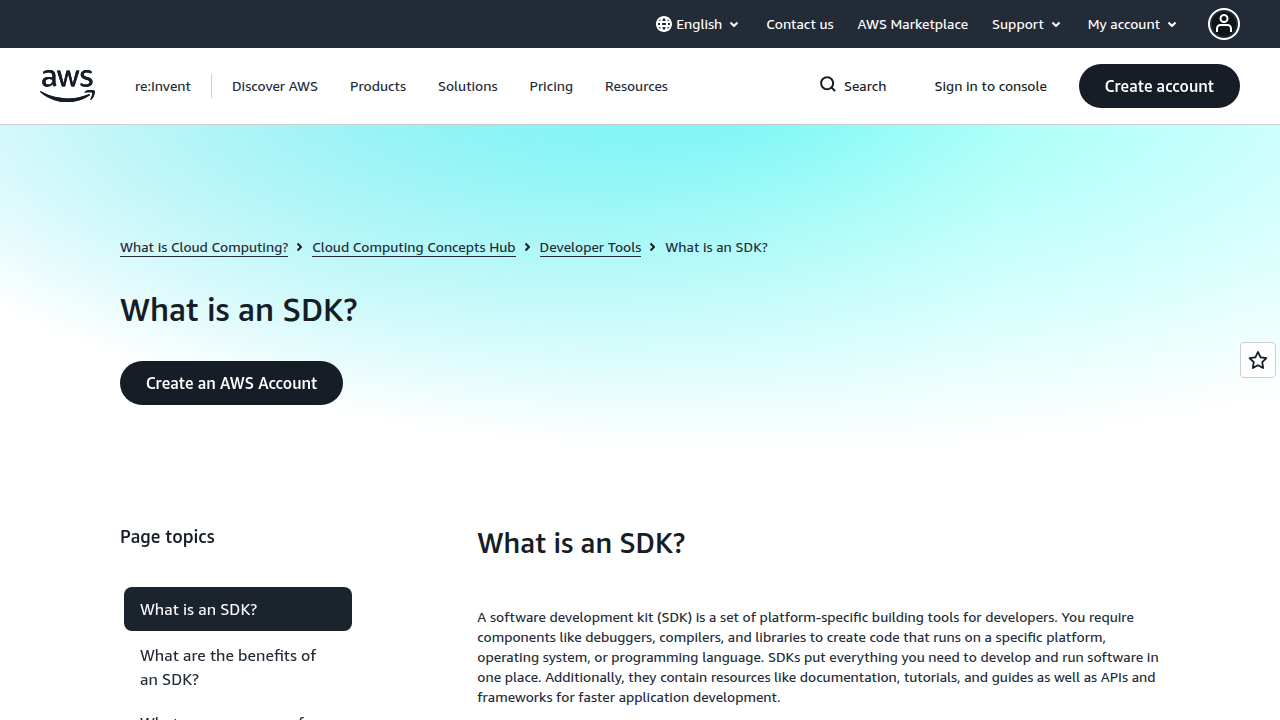
A clear understanding of the software development kit definition is key. An SDK is essentially a collection of tools that helps computer programmers create applications for a specific platform or system. Think of it like a builder’s toolbox for software; it contains everything needed to build something new. For example, Amazon describes an SDK as a set of platform-specific building tools for developers, including components like debuggers, compilers, and libraries needed to create code for a specific system or language, making development easier and faster What is SDK?.
Why does having a clear software development kit definition matter to you as an enterprise leader in 2026? Well, if you mix up these terms, it can affect many important areas:
- Procurement: You might buy the wrong software tools for your teams, wasting money and time.
- Integration Risk: New software might not work well with your existing systems, causing headaches and delays.
- Developer Productivity: Your development teams could struggle, slowing down projects and making it harder to deliver new features. This can impact your overall software development life cycle.
In short, getting these definitions right helps your company choose the best tools, reduce risks, and keep your development teams productive. This means your professional engineering services can deliver more value.
This guide will give enterprise leaders a clear, practical look at SDKs. We will cover their exact definition, what they contain, how to evaluate them, and the best ways to adopt them into your business. Staying informed about critical technologies like SDKs is crucial for strategic growth. Get clear daily AI updates and technology insights with The AI Newsletter Worth Reading.
What is a software development kit (SDK)? A clear, enterprise-ready definition
Let’s get even clearer about the software development kit definition for enterprise leaders. An SDK is more than just a single tool; it’s a full package of tools and instructions. Think of it like a complete project starter kit for building something specific, often made by the company that owns a platform, operating system, or programming language itself. This kit helps developers create new applications or add features to existing ones for that particular system.
What exactly does an SDK usually have inside? It’s a handy bundle that often includes:
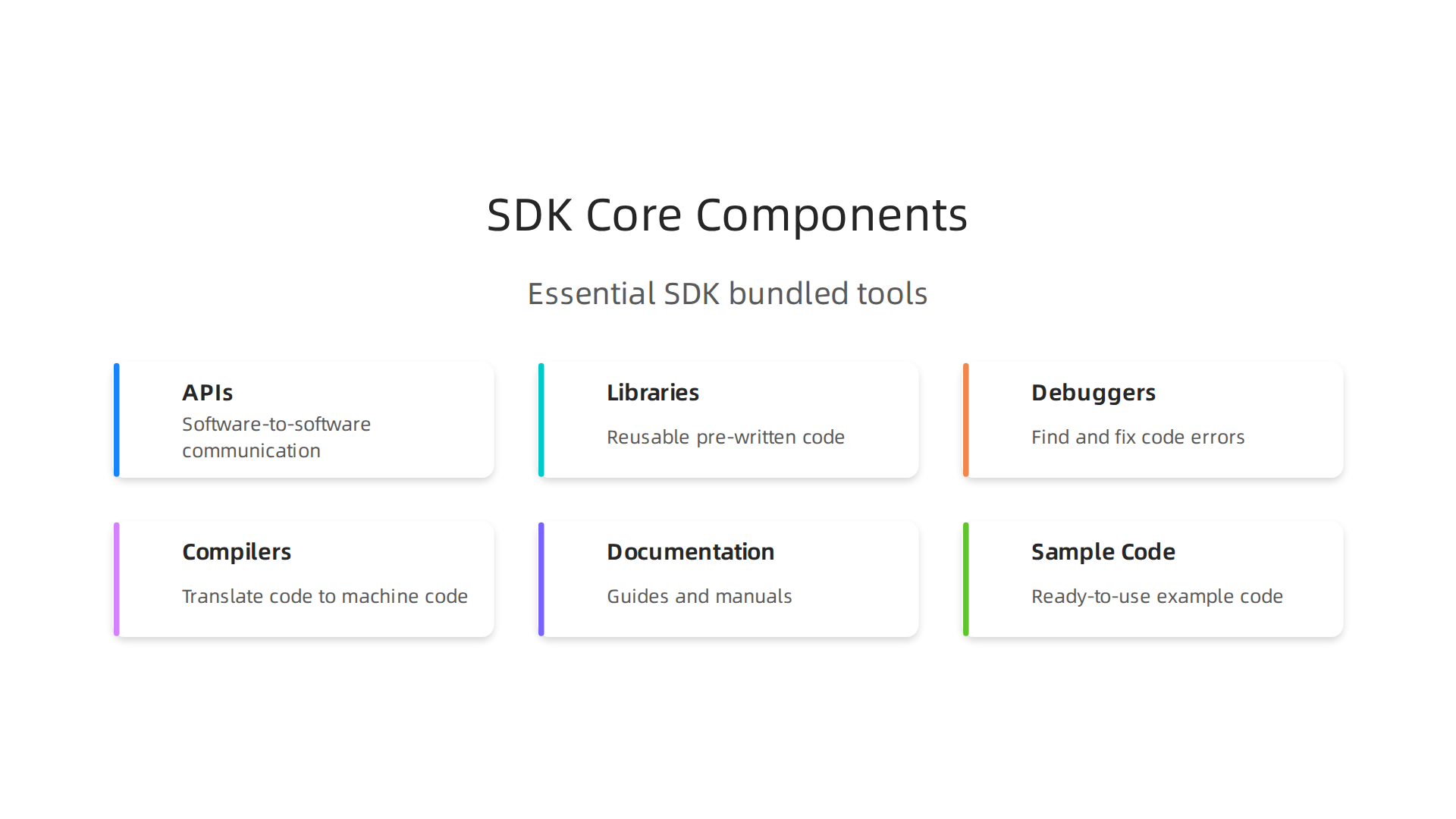
- APIs (Application Programming Interfaces): These are like special menus that let different software talk to each other. They define how one piece of software can ask another piece to do something.
- Libraries: These are collections of pre-written code that developers can use. Instead of writing everything from scratch, they can use these code blocks to save time.
- Debuggers and Compilers: These are tools that help developers find and fix mistakes in their code (debuggers) and turn their human-readable code into something a computer can understand (compilers).
- Documentation: This means guides and manuals that explain how everything works, often with examples.
- Sample Code: Ready-to-use pieces of code that show how to use the SDK’s features.
Using an SDK is key for making sure your new software works well with other systems. It helps with integration and makes product development much faster. Instead of building every small part, developers can use the SDK’s ready-made components. This is different from just using a standalone service, which might offer one specific function but not all the tools to build around it. With an SDK, your professional engineering services can connect your new projects to important platforms seamlessly.
For businesses in 2026, choosing the right SDK is very important for many projects:
- Cloud Integrations: If your company uses cloud services from providers like AWS or Google Cloud, their SDKs help your apps connect and use those cloud features. This is vital for your cloud provider ecosystem enterprise strategy for 2026.
- Device Drivers: When creating software for new hardware devices, like those in mobile or IoT, SDKs help make sure your software can talk to and control the device correctly. This is important when you select top mobile IoT software vendors for enterprise growth in 2026.
- Machine Learning (ML) Inference: If you’re building AI features, some SDKs offer tools to run your AI models on different devices or in the cloud. This helps you integrate AI into your products faster and supports efforts like mastering massive AI enterprise strategy and implementation in 2026.
These kits make it much simpler for your teams to build software that works, connecting different parts of your business and speeding up your projects. It’s like having a special instruction manual and all the right parts to build an engine for a specific type of car. This way, your team can focus on making unique features instead of the basic setup.
When we talk about a software development kit (SDK), it’s really a collection of different parts working together. Understanding these core parts helps enterprise teams use SDKs better and keep their software running smoothly.
Here are the main things you’ll often find inside an SDK:
Libraries
Libraries are like toolboxes full of pre-made code. Instead of writing common functions from scratch, developers can use these ready-to-go pieces of code. This saves a lot of time and effort in the software development life cycle. For enterprise teams, using libraries means faster building and less chance of errors, because the code has already been tested. But, it’s good to pick libraries that are not too big, so your app doesn’t get slow, and that don’t cause problems with other code you use. These are often called "core libraries" or "runtime components" that your app connects with to function properly, especially for mobile SDKs What Is a Mobile SDK? A Complete Guide for Developers.
APIs (Application Programming Interfaces)
APIs are the rules that let different software programs talk to each other. In an SDK, APIs are the specific commands and methods your new software uses to interact with the platform the SDK is for. They make sure the communication is clear and orderly. A well-designed API in an SDK makes integration feel smooth and easy SDK Guide: How Development Kits Boost Productivity – Strapi. If the API is confusing, it can make integrating the SDK much harder for your professional engineering services.
Runtimes and CLIs (Command Line Interfaces)
Sometimes, an SDK will include a "runtime" environment. This is like a mini-engine that lets your code run within a specific system. Other times, you might get a Command Line Interface (CLI). A CLI lets developers type simple commands into a text window to control the SDK or perform tasks. These tools help developers test and run their software during the building process.
Sample Applications and Code
Imagine learning to build something new without seeing any examples. It would be tough, right? That’s where sample apps and code come in. SDKs often include small, working examples that show how to use its features. These are super helpful for developers to quickly understand how things work and get started on their own projects. They act as practical blueprints.
Documentation
Good documentation is like a good instruction manual. It explains how to set up the SDK, how each part works, and what common problems might come up. For enterprise teams in 2026, clear and complete documentation is crucial. It helps lower the learning curve for developers and makes ongoing maintenance much simpler. Without good docs, even the best SDK can be hard to use SDK Documentation: The Complete Guide for 2026 – Docsio. You’ll want to choose SDKs that offer detailed guides, tutorials, and practical examples to ensure your team can adopt and maintain it without issues Cross-Platform API Development and the Role of SDKs.
The Developer Experience (DX) Signal
For businesses, choosing an SDK isn’t just about what’s inside, but how easy it is for your team to use. This is called the Developer Experience, or DX. When evaluating an SDK, pay attention to:
- Documentation Quality: Is it easy to read? Does it have clear examples?
- Sample Coverage: Are there enough samples to cover different uses?
- Testing Utilities: Does the SDK include tools to help developers test their code easily?
A good DX means your team can integrate faster, spend less time fixing problems, and keep your software running smoothly over time.

For enterprise leaders, this translates to faster project delivery and lower maintenance costs. Looking for these signals will help you pick a strong software development kit definition that supports your business goals.
Understanding the parts of an SDK is just the beginning. For enterprise teams, it’s also super important to know how a software development kit (SDK) is different from an API, a framework, or a library.
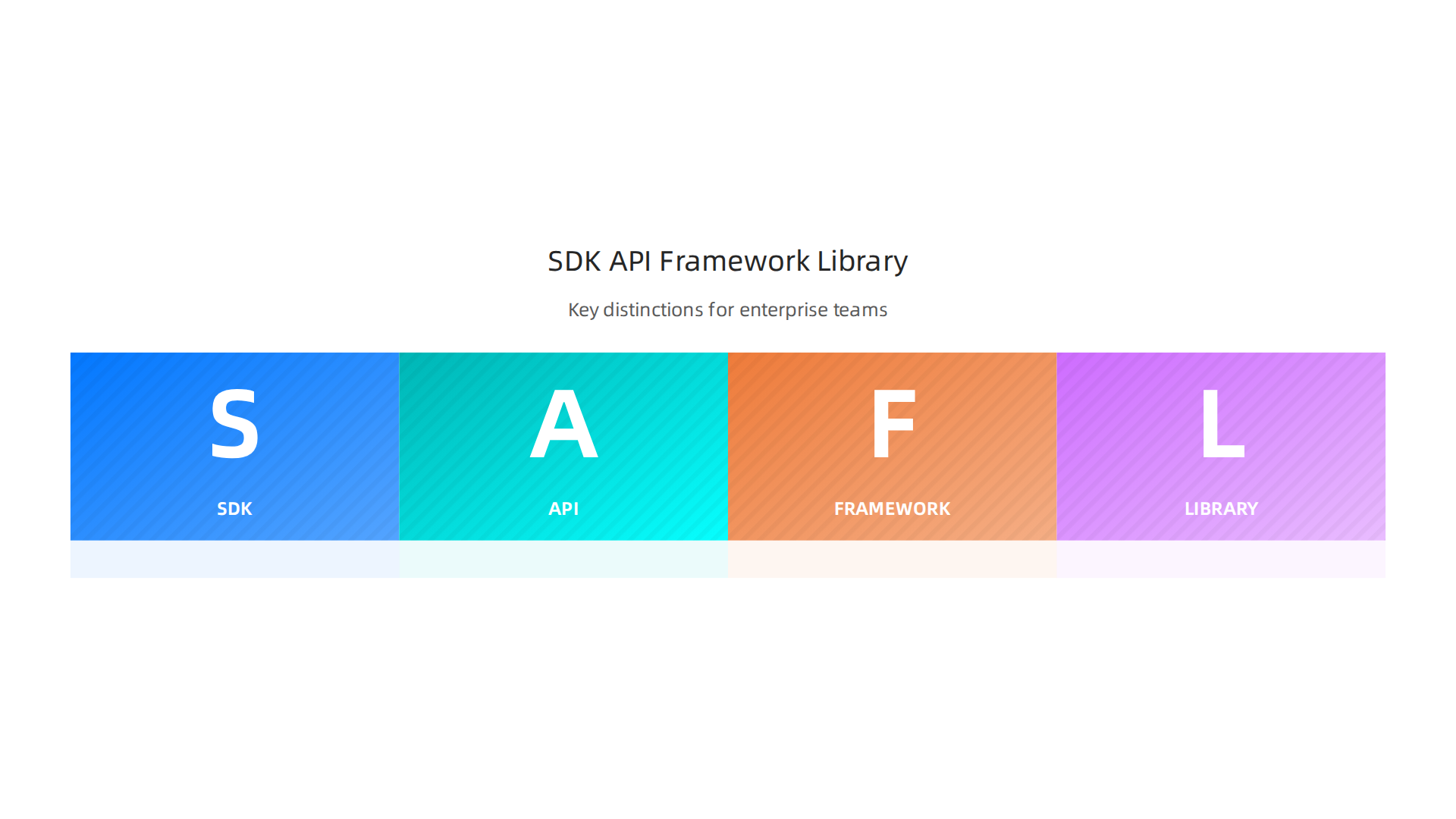
These terms are often mixed up, but knowing their precise meaning helps with buying software and planning how your systems will work.
Here is a clear look at each:
Software Development Kit (SDK)
Think of an SDK as a full toolbox that helps you build something new for a specific platform. It’s a complete package for developers. An SDK usually includes many things: the code libraries we talked about, APIs to connect with, debugging tools to fix problems, sample code, and clear instructions (documentation). Its main job is to help you create apps for a certain operating system, hardware, or service, like making an app for Android phones or a feature for a special device. It gives you everything you need to start from scratch or add big new features What Is an SDK (Software Development Kit)?. In short, it makes it easier to develop software by providing all the necessary tools in one place. You can even see a quick explanation in this helpful video: SDK Explained in 3 minutes.
API (Application Programming Interface)
An API is like a menu at a restaurant. It lists what you can order (the functions and data available) and how to order it (the rules for requesting them). Unlike an SDK, an API is just the way software talks to other software. It’s a set of rules and tools that lets different programs communicate and share information. An API does not give you all the tools to build a whole app, but it lets your app ask for specific services or data from another system. Many SDKs actually include APIs as part of their bigger package SDK vs. API: What’s the Difference?.
Framework
A framework is like a blueprint or a partially built house. It gives you a structure and a set of rules for how to build your application. It guides you. When you use a framework, you often have to follow its patterns and fill in the missing parts. This can speed up development because a lot of the basic structure is already there. It’s more than just a collection of tools; it dictates how your application will be organized.
Library
We touched on libraries before. A library is simply a collection of pre-written code that you can use to perform specific tasks. If you need to do something common, like sort a list of names or connect to a database, you can use a library for that. You call the library’s code when you need it, but it doesn’t tell you how to build your whole app. It’s just a helper for certain jobs.
Why Distinctions Matter for Enterprise Decisions
For businesses, choosing the right offering is vital. If your professional engineering services need to build a new app from the ground up for a specific platform, an SDK offers the comprehensive tools and guidance needed. However, if you just need your existing software to pull data from another service, an API might be enough.
The biggest risk is when vendors mislabel what they offer. Sometimes, a company might say they provide an "SDK" but only give you an API or a simple library wrapper. This can lead to big problems. Your team might expect a full set of tools, good documentation, and debugging features, but instead, they get just a way to connect. This can cause unexpected work, delays in your software development life cycle, and hidden costs because your developers have to build more themselves.
Always make sure you know exactly what you are getting. Ask clear questions about what the offering includes: is it a complete kit for development, or just a way to communicate?

This careful choice helps your enterprise make smart technology investments.
After understanding the different parts of a software development kit (SDK) and how it differs from other tools, the next big step for businesses is to pick the right one. This choice is super important because a wrong pick can cause big problems and cost a lot of money and time. To help make smart decisions, here’s a simple checklist for evaluating and selecting an SDK for your enterprise in 2026.
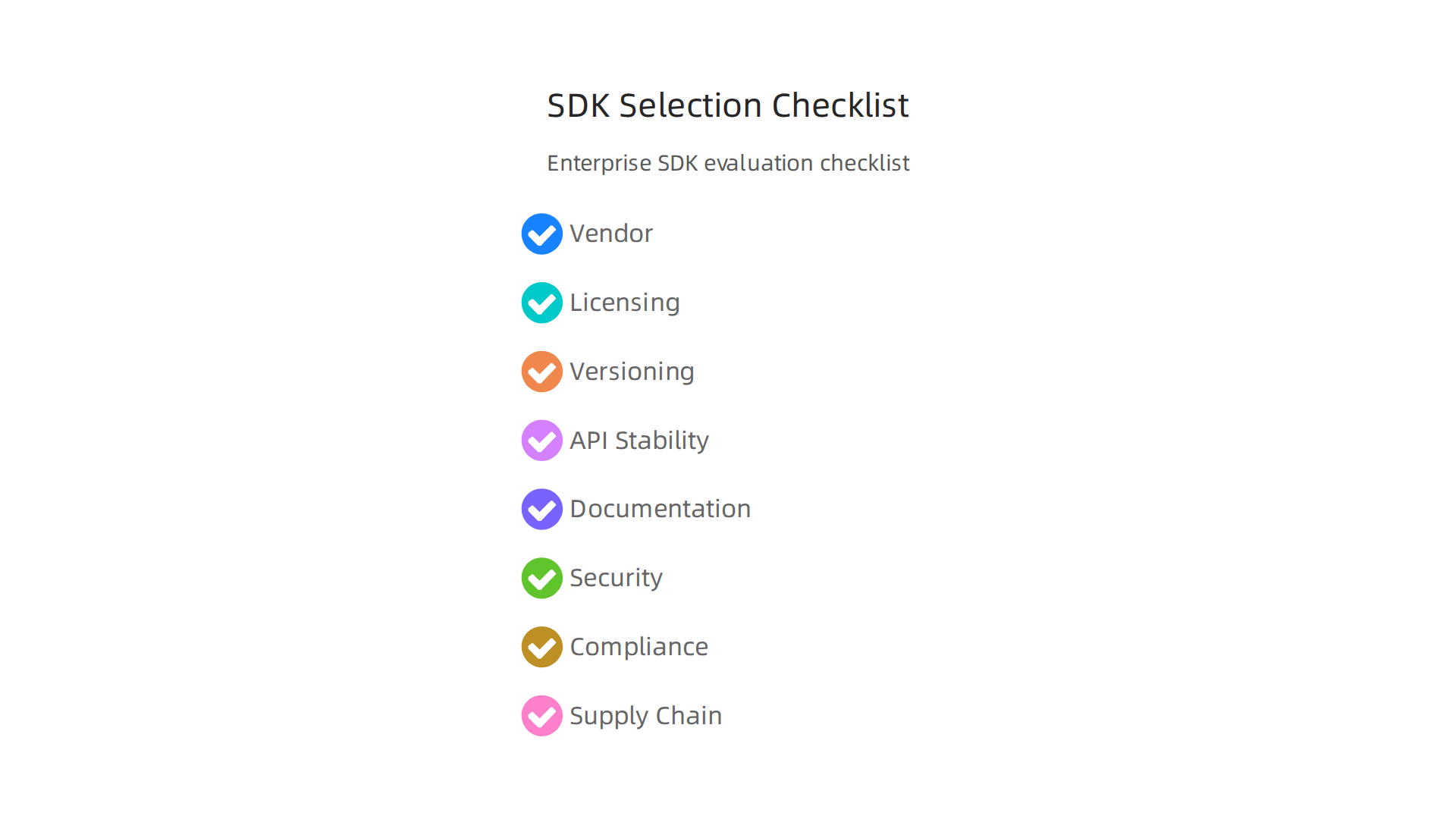
Vendor and Technical Checklist
When looking at an SDK, first think about the company that makes it and the technical parts.
- Who owns it? Look at the company offering the SDK. Do they have a good reputation? What are their plans for the future of the SDK?
- Licensing rules: Understand how you can use the SDK. Are there costs per user or per app? Can you change the code if needed?
- Long-term care: Will the company keep updating and fixing the SDK? What happens if they stop supporting it? This is about how long the SDK will be useful for your projects.
- Version plans: How does the company handle new versions? Will new versions break your existing apps (backward compatibility)? You want an SDK that grows with your needs without causing big headaches.
- Vendor evaluation: For help picking the best partners, consider looking at guides for how to select top mobile IoT software vendors for enterprise growth in 2026.
Developer-Centric Checklist
This part focuses on how easy the SDK is for your developers to use every day. Happy developers mean faster work and fewer mistakes.
- API stability: The ways your app talks to the SDK (APIs) should not change often. This makes sure your apps keep working without constant fixes.
- Good instructions (documentation): Is it easy to find out how to use the SDK? Good documentation with clear examples is a must for any software development kit definition. It should guide developers step-by-step, as it’s key for a smooth experience for mobile SDKs according to a 2026 developer’s guide SDK for Mobile: A Developer’s Guide for 2026.

- Sample code: Does the SDK come with ready-to-use code examples? These speed up learning and make sure developers understand how things should work.
- Language and platform support: Does the SDK work with the programming languages and systems your team already uses, like Java or Python?
Operational Checklist
Finally, think about how the SDK fits into your company’s rules and safety needs.
- Security check: How secure is the SDK? Are there known weak spots? Many new SDKs face challenges with security, like critical flaws that can be found in their core design Critical ‘by design’ weakness located in Anthropic’s MCP SDK. Your professional engineering services must review this carefully.
- Meeting rules (compliance): Does the SDK help your company follow important rules about data and privacy, like GDPR or HIPAA?
- Supply chain safety: Where does the SDK come from? Are its parts safe? Software supply chain attacks are a real threat in 2026, so knowing the SDK’s origin and how it’s built is very important to protect your systems Software Supply Chain Attacks 2026: Protect Your Pipeline.
- Help when you need it (support SLAs): What kind of help can you get if something goes wrong? How quickly will they respond?
Choosing an SDK is a big decision for any enterprise. Using a thorough checklist helps you ask the right questions and pick a tool that will truly help your business grow and stay safe.
To stay on top of the latest trends in technology and how they impact your business, consider subscribing for daily updates.
The AI Newsletter Worth Reading
Choosing a software development kit (SDK) for your business involves more than just checking its features or how easy it is for developers to use. A huge part of this choice, especially in 2026, is making sure the SDK is safe, follows all the rules, and doesn’t bring new dangers to your software supply chain.

Ignoring these risks can lead to serious problems, like data breaches or legal trouble.
Common Risks from Third-Party SDKs
When you add an SDK from another company to your own apps, you’re also bringing in potential risks. These are often called "risk vectors."
- Vulnerable Dependencies: SDKs are often built using other smaller pieces of code, called dependencies. If any of these smaller pieces have security holes, your entire application becomes unsafe. These hidden weaknesses are a major concern in 2026.
- Native Code and Powerful APIs: Some SDKs use "native code" which can directly talk to your device’s operating system. They might also use "privileged APIs" which give them special permissions. If this code isn’t secure, it could give bad actors too much control over your app or device. For example, some SDKs have faced critical security flaws in their core design, leading to problems like remote code execution. One such issue involved a critical ‘by design’ weakness located in Anthropic’s MCP SDK, which highlights the need for careful review by professional engineering services.
- Lack of Isolation: For mini-program SDKs, making sure the untrusted code within the SDK can’t harm the main application is a big technical challenge in 2026. Good SDK integration needs strong security isolation.
Checking for Rules and Safety
To make sure an SDK is safe and follows your company’s rules, you need to look at two key areas:
- Compliance: This means checking if the SDK helps you meet important laws and rules about data and privacy, like GDPR or HIPAA. Does the SDK handle user data in a way that protects privacy? Your company’s software development life cycle should include steps to verify this.
- Runtime Isolation: This is about making sure the SDK operates in a "sandbox" so it can’t mess with other parts of your application or system. Especially in highly regulated industries, you need to ensure the SDK cannot access sensitive information it doesn’t need.
How to Control Operational Risks
Even after picking an SDK, the work isn’t over. You need ongoing controls to manage its security over time.
- Software Bill of Materials (SBOMs): Think of an SBOM as an ingredient list for your SDK. It tells you all the components that make up the software development kit definition. Having an SBOM helps you track and manage potential vulnerabilities in every part of the SDK.
- Patch Schedule: How often does the SDK vendor release updates and fixes? A good vendor will have a clear plan for patching security holes quickly. This is crucial as software supply chain attacks are still a major threat in 2026, with many incidents involving trojanized packages or vulnerable build pipelines. Knowing when and how often an SDK is updated can help protect your systems. For more on this, the 2026 Software Supply Chain Security Report offers important insights.
- Vulnerability Disclosure Practices: How does the SDK vendor tell you about newly found security problems? Do they have a clear process for reporting and fixing these issues? Timely communication is vital.
- Vendor Remediation SLAs: This stands for Service Level Agreements. It’s a contract that spells out how quickly the vendor promises to fix security issues. You want strong agreements that guarantee fast action when problems arise.
By carefully looking at these security, compliance, and supply-chain aspects, you can choose an SDK that not only helps your business grow but also keeps your systems safe and compliant in today’s fast-changing digital world. Managing these risks requires a strong understanding of your software development life cycle models and the role of your key software development engineering roles in ensuring security.
Managing the security and compliance of SDKs is only part of the story. For big companies, handling many SDKs across different product teams calls for smart planning. It’s about setting up clear rules for how to bring new SDKs into the fold, how to keep them updated, and how to manage their costs and risks over time. This overall plan is called a governance model.
Smart Ways to Handle SDKs
When a company uses many SDKs, it needs a system. This means having rules for how teams choose and use a new software development kit definition. Good governance models make sure that all product teams are on the same page. This helps avoid chaos and keeps things safe. For example, in 2026, the use of AI coding tools has grown greatly, with over 80% of developers now using or planning to use them, which means many new AI-focused SDKs are appearing. This rapid growth makes clear rules for adding new tools even more important for enterprise scale.
Keeping SDKs Fresh and Ending Old Ones
SDKs are always changing. New versions come out with better features or important security fixes. This is called versioning. Companies need a plan for when to update their SDKs. They also need policies for deprecation. This means deciding when an old version of an SDK will no longer be supported. Thinking about the full software development life cycle methodologies helps manage these changes smoothly.
It’s also important to watch SDKs while they are being used. This is called monitoring. It helps make sure they are working well and are not causing any problems for your apps. This is a job for experienced teams offering professional engineering services.
Dealing with Costs and Vendor Risks
Just like any other tool, SDKs come with costs and risks from their creators, called vendors. Companies need to check on their SDK vendors often. They should ask about things like how quickly the vendor fixes bugs or what their future plans are for the SDK. This is part of vendor-risk management. Knowing an SDK Market Trends, Growth Analysis & Forecast 2035 can help make better decisions. Including SDK health in regular vendor reviews is key to strategic IT asset management and ensures long-term safety and value.
By using these smart ways to manage SDKs, businesses can make sure they are using these tools safely and efficiently, no matter how big their operations are.
Stay ahead of the tech curve.
The AI Newsletter Worth Reading
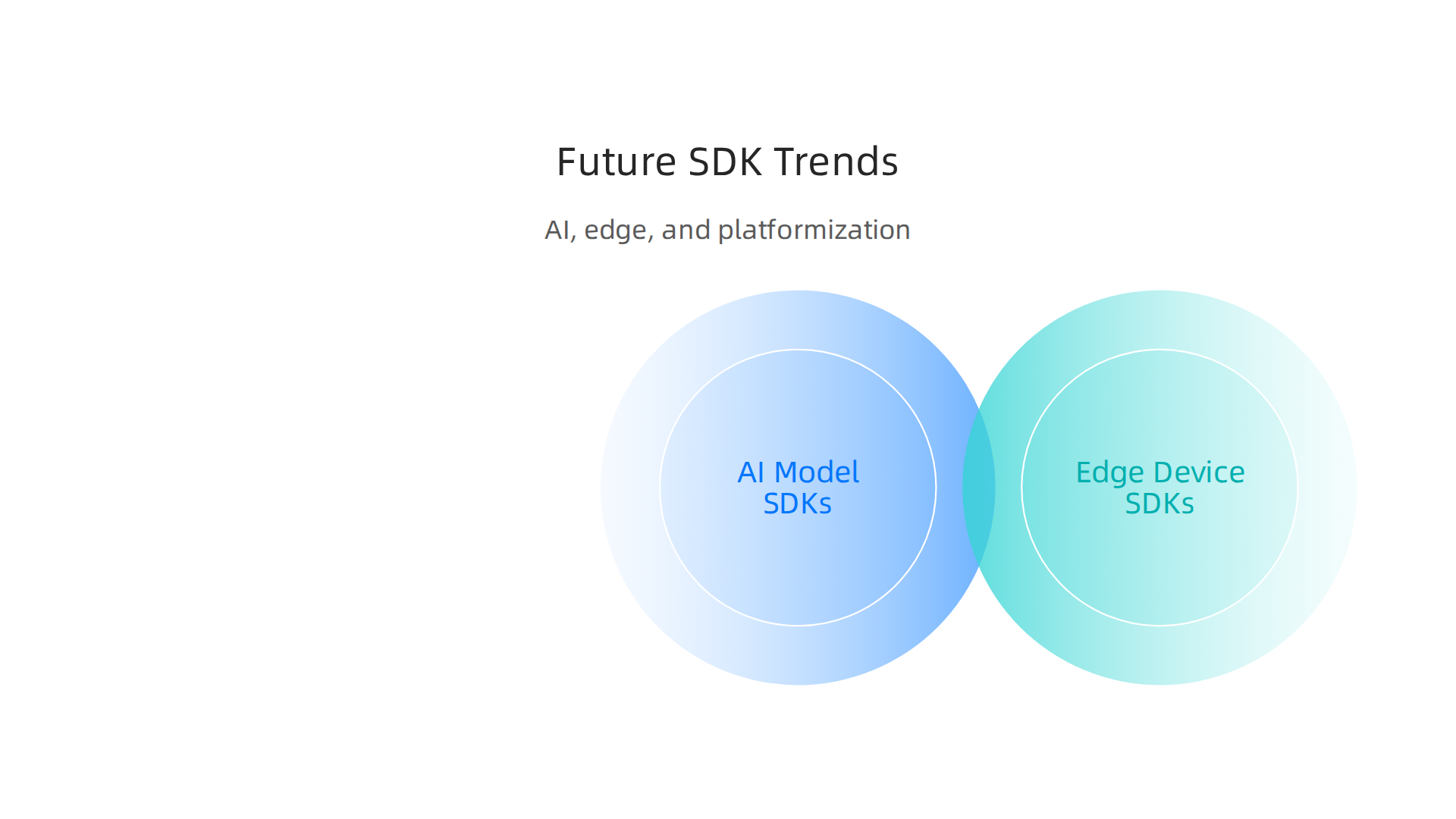
To truly master SDKs, businesses must also keep an eye on new trends that are changing how these tools work. In 2026, three big trends are shaping the world of software development kits: AI, edge computing, and platformization.
AI Model SDKs and What They Mean
Artificial Intelligence (AI) is everywhere, and this means many new AI model SDKs are appearing. These SDKs let developers add smart features to their apps, like understanding speech or making predictions. But they bring new challenges. You need clear rules for things like how the AI SDK gathers information (telemetry), how its code is shared (licensing), and how it’s explained (documentation). Keeping these SDKs safe is also very important. For example, a "by design" flaw was found in Anthropic’s Model Context Protocol (MCP) SDK, showing how crucial it is to check AI tools closely for hidden weaknesses. Understanding and building a strong Mastering Massive AI Enterprise Strategy and Implementation in 2026 is key to managing these new tools.
Edge Device SDKs and Their Hurdles
Another big trend is edge computing. This is about running applications closer to where data is made, like on smart devices or factory machines. Edge device SDKs are special tools that help build apps for these devices. The challenge here is that edge devices often have different hardware. This means SDKs need to provide specific code packages (binaries) for each type of device. Ensuring these packages are secure and trusted involves careful checking and digital signatures. It’s a complex task that often requires experienced professional engineering services to manage. If your business is looking into IoT and mobile solutions, it’s wise to Select Top Mobile IoT Software Vendors for Enterprise Growth in 2026.
The Rise of Platform SDKs
Lastly, we’re seeing more platform SDKs and managed runtimes. Imagine a big company offering a set of tools that work only within their system. That’s a platform SDK. While these can make development faster and easier by handling many tasks for you, they can also lead to "vendor lock-in." This means it becomes harder to switch to another company’s tools later on. It also affects how easily your apps can run on different systems (portability). Businesses need to think carefully about these trade-offs. The move towards these integrated systems is a big part of Platform Engineering in 2026: A Strategic Guide for CIOs and CTOs.
Staying updated on these changing trends is part of smart SDK management. It helps companies use the latest technology while keeping their operations safe and flexible.
Summary
This article gives enterprise leaders a practical, enterprise-ready guide to software development kits (SDKs): what they are, what they contain, and why getting the definition right matters for procurement, integration, and developer productivity. It explains common SDK components—APIs, libraries, runtimes, CLIs, sample code, and documentation—and contrasts SDKs with APIs, frameworks, and libraries so decision-makers avoid costly vendor mislabels. The guide provides a concrete evaluation checklist covering vendor health, licensing, API stability, documentation quality, language support, and operational controls like SBOMs and patch SLAs. It highlights security and supply-chain risks from vulnerable dependencies, native code, and privileged APIs, and recommends runtime isolation, vulnerability disclosure, and remediation SLAs. The article also outlines governance practices for managing many SDKs at scale, including versioning, deprecation, monitoring, and vendor risk reviews. Finally, it surveys 2026 trends—AI model SDKs, edge-device binaries, and platform SDKs—and explains the trade-offs between faster integration and vendor lock-in, helping leaders choose and control SDKs safely for strategic growth.