
Optimize Enterprise Software with Strategic Software Development Lifecycle Models

Why a Modern SDLC Matters for Enterprise Software
Making great software for big companies can be tricky. Businesses today need their software to be fast, reliable, and safe.

But often, they face big problems like slow progress, bugs that are hard to fix, and security risks. These issues can cost a lot of money and slow down important business goals. That’s why having a good plan for how software gets made is so important.
This plan is called the software development SDLC, which stands for Software Development Lifecycle. Think of it as a clear roadmap that guides software from an idea all the way to its everyday use and beyond. Without a clear lifecycle of software development, companies can struggle with projects that go over budget, take too long, or don’t work as well as they should.
A modern approach to the software development SDLC helps tackle these common pain points head-on. It focuses on making sure new software is developed quickly, meets high-quality standards, and lowers risks. For example, a good SDLC includes steps for managing risks and ensuring quality from the very start. An SDLC governance model helps guide software projects with clear rules and checks along the way.
In this article, you will learn how different software development lifecycle models can help your enterprise make better decisions. You’ll see how these models improve how your teams work, leading to better software and smoother operations. We will look at how to pick the right ways to build software and make sure your projects succeed. For more about choosing the best ways to develop software, you can read about SDLC methodologies for enterprises choosing the right software development life cycle.

Staying on top of the latest in enterprise technology, including how AI is changing software development, is key for any leader in 2026. Get clear daily AI updates by subscribing to The AI Newsletter Worth Reading.
SDLC Models: Choosing the Right Model for Your Organization
Now that we know why a good software development SDLC is so important, let’s look at the different kinds of maps, or models, you can use. Picking the right one for your company is key to making great software. Each of these software development lifecycle models has its own strengths and works best in different situations.
Here are some common ways companies build software:
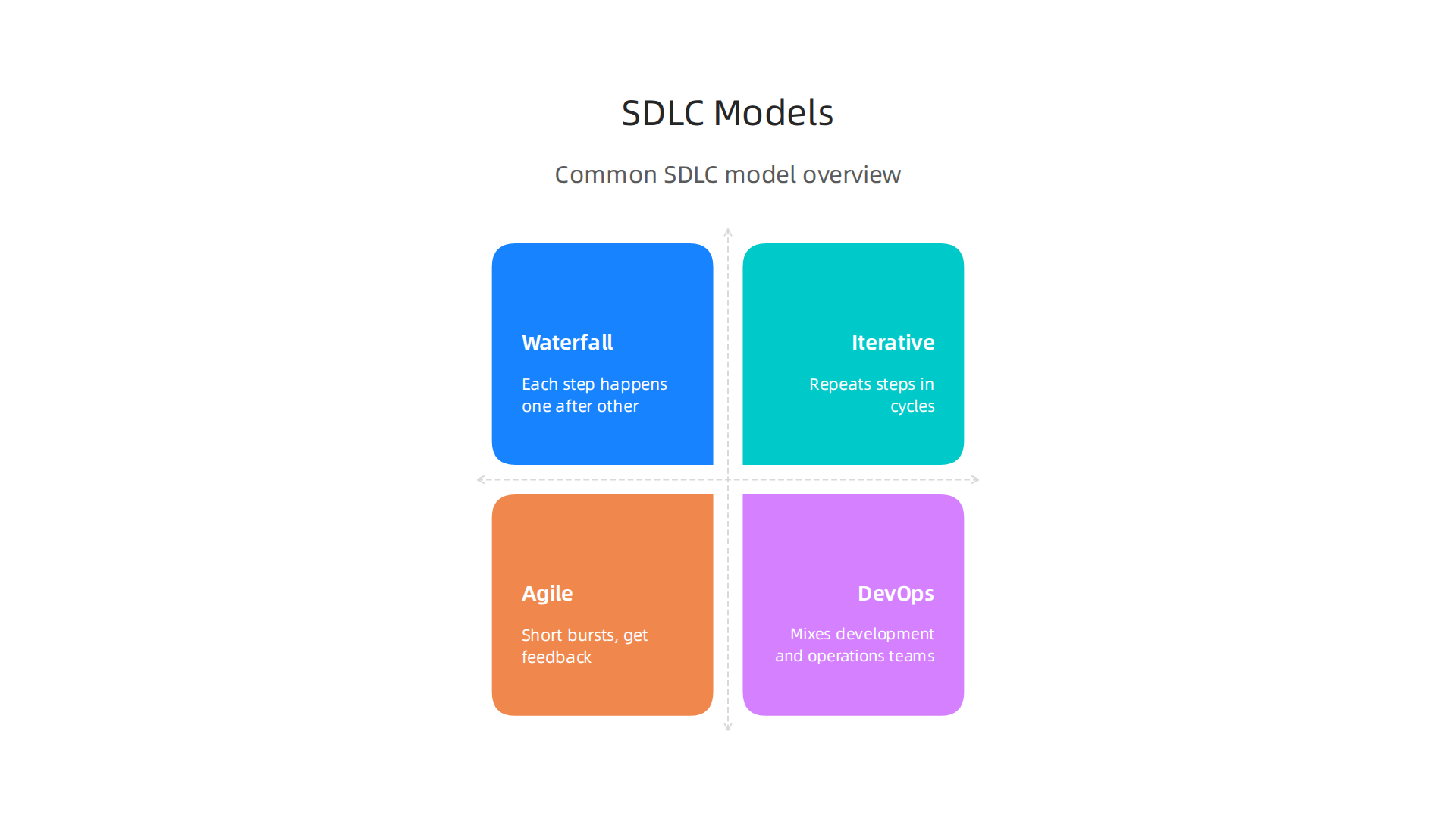
- Waterfall Model: This is like building a house with a very detailed plan from the start. Each step, like planning, designing, building, and testing, happens one after the other. You finish one step completely before moving to the next. It’s simple and good when you know exactly what you need from the beginning and things won’t change much. But if you need to make changes later, it can be hard and costly.
- Iterative Model: Imagine building that house in smaller parts, where you finish a small section, check it, and then build the next part. This model repeats steps in cycles or "iterations." You build a small piece of the software, get feedback, and then use that to improve the next piece. It’s better for projects where you learn along the way.
- Agile Model: This is all about being flexible and working closely with users. Teams make software in short bursts, called sprints, usually lasting a few weeks. After each sprint, they show what they’ve built, get feedback, and make changes quickly. Agile is very good for projects where needs change often or are not fully clear at the start. It’s a popular choice for how businesses approach requirements today, focusing on quick changes and user input. You can learn more about how to manage project needs with Agile Requirements Core Practices.
- DevOps Model: This model mixes development (making the software) and operations (running the software) teams together. The goal is to build, test, and release software very fast and often. It uses a lot of automation to make the whole lifecycle of software development smooth and quick.
How to Pick the Best SDLC Model
Choosing the right software development sdlc model depends on many things about your company and the project itself. Here’s what leaders should think about in 2026:
- How much risk can you take? Some companies can handle more unknowns and changes, while others need things to be very stable.
- If you need a very steady plan with low risk of unexpected changes, Waterfall might be a good fit.
- If you’re okay with things changing and want to adapt, Agile or Iterative models work well.
- Do you have many rules to follow? Industries like healthcare or finance often have strict rules and need lots of paperwork.
- For highly regulated projects, a model that makes it easy to document every step, like Waterfall or a structured Iterative approach, might be better. Keeping up with rules is part of IT Governance in 2026: What SaaS Organizations Need to Know.
- How experienced is your team?
- Teams that are new to a project or less experienced might benefit from the clear, step-by-step nature of Waterfall.
- More experienced teams who can make decisions on their own often do well with the freedom of Agile and DevOps.
- How often do you expect changes?
- If you know the project requirements will likely change, Agile or Iterative models are built for that.
- If the requirements are set in stone, Waterfall can be efficient.
By looking at these points, you can choose a software development lifecycle model that best fits your project’s unique needs. It helps ensure your team is set up for success and delivers quality software. Understanding why system development life cycle software remains critical for enterprise IT leaders is a great next step in making these choices. Tools like Trello vs Jira 2026 which tool fits your teams workflow can also help support whichever model you choose.
Once a company decides on the best software development lifecycle model for its project, the very next step is to figure out exactly what the software needs to do. This is where "Requirements Engineering" comes in. It’s a super important part of the lifecycle of software development that makes sure everyone knows what they are building and why.
Requirements Engineering is all about three main things:
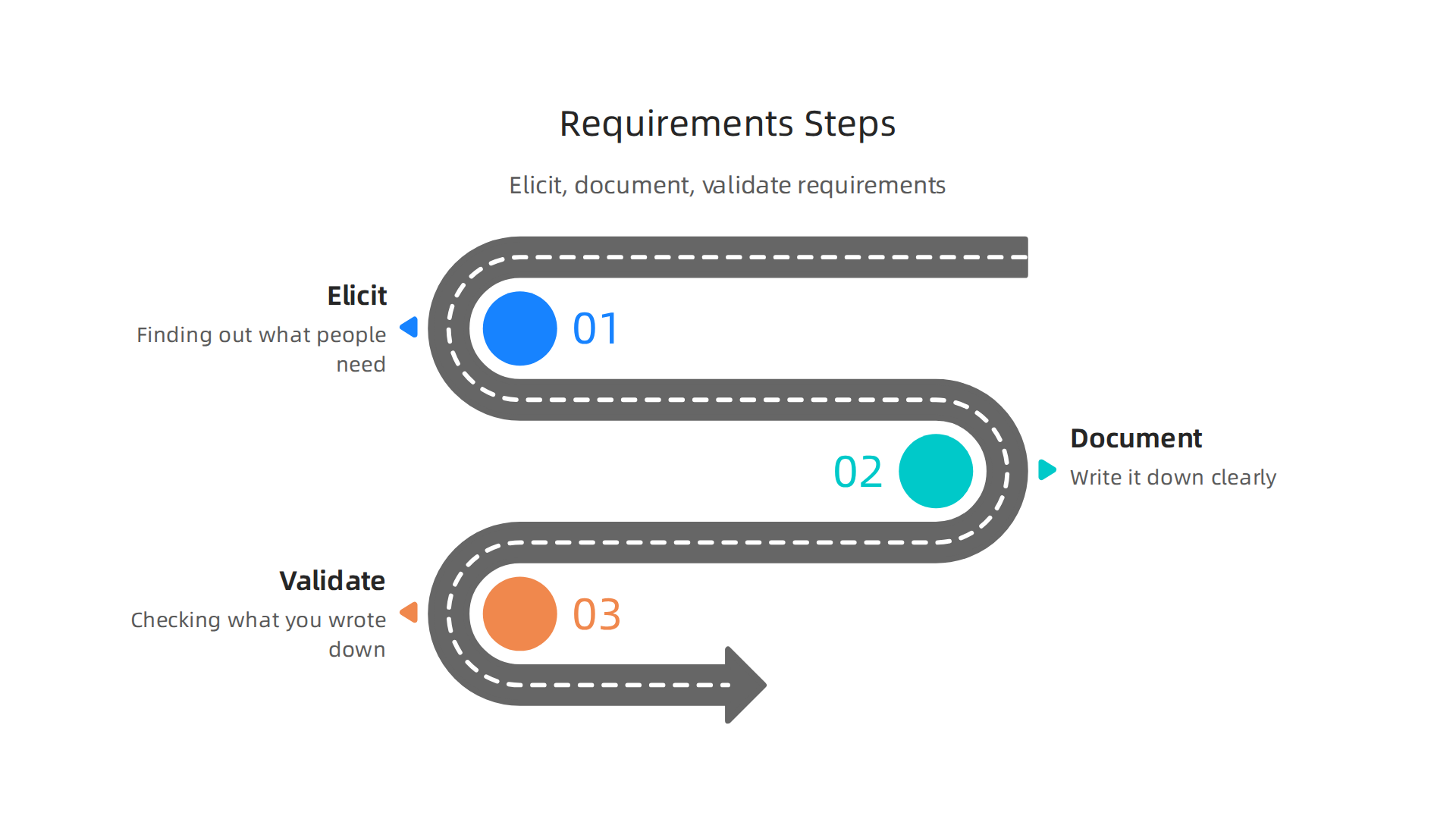
- Eliciting Requirements: This means finding out what people need. It’s like asking someone what kind of house they want before you start drawing plans. You talk to everyone who will use the software or be affected by it.
- Documenting Requirements: After you know what’s needed, you write it down clearly. This makes sure everyone has the same information and can refer to it later.
- Validating Requirements: This step is about checking that what you wrote down is actually what’s needed and that it makes sense. You want to make sure the software will solve the right problems for the users.
Best Practices for Getting Requirements
To get good requirements, you need to talk to the right people. These people are called stakeholders.

They include customers, future users, bosses, and even people who make sure the software follows rules. Here’s how to do it right in 2026:
- Find All Stakeholders: Make a list of everyone who cares about the software. If you miss someone, you might find out their needs too late, which can cause problems and cost more to fix later on Requirements management best practices for stakeholders.
- Talk and Listen: Don’t just send out a survey. Set up meetings, workshops, and interviews. Really listen to what people say they need and what problems they want the software to solve.
- Focus on the "Why": Instead of just listing features, try to understand the bigger goals. What outcomes does the business want to achieve? For example, don’t just ask for a "login screen." Ask how the login helps users access information safely and quickly How to Write Product Requirements: 2026 Guide & PRD ….
Best Practices for Writing Down and Checking Requirements
Once you’ve talked to everyone, you need to write it all down in a way that helps the whole team.
- Keep It in One Place: Don’t use lots of different documents scattered around. Use one central place or tool where all requirements live. This makes it a "single source of truth" for everyone involved in the project Requirements management best practices for MBSE.
- Keep it Simple but Clear: Write requirements so they are easy to understand but also detailed enough. Avoid overly technical words where possible. The goal is to make sure everyone, from product managers to engineers, understands what needs to be built.
- Check and Recheck: Have review meetings. Get feedback from stakeholders to make sure the documented requirements match what they actually need. This helps catch mistakes early. In fact, defining who reviews what and why is a key step before starting any review Before You Start Reviewing Stakeholder Requests: Align ….
Getting Everyone on the Same Page: Stakeholder Alignment
Getting requirements is one thing, but making sure everyone agrees on them is another challenge. You need to align different groups: product teams, engineering teams, security experts, and compliance officers.
- Shared Understanding: All teams should have a clear, shared understanding of what the software will do. Good communication helps prevent misunderstandings later.
- Define Roles Clearly: Everyone should know their part in the requirements process. Who makes the final decision? Who needs to approve things? Being clear about key software development engineering roles and skills in 2026 can make this much smoother.
- Involve Everyone Early: Don’t wait until the software is almost done to ask for feedback from security or legal teams. Involve them from the start. This prevents big, costly changes later on. One study even highlights that strong "stakeholder-driven validation and alignment" is a key principle for success in large software projects Deriving and Validating Requirements Engineering Principles for ….
- Feedback Loops: Set up regular ways for teams to give feedback to each other. This is especially true for engineering teams. Getting engineers involved early helps make sure the requirements are actually possible to build. You can find more details on this in various Best Practices For Engineering Stakeholder Engagement.
By following these steps, companies can make sure they are building the right software that meets everyone’s needs. This saves time and money and makes for a better product in the end.
If you want to stay updated on how technology is changing the way we build software and manage projects, consider signing up for our newsletter.
The AI Newsletter Worth Reading
Once a company knows what software it needs to build, the next big step in the software development lifecycle is to design it in a smart way. This is where architecture comes in. Think of it like designing a building. You wouldn’t just start laying bricks. You need blueprints that show how strong the building will be, how easy it is to change parts, and how it can grow bigger later. In software, this is about creating an architecture that can handle changes and new features without breaking or becoming too expensive to maintain.
Designing for Change: Principles of Good Architecture
A good software architecture is like a sturdy, flexible frame for your software. It should be:
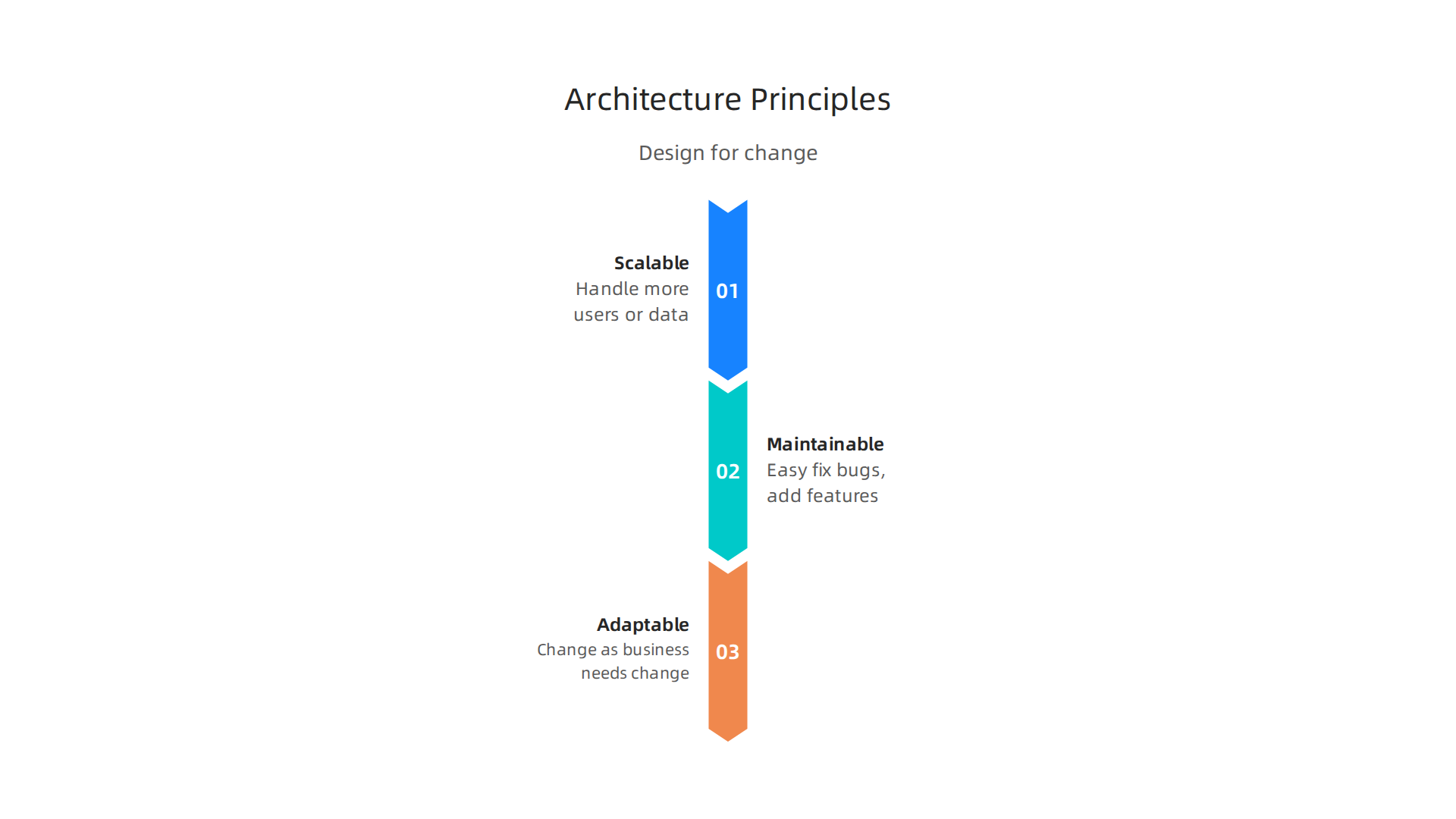
- Scalable: This means the software can handle more users or more data without slowing down.
- Maintainable: This makes it easy for developers to fix bugs or add new features without causing new problems.
- Adaptable: The software can change as business needs change, without needing a complete rebuild.
To achieve this, many teams in 2026 follow practices that keep things moving smoothly. One key idea is "trunk-based development." This means all developers frequently add their small changes to one main code branch, rather than working on separate, long-running branches. This helps teams merge code often, ideally every day, which keeps merge conflicts small and speeds up feedback CI/CD Best Practices: Build Fast, Stable Pipelines. It’s a core part of modern CI/CD (Continuous Integration/Continuous Delivery) best practices CI/CD Pipeline Best Practices: A Production-Ready Guide for 2026.
Another smart approach is using "feature flags." These are like on/off switches in your code. They let you deploy new features to everyone without actually turning them on. You can then slowly turn them on for small groups of users first. This helps separate when you deploy the code from when you release the feature, making updates much safer CI/CD Best Practices & DevOps Pipeline 2026. This way, even if something goes wrong with a new feature, you can just flip a switch to turn it off without having to roll back the entire software.
These architectural choices are important throughout the entire lifecycle of software development, helping ensure the system stays robust. If you want to dive deeper into how different development approaches impact your projects, you can learn about various SDLC methodologies for enterprises choosing the right software development life cycle.
Dealing with Technical Debt
Even with the best planning, sometimes shortcuts happen, or what was once a good design becomes outdated. This leads to something called "technical debt."
Technical debt is like putting off small repairs on your house. It might save you time now, but later, those small repairs turn into bigger, more expensive problems. In software, it means choosing an easy, quick solution that might not be the best in the long run. This can make the code harder to understand, slower to change, and more prone to bugs. Left unchecked, technical debt can greatly slow down new feature development and make the whole software development sdlc more difficult.
How to Measure and Pay Down Technical Debt:
It’s tricky to measure technical debt, but it’s important. Companies in 2026 often look at these things:
- Code Quality: Tools can check for messy code, repeated sections, or parts that are too complex. Metrics like the Technical Debt Ratio can show the cost to fix debt compared to the total code size Technical Debt Management: Strategy, Measurement, and ….
- Developer Time: How much time do developers spend working around old problems instead of building new things? You can even ask developers to estimate this percentage Technical Debt Remediation: Cost-Benefit Analysis ….
- Delivery Speed: Technical debt often shows up as slower delivery times or more bugs after updates.
- Friction: Leaders measure technical debt by how hard it is to deploy changes safely or how much coordination is needed for simple updates How to Manage Tech Debt in 2026 – Sweep.io.
Once you know where the debt is, you need to decide which parts to fix first. It’s smart to focus on areas that are critical to the business or that cause the most trouble. Mapping each debt item to a specific business function helps prioritize. You can score items based on how bad it would be if they failed (their "blast radius") and how often they need to change ("change frequency") What Is Technical Debt? The IT Leader’s Guide to Measuring, ….
Finally, companies need to set aside time and money to fix technical debt. Just like a house needs regular maintenance, software needs care too. Making this a clear priority can prevent much bigger problems later on Tech debt: Reclaiming tech equity.
Building on a strong architecture and managing technical debt are huge steps, but how teams actually work together day-to-day also makes a big difference. This is where development workflows come in. These workflows are all about how code is written, tested, and released. They play a key role in the entire software development sdlc.
Development Workflows: Branching, CI/CD, and Code Quality
Modern software development focuses on speed and safety. Teams in 2026 use smart ways to handle code changes, making sure new features get out fast without breaking things. One core practice is called trunk-based development. Instead of developers working on long, separate copies of the code, they all work on one main "trunk" or branch. They add their small changes to this main branch very often, sometimes even many times a day. This keeps everyone’s code up to date and makes it easier to combine changes, which avoids big headaches later on CI/CD Pipelines in 2026: Why Enterprise CTOs Are Rebuilding ….
This frequent merging works hand-in-hand with something called CI/CD, which stands for Continuous Integration and Continuous Delivery. Think of it as an automated assembly line for your code.
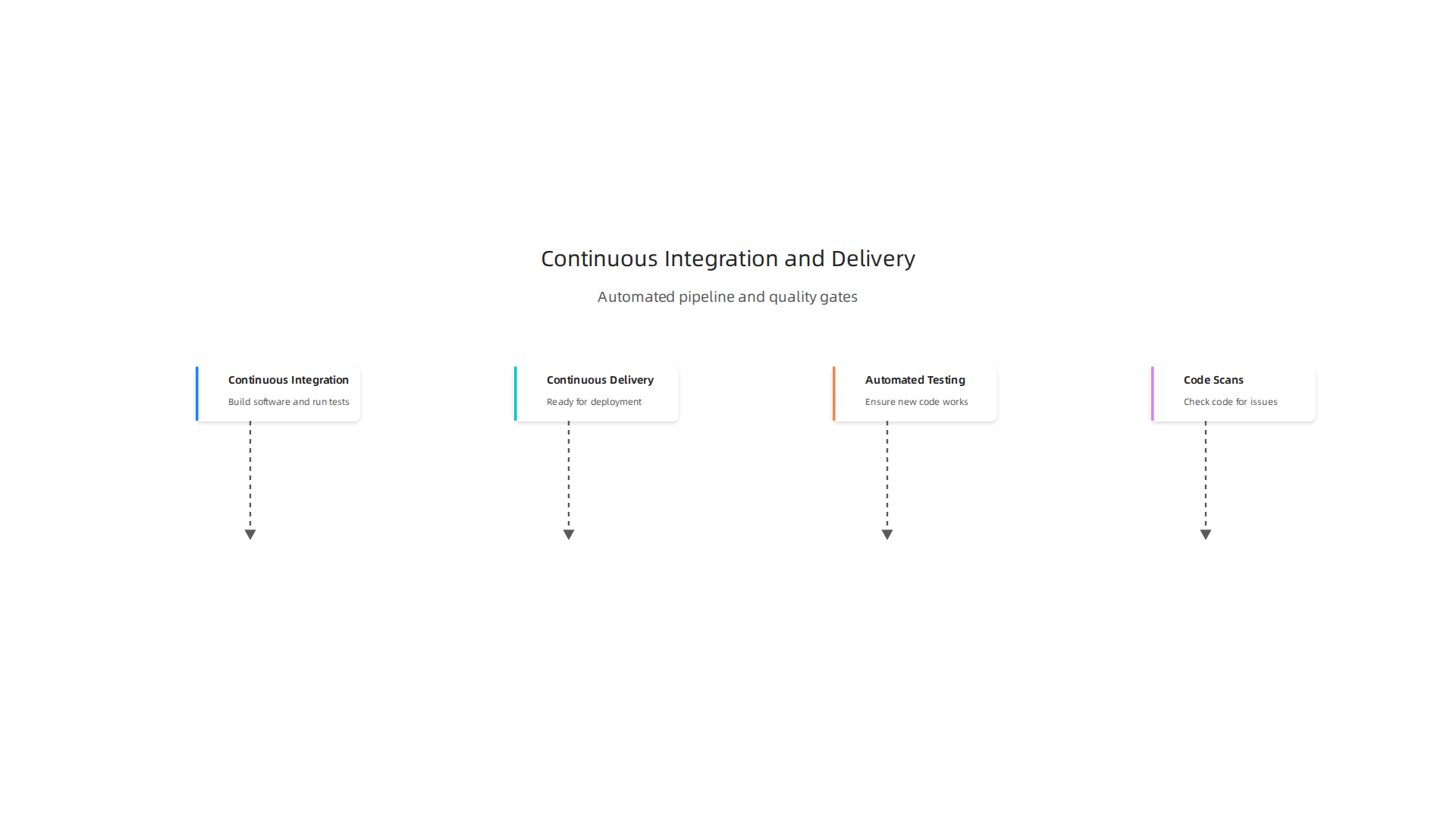
- Continuous Integration (CI): Every time a developer adds new code to the main branch, CI tools automatically build the software and run tests. This quickly catches problems before they become bigger. It’s like having an automatic checker always looking for mistakes. High-performing teams aim to keep these pipelines fast, often under 10 minutes DevOps CI/CD Strategy Guide for 2026.
- Continuous Delivery (CD): Once the code passes all tests, CD tools automatically get it ready to be sent out to users. This means the software is always in a state where it could be released at any time. This practice helps make the lifecycle of software development smoother and more predictable.
A big part of these workflows is making sure the code is good quality. This means building "quality gates" into the CI/CD pipeline. These gates are like checkpoints that automatically review the code before it can move forward. They include:
- Automated Testing: Running different kinds of tests (like unit tests, integration tests) to make sure new code works as expected and doesn’t break old parts of the system. Many teams aim for high test coverage, meaning most of their code is checked by tests 10 Continuous Deployment Best Practices for 2026.
- Code Scans: Tools automatically check the code for common mistakes, security issues, or messy parts. They can even flag serious problems and stop the build process until fixes are made CI/CD Pipeline Best Practices: 12 Production Patterns | Opsio.
These practices greatly improve how fast teams can deliver new features (cycle time), how stable the software is, and how productive developers can be.

When a developer knows their changes are checked automatically and can be released safely, they can work more confidently and quickly. It’s a huge shift in how modern software is built and maintained, making the entire software development lifecycle models more efficient.
For leaders keen to stay updated on the bigger picture of technology, especially AI, there’s a valuable resource.
Get clear daily AI updates from The AI Newsletter Worth Reading.
Modern software development isn’t just about writing code; it’s also deeply focused on making sure that code works perfectly and safely. The continuous checks and quality gates in CI/CD pipelines are a great start, but real excellence comes from how teams approach testing. This brings us to smart testing strategies, like "shifting left," and making sure performance and security are top priorities throughout the entire software development sdlc.
Testing Strategies: Shift-Left, Automation, Performance and Security
"Shift-left" is a key idea in testing. It means moving tests and quality checks to the earliest possible stages of the lifecycle of software development, instead of waiting until the very end. Think about building a house. It’s much cheaper and easier to fix a crooked wall during framing than after the drywall, paint, and decorations are all in place. The same goes for software. Fixing a bug or a security hole early on costs a lot less than finding it when the software is already being used by customers Shift-Left Security: Move Testing Earlier (2026). In fact, some reports show that organizations that integrate security early can detect 41% more vulnerabilities and cut down their response times by more than half, from 12 days to just 5 days European Journal of Computer Science and Information Technology,13(24),96-102, 2025.
To make "shift-left" work, teams use a layered approach to testing, often thought of as a testing pyramid.
- Unit Tests: These are at the bottom of the pyramid and are the most common. Developers write these tests for small parts of the code, making sure each piece works as it should. They are fast to run and catch mistakes right when they are made.
- Integration Tests: These tests check if different parts of the software work well together. They come a bit later than unit tests but are still run often.
- System and End-to-End Tests: Higher up the pyramid, these tests check the entire software system from a user’s point of view. They are fewer in number because they take more time and effort, but they ensure everything functions together before release.
This mix of tests ensures that most problems are caught at the lowest and earliest level. For enterprise leaders, understanding why these practices are so critical to the overall software development lifecycle models is important for making informed decisions. To dive deeper into the methods that drive efficient development, you can explore various SDLC methodologies for enterprises choosing the right software development life cycle.
Beyond general bug finding, "shift-left" is super important for security and performance.
- Security Testing: Instead of a big security check at the end, security is built into every step. This means:
- Threat Modeling: Thinking about how bad actors might attack the software during the design phase.
- Secure Coding Practices: Developers are taught to write code that is hard to hack.
- Automated Security Scans: Tools check code for security weaknesses as it’s being written and merged into the main branch. These tools can identify issues like known vulnerabilities in third-party libraries or common coding mistakes that lead to security flaws.
- Performance Testing: Teams also check how fast and responsive the software is early on. They might do small performance tests on new features to make sure they don’t slow down the whole system. This helps avoid big slowdowns when many users start using the software.
By combining automated tests with these specific security and performance checks right from the start, companies in 2026 can build more reliable and secure software faster. It truly makes a difference in the quality and safety of products throughout the entire software development sdlc.
After thoroughly testing software and securing it early in the process, the next big challenge is getting it out to users without causing new problems. Even with the best testing, releasing new features can be risky. This is where smart deployment and release management come in. Modern teams in 2026 use tactics to lower this risk, making sure that new updates roll out smoothly.
Deployment & Release Management: Feature Flags, Rollbacks, and Observability
One key idea for safer releases is called "progressive delivery." This means you don’t just flip a switch and release everything to everyone at once. Instead, you gradually give new features to small groups of users first. This helps catch any hidden issues before they affect everyone. Progressive delivery uses tools like "feature flags" to manage these gradual rollouts CI/CD Best Practices & DevOps Pipeline 2026.
Feature Flags
Think of feature flags as on/off switches for parts of your software. Developers can build new features, deploy the code to production, but keep the feature turned "off" for most users. When they are ready, they can turn it on for a small group, then a larger group, and so on. This separates when code is put into the system from when a feature is actually released to users CI/CD Pipeline Best Practices: A Production-Ready Guide for 2026. It’s also really helpful for teams that use "trunk-based development," where everyone works on the main code branch. Feature flags let them add unfinished work without breaking anything for current users. This is considered a top practice for teams shipping often in 2026 DevOps Best Practices Explained: 2026 Senior Guide.
Automated Rollbacks
What happens if a new feature does cause a problem, even with all these precautions? This is where automated rollbacks become super important. If something goes wrong after a deployment, an automated system can quickly undo the change. It can switch back to the last known good version of the software. This minimizes how long users might face an issue, which is critical for keeping systems running smoothly within the entire lifecycle of software development.
Observability and Feedback Loops
Once software is live, teams don’t just forget about it. They watch it very closely. This watching is called "observability." It involves collecting a lot of information about how the software is working, like:
- Logs: Detailed notes about what the software is doing.
- Metrics: Numbers that show performance, like how fast it’s responding or how many users are active.
- Traces: Paths that show how a request moves through different parts of the system.
Observability is a crucial part of the modern software development lifecycle models because it gives teams the feedback they need to understand if their application is working well in the real world Top 10 CI CD Pipeline Best Practices for 2025. By looking at this information, teams can quickly spot problems, understand why they happened, and fix them. It helps to have a full view of the system at all times How to keep up with CI/CD best practices.
Runbook-Driven Incident Practices
To make fixing problems even faster, many teams use "runbooks." These are like step-by-step guides that tell people exactly what to do when a specific issue comes up. If an alert goes off because a service is running slow, the runbook might tell the team to check certain logs, restart a server, or roll back a recent change. These practices close the feedback loop, ensuring that lessons learned from live issues feed back into the software development sdlc to prevent future problems. Understanding the importance of these practices is vital for enterprise leaders who rely on robust software systems. To learn more about why these structured approaches remain key, read about why system development life cycle software remains critical for enterprise IT leaders.
The world of enterprise technology, especially AI, is always changing fast. It’s tough to keep up. Get smart, simple updates about AI every day.
The AI Newsletter Worth Reading
Governance, Compliance & Continuous Improvement
Even with all the clever ways to deploy software safely, like feature flags and quick rollbacks, there’s still a big picture to keep in mind. For enterprise leaders, it’s not just about making software work well. It’s also about making sure it follows all the rules and keeps getting better over time.

This is where good governance, staying compliant with laws, and having a plan for continuous improvement come into play for the entire software development lifecycle models.
Setting Up Smart Governance
Governance in the software development sdlc means having clear rules and ways to check that everyone follows them. It’s like having a playbook for how software is made, from the first idea to its retirement. An SDLC governance model helps make sure that software projects move fast while still meeting important safety and security requirements. It includes things like approval steps, ways to manage risks, and clear roles for who is in charge of what SDLC Governance Model & Phase Gate Process.
A big part of this in 2026 is "Shift Left Security." This simply means that instead of checking for security problems only at the very end of building software, teams start looking for them much earlier. They build security right into the design and coding steps of the lifecycle of software development. This approach helps find and fix issues when they are small and easy to change, saving a lot of time and money later on Shift Left Security: The Ultimate Guide. Thinking about security from the start also helps make sure that software follows rules like those for data privacy and industry standards, known as compliance. Things like SOC 2, ISO 27001, and GDPR are very important for many businesses today IT Governance in 2026: What SaaS Organizations Need to Know.
Always Getting Better: Continuous Improvement
After software is running, the work isn’t over. Teams use all the information they gather from "observability" (like logs and metrics we talked about before) to understand how the software is really doing. This information is key for continuous improvement. It helps them find ways to make the software faster, safer, or easier for users.
One way businesses measure how well they are doing and where they can improve is by using "maturity models." These models help an organization figure out its current level of skill or readiness in areas like data governance or even how mature their AI software development is. For example, a data governance maturity model helps companies see how well they manage their data and what steps they need to take to get better Data Governance Maturity Models: A Complete Guide. Similarly, an AI SDLC maturity model helps teams understand how advanced they are in building and managing artificial intelligence programs AI SDLC Maturity Model: What Stage Are You In?.
By using these models and constantly looking at performance numbers, teams can embed learning directly into their software development lifecycle models. This means that every mistake or success helps them do better next time. It’s a never-ending cycle of building, checking, learning, and improving. If you are looking to understand more about how these different approaches fit together, you can read about SDLC Methodologies for Enterprises Choosing the Right Software Development Life Cycle.
Summary
This article explains why a modern Software Development Life Cycle (SDLC) is essential for enterprise software and walks readers through the practical choices and practices that make projects faster, safer, and more predictable. It reviews common SDLC models—Waterfall, Iterative, Agile, and DevOps—explaining when each fits based on risk tolerance, regulation, team experience, and expected change. The piece then covers crucial SDLC phases: requirements engineering, architectural design, technical debt management, development workflows (trunk-based development and CI/CD), testing strategies (shift-left and automated tests), and progressive release techniques like feature flags. It also highlights governance, compliance, observability, and continuous improvement as ongoing needs for enterprise leaders. After reading, you will know how to select a suitable SDLC model, set up processes that reduce risk and debt, and adopt testing, deployment, and governance practices that improve delivery quality and speed.