
Unlock Enterprise Value from Your AI Personal Assistant in 2026

Introduction
You know the feeling. Your inbox is overflowing. Slack channels are buzzing. Meeting invites pile up faster than you can say "calendar conflict." Meanwhile, critical data lives in a dozen different systems that never talk to each other. In 2026, the modern enterprise is drowning in information and communication channels. The real problem isn’t having too little data. It is having too much, with no easy way to turn it into action.

That is where an AI personal assistant changes the game. These tools have come a long way from simple chatbots that could only answer basic questions. Today’s assistants can synthesize information from across your organization, automate repetitive workflows, and even anticipate what you need before you ask. The numbers back this up. The global AI-powered virtual assistant market is estimated to grow at a 31.00% compound annual rate through 2034, driven largely by enterprise adoption.
But here is the thing that many leaders miss. Not all AI assistants deliver the same value. The difference between getting generic, surface-level outputs and getting truly actionable business intelligence comes down to one skill. Prompt engineering. The way you communicate with your AI personal assistant directly determines the quality of the results you get back.
This article will walk you through what enterprise leaders must know about AI personal assistants in 2026. We will cover how generative AI assistants like HubSpot AI are reshaping workflows, how to master prompt engineering Google style, and how to choose the right assistant for your organization’s needs. Because in a world where 83% of large enterprises have already adopted AI, the real competitive edge is knowing how to use it well.
If you want to stay ahead of every AI shift, consider getting daily insights delivered straight to your inbox. The AI Newsletter Worth Reading breaks down the latest AI developments so you can make smarter decisions for your enterprise.
Let us start by looking at how the landscape has changed and why 2026 is the year of the strategic AI assistant.
The Rise of AI Personal Assistants in the Enterprise
So what changed? In 2026, the AI personal assistant is no longer a fun toy for scheduling meetings or setting reminders. It has become core infrastructure for knowledge work inside the enterprise. These tools now sit at the center of how teams communicate, analyze data, and make decisions. The shift from consumer novelty to business essential happened faster than most people expected.
Three big forces are driving this change.
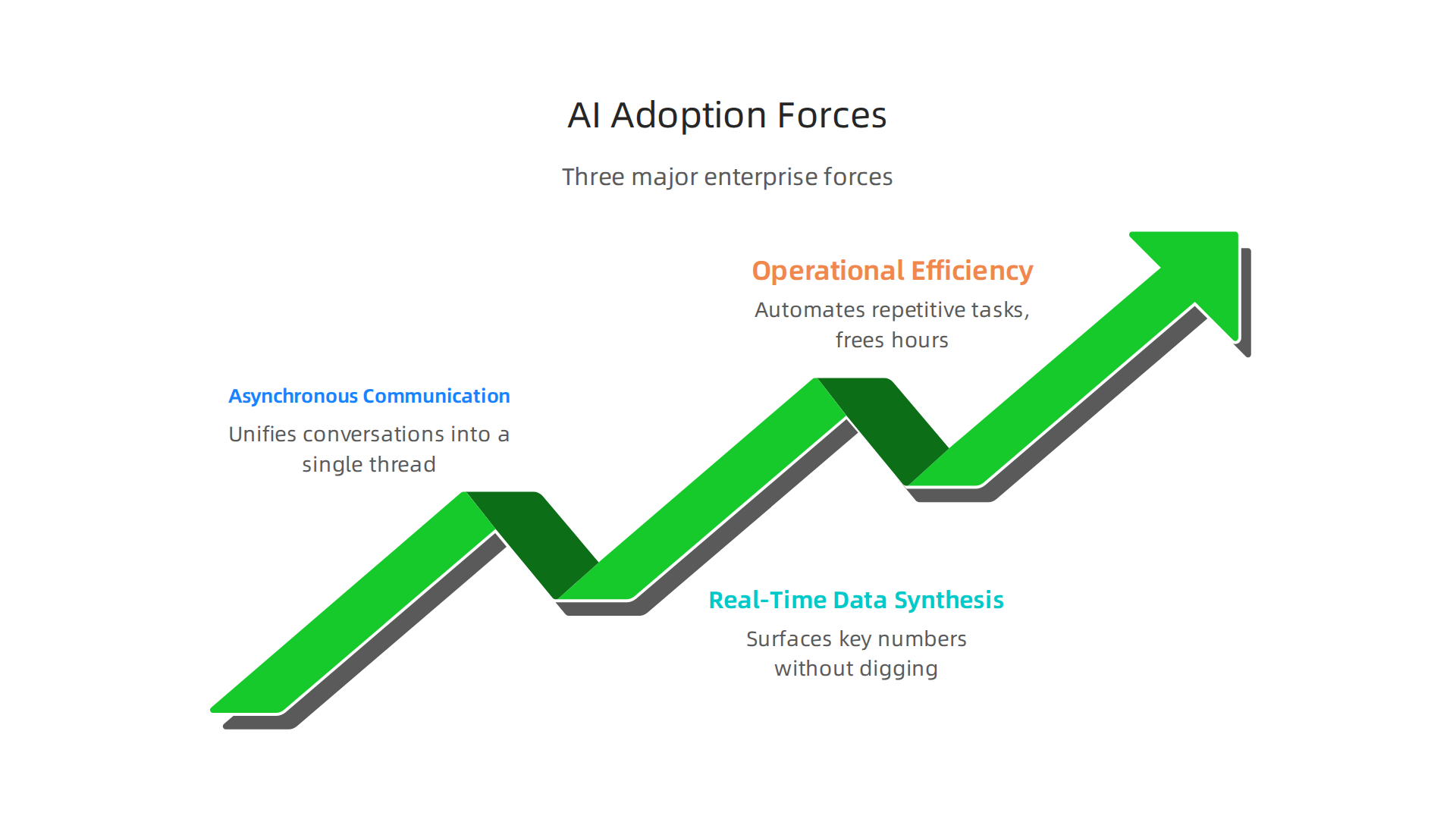
First, the explosion of asynchronous communication. Your team might be spread across time zones, using Slack, email, Notion, and a half dozen other tools. An AI personal assistant can pull everything together into one clear thread. Second, the need for real time data synthesis. Data lives everywhere, in CRMs, ERPs, spreadsheets, and databases. A smart assistant can surface the numbers that matter without you digging through reports. Third, the push for operational efficiency. Every leader is being told to do more with the same headcount. AI assistants automate the repetitive tasks that eat up hours every week.
The numbers back up this trend. According to Enterprise AI adoption rates in 2026, 65% of enterprises increased their AI budgets this year, with a median jump of 22%.
The enterprise segment already captures over 60% of the AI powered virtual assistant market, and the whole category is growing at a compound rate above 30%. That means enterprise spend on these tools is starting to outpace traditional SaaS subscriptions.
This is why 2026 really is the year of the strategic AI assistant. Knowledge workers who once spent hours hunting for information can now get answers in seconds. Companies that deploy these tools well free up their teams to focus on higher value work.

If you are building your own AI strategy for the year ahead, a enterprise AI adoption roadmap for 2026 can help you plan your next moves with confidence.
Core Capabilities: What a Modern AI Personal Assistant Can Do for Your Team
Once your strategy is set, the real question becomes: what can a modern AI personal assistant actually do for your team? The answer goes way beyond answering basic questions or scheduling a quick meeting.
First, modern AI assistants integrate deeply with your existing enterprise tools. Think Slack, Microsoft Teams, Salesforce, Jira, and your CRM. They sit right inside the apps your team already uses every day. No more switching between windows to find information. The assistant pulls data from every connected source and brings it to you in one place. As the Best Enterprise AI Assistant Software 2026 report shows, the top platforms connect directly to dozens of business applications, making them a central hub for daily work.
Second, these assistants use large language models to understand context. They don’t just look up facts. They remember what you talked about earlier in the conversation. They can summarize a long thread, draft an email in your tone, or find a document from last month based on a vague description. This is possible because modern models handle multi-turn conversations well. They track the thread across multiple exchanges and keep the context alive.
Third, the best assistants go beyond chat. They can actually start workflows for you. Imagine telling your assistant "set up a weekly status meeting with the engineering team and send them the latest project summary." The assistant creates the calendar event, pulls the summary from your project management tool, and sends the invite automatically. Some can even build real time dashboards that show your key metrics without you having to ask.
If you are evaluating which assistant is right for your team, it helps to have a solid evaluate AI companies in 2026 framework in hand. And to keep up with how fast this space is moving, The AI Newsletter Worth Reading delivers clear daily updates straight to your inbox.
Natural Language Processing and Context Awareness
All those core capabilities only work well when your AI personal assistant truly understands what you mean, not just the words you say. That’s where natural language processing (NLP) and context awareness come in.
Modern generative AI assistants use advanced NLP to pick up on intent, tone, and nuance. You can say "remind me about the budget meeting prep" and the assistant knows you mean the quarterly review, not the weekly check-in. It can handle follow-up questions without you having to repeat yourself. This works because the assistant tracks the whole conversation, not just the last message. As the research on Multi-Turn LLM Evaluation in 2026 explains, the best assistants are judged on how well they retain knowledge across multiple turns and complete tasks without losing context.
Context awareness goes even deeper. A good assistant remembers your role, your current project, and what you talked about yesterday. If you’re a product manager in the middle of a sprint, the assistant knows to pull Jira updates and not calendar invites from accounting. This reduces friction big time. You stop repeating commands and start getting things done faster.
When evaluating an AI personal assistant for your enterprise, pay close attention to how it handles context across long sessions and multiple channels. Can it pick up a conversation from chat where you left off in Slack? Does it remember the priorities you set last week? If not, you’ll end up fighting the tool instead of using it. A solid enterprise AI adoption roadmap can help you test these capabilities before committing.
The difference between a frustrating assistant and a great one often comes down to this: the great one already knows what you need before you finish typing.
Task Automation and Workflow Integration
Understanding what you mean is one thing. Actually doing something about it is where the real power of an AI personal assistant shows up. The best generative AI assistants in 2026 don’t just answer questions. They take action.
Here’s how it works. You type "create a Jira ticket for the login bug and assign it to Sarah." The assistant understands the command, talks to Jira’s API, and makes it happen. No clicking through menus. No switching tabs. The same goes for updating CRM records, sending Slack messages, or firing off an email. This is the bridge between natural language and real work.
For business users, this gets even better when the assistant connects to low-code platforms. You don’t need a developer to set up a custom automation. You can say "whenever a high-priority ticket comes in, notify me on Teams and create a follow-up task" and the assistant builds that workflow for you. The 2026 guide to Best Conversational AI Platforms for Enterprise highlights how leading platforms now include connectors for CRM, ITSM, and custom back-end actions right out of the box.
But with great power comes the need for control. Task automation means the assistant can change data and send messages on your behalf. That’s why security and governance are non-negotiable. Your enterprise assistant must respect data access policies, follow audit trails, and never act on something it shouldn’t. When evaluating tools, look for clear permission models and role-based access controls. A Trello vs Jira 2026 comparison can help you understand which project management tools integrate well with AI automation.
The goal is simple: let the assistant handle repetitive tasks so you can focus on decisions that matter. To stay ahead of how AI is reshaping enterprise workflows, sign up for The AI Newsletter Worth Reading and get daily updates on the latest tools and strategies.
Mastering Prompt Engineering to Maximize Productivity
Your AI personal assistant can only be as smart as the instructions you give it. If your prompts are vague, you get vague answers. If they are clear, you get workable results. That is why prompt engineering is one of the most valuable skills you can learn in 2026.
Think about it this way. You would not ask a new hire to "handle the project" without telling them the deadline, the budget, and the key players. The same logic applies to generative AI assistants. The more context you pack into your prompt, the better the output.
A good prompt includes five things: a role, a task, an audience, a format, and constraints.
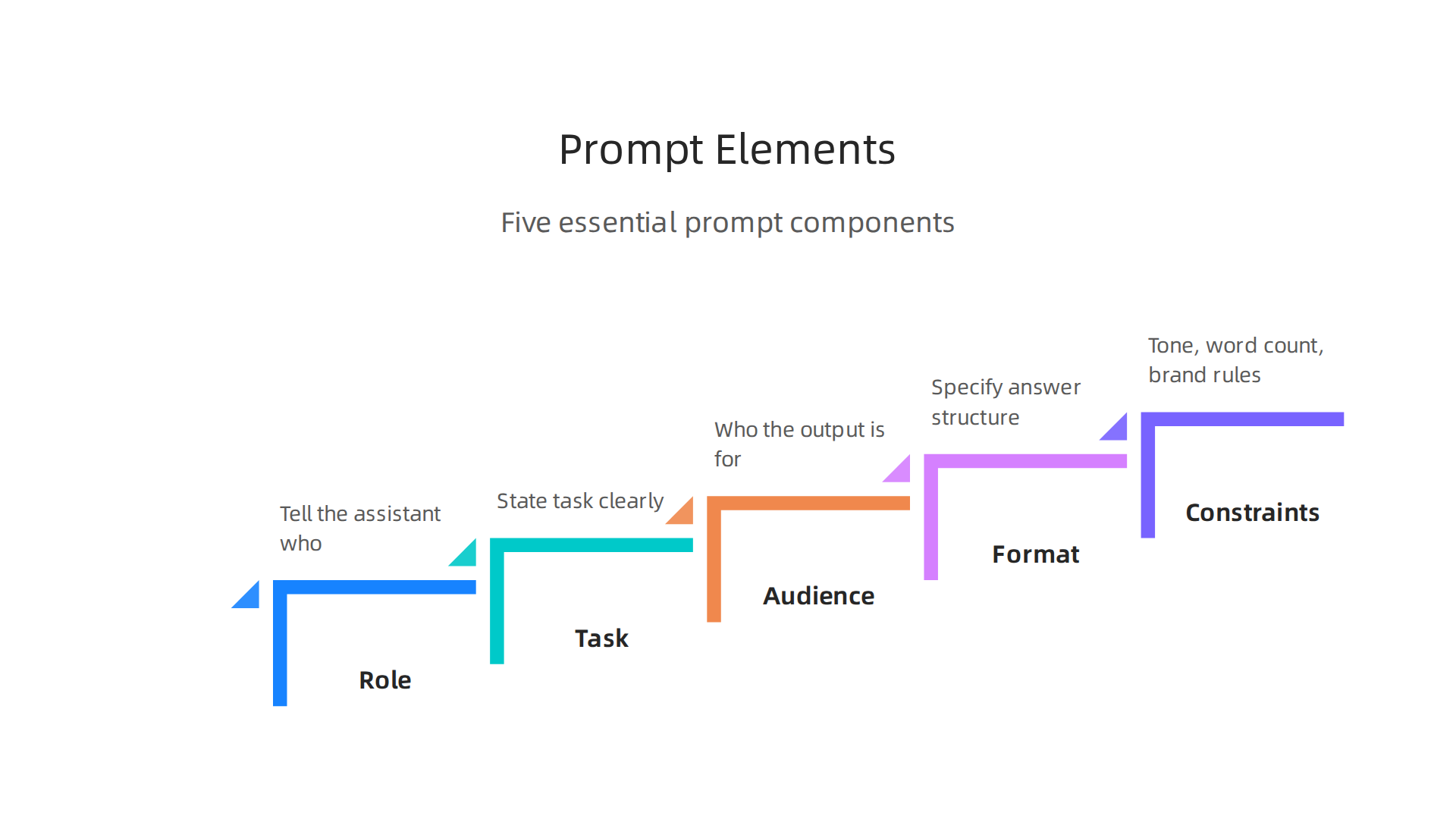
For example, instead of saying "summarize this document," you say "you are a business analyst. Summarize this contract in three bullet points for a non-legal team member. Use plain English and keep each bullet under 50 words." The difference in quality is huge.
The 2026 practical guide to prompt engineering explains that a systematic approach using a role-task-context-format template can dramatically improve reliability. It also warns against common mistakes like leaving out the audience or using open-ended verbs like "analyze" without explaining what that means.
For enterprise teams, consistency is everything. That is why many leaders build a library of tested prompts. They save what works and retire what does not. This turns prompt engineering from guessing into a repeatable process.
If you want to take your skills further, check out the enterprise AI adoption roadmap for 2026. It shows how structured prompting connects to larger AI strategies inside organizations.
Mastering prompt engineering might feel like a small step. But it is the single fastest way to get more value from every AI personal assistant you use.
Structuring Effective Prompts for Business Use Cases
Now let’s get practical. A good structure turns a messy prompt into something your AI personal assistant can actually run with. The formula is simple: role, task, format, and constraints.
Start with the role. Tell the assistant who it needs to be. A marketing manager? A data analyst? A compliance officer? Each role changes how the answer comes out.
Then nail the task. Skip vague words like "analyze" or "review." Instead say "find the three biggest cost risks in this report and explain each one in one sentence."
Next, pick the format. Do you need a table, a checklist, or a short paragraph? Say it clearly. Finally, add constraints. Tone, word count, brand rules, anything that limits the output.
The 2026 prompt engineering guide for businesses calls this the R-TCC-COE framework. It works because every part of the prompt has a job to do.
Here is the trick that most people miss. Even a well-structured prompt can produce weak results. That is where few-shot learning helps. Give your generative AI assistant two or three examples of the output you want. The AI picks up the pattern fast. Google’s own research shows that few-shot prompting delivers some of the highest returns. Three diverse examples beat a perfect single one every time.
The last step is refinement. Prompt engineering is not a set-it-and-forget-it skill. You have to test, spot failures, and adjust. The best way is to run your prompts against real user logs. See where the output goes wrong. Fix that one gap. Test again. Each revision makes your prompts more reliable.
This whole process fits into a larger picture. For a deeper look at how companies are connecting prompt strategies to actual tools, check out this research-backed roadmap for AI app selection.

If you want to stay on top of what is working right now, get clear daily AI updates from The Deep View Newsletter. It helps leaders like you make smarter decisions without the noise.
Common Pitfalls and How to Avoid Them
Even with a solid structure, your ai personal assistant can still let you down. Three common mistakes trip up most beginners. Knowing them in advance saves you time and frustration.
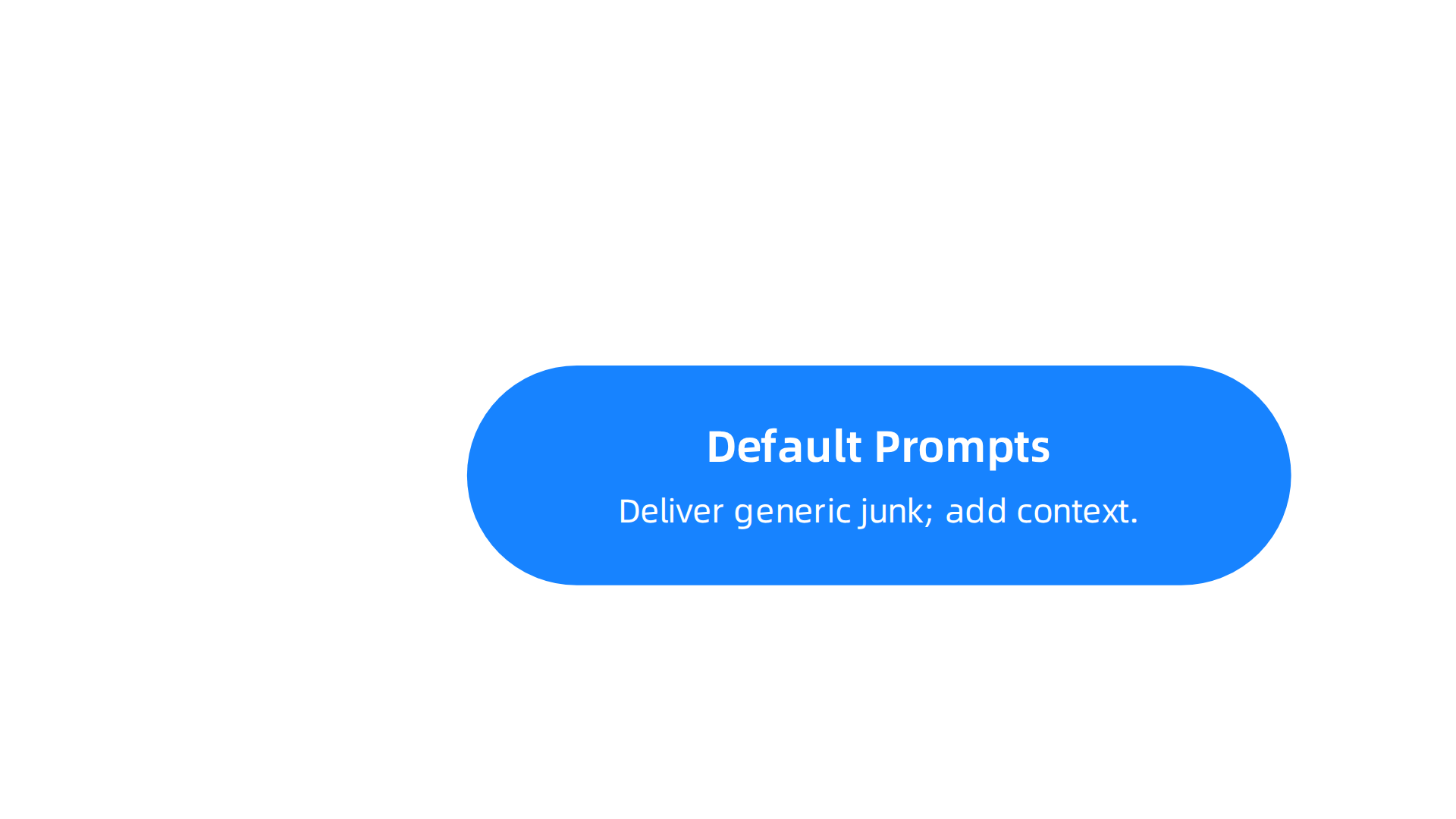
First, default prompts deliver generic junk. When you ask the assistant to "write a business report" without any context, you get the same bland output everyone else gets. The fix is simple. Always add your company name, your specific audience, and the real business problem you are solving. The 2026 practical guide to prompt engineering calls this "missing context" a top anti-pattern. Do not skip it.
Second, vague constraints invite hallucinations. If you say "analyze our sales data" but do not tell the AI which spreadsheet to use or how long the answer should be, it can invent numbers or go off topic. The answer might look good but be completely wrong. Always attach the exact data source and say "keep it under 200 words" or "use bullet points." Without these guardrails, your assistant has no boundaries.
Third, no version control means no repeatability. You tweak a prompt, get a great result, then a week later you cannot remember what you changed. This makes audits and compliance almost impossible. Track your prompts like code. Save each version with a date and a note about what changed. Build a small library of tested prompts. When you need to reproduce a result, you can go straight to the working version.
Avoid these three pitfalls and your prompts will produce reliable, high-value outputs every time. For a bigger picture on how structured AI strategies are transforming enterprise workflows, check out this data-backed roadmap for enterprise AI adoption.
Evaluating Risk: Security, Compliance, and Integration Challenges
Getting your ai personal assistant to answer questions fast is exciting. But the moment sensitive data enters the picture, risk moves to the front of the room. Enterprise leaders cannot afford to skip this evaluation.
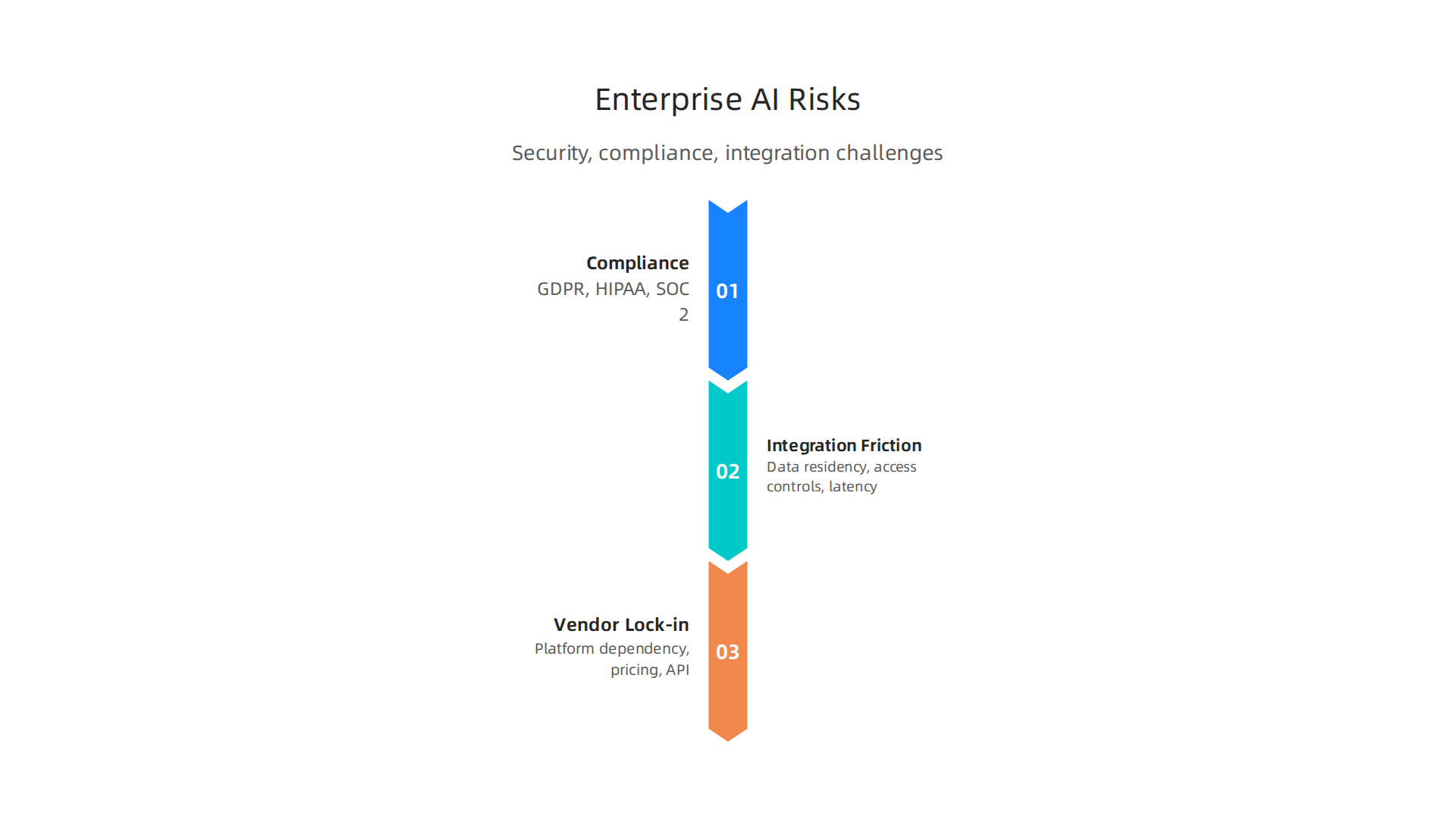
Compliance is not optional. If your ai personal assistant processes personal data from customers in the European Union, you must comply with GDPR. If it handles healthcare records, HIPAA applies. For cloud-based businesses selling to enterprise buyers, SOC 2 certification is a baseline requirement. A strong approach to AI agent compliance means encrypting data in transit and at rest, implementing role-based access controls, and maintaining audit logs. The same report notes that healthcare organizations working with AI vendors must sign a Business Associate Agreement (BAA) before any protected health information changes hands. Without that signed contract, using the assistant at all could violate the law.
Integration with your existing IT stack creates friction. Your ai personal assistant needs to pull data from your CRM, your data warehouse, your ticketing system, and maybe your HR platform. Every connection raises questions about data residency where is the data actually stored. If your EU customer records end up on a server in the United States without the right safeguards, you have a problem. Access controls also get tricky. You need granular role-based permissions so the assistant only surfaces what each user is allowed to see. And latency can kill the user experience if the assistant has to call five different APIs before answering a simple question. Before deploying any generative ai assistants at scale, map out your data flow and test for speed.
Vendor lock-in is a quieter but real danger. When you build your ai personal assistant on a single platform, you become dependent on that vendor’s model updates, pricing changes, and uptime. If the vendor raises prices or changes their API terms, you have limited options. The smart move is to architect your system so the assistant layer stays separate from the underlying AI model. That way you can swap providers without rebuilding everything. For a deeper look at how to evaluate new technology partners before committing, check out this practical guide for how CIOs and CTOs should evaluate AI companies in 2026.
The risks are real, but they are manageable. The key is to ask the hard questions before you deploy. Get clear on your compliance obligations first, then your integration requirements, and finally your exit strategy.
Want to stay ahead of these fast-moving risks without drowning in noise? Get clear daily AI updates from The Deep View Newsletter.
Measuring ROI: From Pilot to Enterprise-Wide Deployment
You have checked the risks. Now you need to prove your ai personal assistant is worth the investment. ROI is not just about money saved. It covers time saved, output quality improvements, and how happy your employees are.
Start with a small pilot. Do not try to roll out your generative ai assistants to the whole company at once. Pick one team or one use case. A sales team, for example. Give them an ai personal assistant that pulls customer data and answers questions fast.
Set clear KPIs before you launch. Measure things like tasks completed per day, error reduction, and time-to-insight. For instance, how long does it take a rep to find a customer’s order history? Compare before and after the assistant is in place. A systematic evaluation approach helps you see what works. Use frameworks like the one built for AI coding tools to guide your metrics.
As your pilot shows results, you get the data you need to scale. But scaling is not just adding more users. It requires alignment with business goals. Ask yourself: does this assistant help us close deals faster? Does it reduce support tickets? Does it free up engineers to build features?
Change management matters here. Your team needs training. They need to trust the ai personal assistant. And they need to know how to give it good instructions. That is where prompt engineering comes in. Google has shared best practices on how to write prompts that get clear answers. Use those techniques to improve accuracy over time.
Continuous prompt optimization is key. As your business evolves, so should your assistant’s instructions. Monitor the KPIs you set in the pilot and adjust.
For a deeper look at how to measure success and scale your AI investments, check out this research-backed roadmap for enterprise AI selection and ROI.
Once you have proof that your ai personal assistant delivers real value, you can expand it across departments. Keep measuring. Keep improving. That is how you turn a pilot into a company-wide win.
Want to stay on top of these strategies? Get clear daily AI updates from The Deep View Newsletter.
Case Studies: Real-World ROI Examples
Let’s look at real companies that have already proven the value of an ai personal assistant. Their results show what is possible when you match the assistant to the right use case.

Financial services firm slashes report generation time. One large firm used an ai personal assistant with prompts tailored to regulatory templates. The result? A 70% reduction in report generation time. By applying prompt engineering techniques similar to Google’s best practices, the assistant produced compliant reports in minutes instead of hours. This freed analysts to focus on higher-value work and cut compliance costs significantly.
Healthcare provider cuts administrative overhead. A hospital system integrated a generative ai assistant with its electronic health record (EHR) system. The assistant handled appointment scheduling, patient intake, and basic documentation. Administrative overhead dropped by 40%. Nurses and front‑office staff spent more time with patients and less time on paperwork. The assistant also improved data accuracy, which reduced billing errors.
Global software company boosts developer onboarding. A multinational technology firm deployed a knowledge‑base ai personal assistant for new developers. The assistant answered common setup questions, linked to internal documentation, and guided users through onboarding tasks. Time‑to‑first‑commit fell by 50%. Teams that used the assistant hit full productivity weeks faster than those that did not.
These cases demonstrate that well‑placed ai personal assistants deliver clear, measurable ROI. The key is picking the right process and tailoring the assistant to it. If you want a deeper look at how to measure these kinds of wins, check out this research‑backed roadmap for enterprise AI apps and ROI.
Enterprise‑wide ROI does not happen by accident. It happens when you align your assistant with a real business pain point, like these companies did.
Summary
This article explains why AI personal assistants have become strategic infrastructure for enterprises in 2026, how they synthesize data, automate workflows, and reduce repetitive work across tools like Slack, Jira, and CRMs. It summarizes core capabilities — deep integrations, multi‑turn context awareness, and action‑oriented automation — and shows why prompt engineering is the single most important skill to get reliable, high‑value outputs. The piece walks through a practical prompt structure (role, task, format, constraints), common pitfalls to avoid, security and integration risks to evaluate, and how to run a pilot with clear KPIs to prove ROI. Real case studies demonstrate measurable benefits in finance, healthcare, and developer onboarding, and the article closes with guidance on vendor evaluation and scaling best practices. Readers will learn how to craft better prompts, set up safe integrations, measure impact, and choose the right assistant for their organization.