ERP System Selection The 2026 Strategy for Enterprise Growth

In 2026, big and medium-sized businesses need to run smoothly to do well. A very important tool for this is an ERP system. ERP stands for Enterprise Resource Planning. Think of it as the main brain that connects all the different parts of a company, like sales, accounting, and making products. Choosing the right ERP system is a huge decision that can make or break a company’s future success.

If a company picks an ERP system that doesn’t fit its needs, it can lead to many problems. Money can be wasted, work can slow down, and employees might get frustrated. This means the business could fall behind its competitors. On the other hand, picking the perfect ERP system can help a company grow faster, save money, and make better choices. It helps everyone work together, which is a big upside.
Making this choice is often hard for business leaders. There are many common challenges.
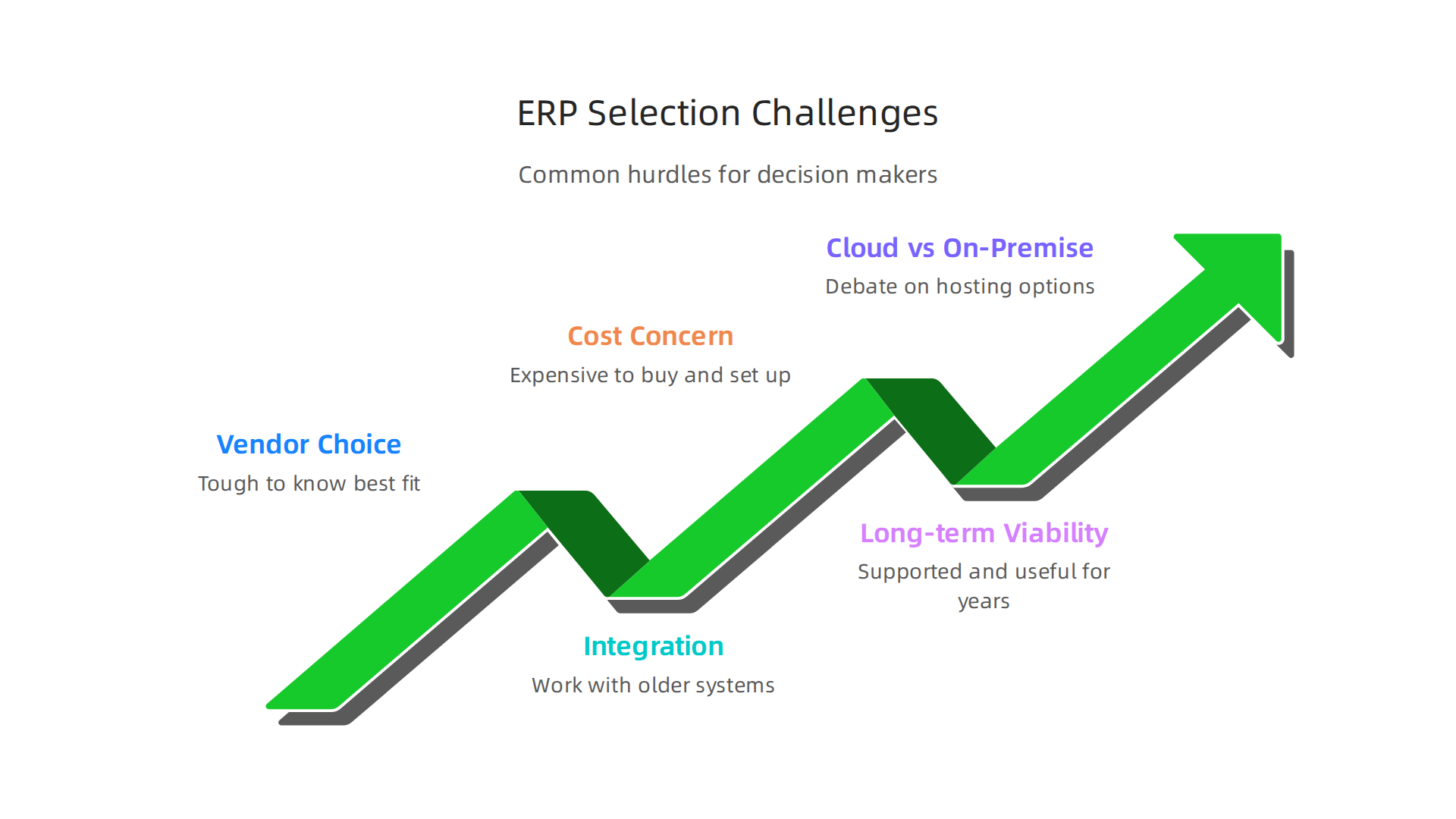
First, there are so many different companies (vendors) that sell ERP systems, it’s tough to know which one is best. Finding the most popular ERP systems doesn’t always mean it’s the right fit for your company. Another big challenge is making sure the new ERP system works well with all the older computer systems a company already uses. This is called integration. If systems don’t talk to each other, it creates more work.
Cost is also a major concern. ERP systems can be very expensive to buy and set up, and they cost money to keep running over time. Lastly, businesses need to think about long-term viability. They need an ERP that will still be useful and supported many years from now. Companies also debate whether to go for cloud-based ERP systems, which are run over the internet, or on-premise ERP systems, which are hosted on their own computers. These decisions often involve understanding different software development models for how the system will be built, changed, and kept up-to-date.
Looking into options like SAP ERP 2026 modules benefits and migration strategies can help with this complex process.
Staying informed about the newest technology is key for making smart choices about software.
Get clear daily AI updates from The AI Newsletter Worth Reading.
ERP systems are much more than just a single computer program. For big companies, they are a complete set of tools that help run all the important parts of the business. Think of areas like how money is managed (finance), how employees are handled (human resources), how products are bought and sold (supply chain management), and how things are made (manufacturing). A good ERP system brings all these different functions into one main place. This means all the company’s information is connected, making it easier to see the big picture and make smart choices. It helps different teams work together better, cuts down on mistakes, and makes work faster.
The market for ERP software is very big and still growing in 2026. Experts say that the global ERP software market is expected to reach about $106.22 billion this year alone Global ERP Statistics 2026: Market Size And Adoption ….
This large market includes many different kinds of ERP systems. More and more companies are choosing cloud based erp systems, which are run over the internet. These are becoming more popular than traditional on-premise erp systems, which are hosted on a company’s own computers. In fact, cloud ERP is predicted to be worth $76 billion or more in 2026 Cloud ERP by the Numbers: 50 Statistics That Tell the Real ….
When business leaders look for the most popular erp systems, they might often hear names like SAP, Oracle, and Microsoft Dynamics. These companies hold a large part of the ERP market share ERP Market Share 2026 — Adoption by Industry, 43,000 ….
For example, SAP is known for having a significant market share ERP Software Statistics, By Market Size, Trends and Facts (2025).
However, just because an ERP system is popular does not always mean it is the perfect fit for every big company. A large organization needs an ERP system that can handle its specific size, its many complex needs, and its plans for future growth. It is important to look beyond what everyone else is using and find a system that truly matches your company’s goals and how it operates. This also involves careful planning for the future, including how to handle all the software and hardware over time, which is part of effective Strategic IT Asset Management. The system should also work well with the company’s chosen software development models to ensure it stays current and useful.
Top evaluation criteria for enterprise ERP selection
Choosing an ERP system for a big company is a really important job. It’s not just about picking one of the most popular erp systems you hear about. Instead, leaders need to look closely at several key things to make sure the system truly helps their business grow and run smoothly.

Here are the most important things to think about:
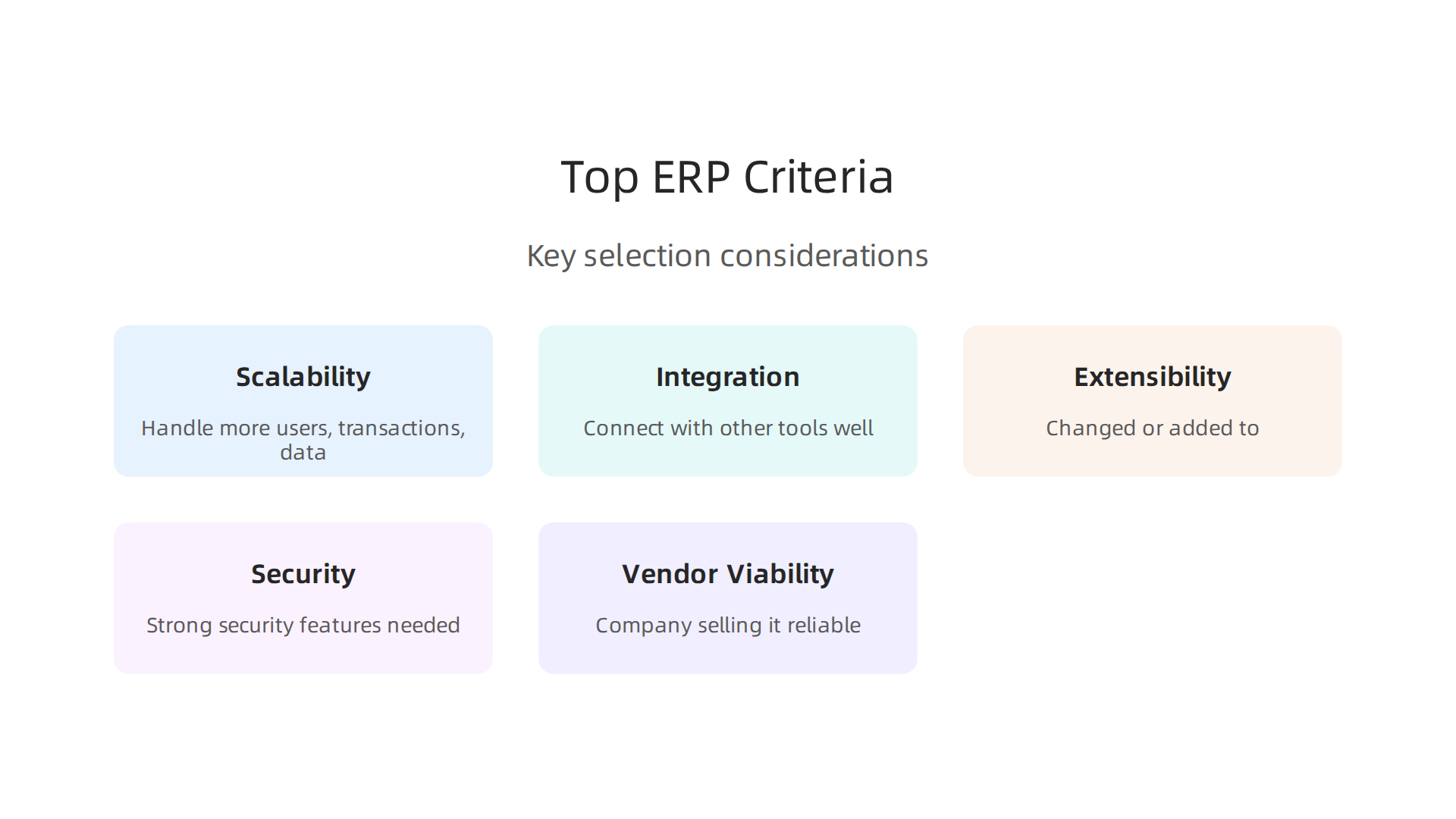
1. Can It Grow with Your Business? (Scalability)
Think about how big your company is now and how big it might become in the future. A good ERP system must be able to handle more users, more transactions, and more data as your business gets larger. If your company expands into new areas or adds many new employees, the ERP should keep up without slowing down or breaking. This is especially true for cloud based erp systems, which often offer more flexibility to scale up or down compared to older on-premise erp systems.
2. Can It Connect with Other Tools? (Integration)
Most big companies use many different software tools for different tasks. Your new ERP system needs to connect and work well with these other tools, like your customer relationship management (CRM) system or your existing payroll software. If the systems don’t talk to each other, you’ll end up with more manual work and mistakes. Seamless integration means all your information flows smoothly across the company.
3. Can It Be Changed and Expanded? (Extensibility)
Every business has its own special ways of doing things. An ERP system should be flexible enough to be changed or added to, so it fits your company’s unique needs. This might mean adding new features, changing how certain reports look, or connecting custom tools. The ERP should also support your company’s chosen software development models so it can evolve as your business needs change.
4. How Safe Is Your Data? (Security)
In 2026, protecting your company’s information is more critical than ever. An ERP system holds a lot of sensitive data, from customer details to financial records. You need to make sure the system has strong security features to keep this data safe from hackers and other threats. It should follow important safety rules and standards, like those for data encryption and how users can access information, as outlined in guides like ERP Security & Compliance: Best Practices 2026. Many companies also look for ERPs that comply with global standards like ISO 27001, which helps ensure information is protected ISO 27001 Compliance Checklist for ERP Systems (2026).
5. Is the Company Selling It Reliable? (Vendor Viability)
When you pick an ERP system, you’re also picking a partner. You want to make sure the company that made the ERP system is stable and will be around for many years to offer support, updates, and new features. Look for companies with a good track record and clear plans for the future.
By focusing on these important points, leaders can choose an ERP system that truly helps their company succeed for a long time, rather than just going with the most popular erp systems that might not fit their specific needs. It’s all about making a smart choice for your business’s future.
To stay on top of the latest technology shifts that impact enterprise decisions, make sure you’re getting trusted, daily insights.
The AI Newsletter Worth Reading
Comparing the most popular ERP systems: features, fit, and tradeoffs
After understanding what makes a good ERP system, the next step is to look at the different options out there. The market for ERP software is quite big, expected to reach around $106.22 billion in 2026, according to one report. This means many companies are investing in these powerful tools to manage their business better Global ERP Statistics 2026: Market Size And Adoption ….
When it comes to the most popular ERP systems, some names stand out. Let’s explore some of them and what they are best for.
Top ERP Systems and What They Offer
- SAP: This is a very big player, often chosen by large businesses that need a system for many complex tasks across different countries. SAP offers a huge range of features for everything from finances to production. It’s known for being very complete but can also be complex to set up.
- Oracle: Another giant in the ERP world, Oracle has many different ERP products. Oracle NetSuite, for example, is very popular with mid-sized companies because it is a
cloud based ERP systemthat can handle many business needs at once. You can learn more about how Oracle Applications Cloud drives enterprise strategy and growth. - Microsoft Dynamics 365: This ERP system works very well with other Microsoft tools like Office. It’s flexible and can be used by businesses of different sizes, especially those who already use many Microsoft products. It offers both cloud and
on-premise ERP systemsoptions, though cloud is becoming more common. - Workday: Workday focuses a lot on human resources (HR) and financial management. It’s often chosen by companies that need strong tools for managing their people and money.
- Other Important Players: Companies like Sage, Infor, Epicor, and IFS also offer valuable ERP systems, often specializing in certain industries like manufacturing or distribution. For instance, SAP holds a large share of the ERP market, followed by Oracle and Workday, based on 2026 data ERP Market Share 2026 — Adoption by Industry, 43,000 ….
Important Tradeoffs to Consider
Choosing an ERP system means thinking about some key differences:
-
All-in-One vs. Best-of-Breed:
- All-in-One (Integrated Suites): These systems, like SAP or Oracle, try to do everything your business needs within one package. This can make things simpler because all your data is in one place.
- Best-of-Breed: Some companies prefer to pick the very best software for each specific task. For example, one software for accounting, another for sales, and another for HR. These pieces then need to connect and work together. This can give you more specialized tools but might require more effort to make them all talk to each other smoothly.
-
Cloud vs. On-Premises:
- Cloud-Based ERP Systems: These systems are hosted on the internet, meaning you access them through a web browser. They are often easier to set up, update automatically, and can grow with your business more simply. Many companies are moving to the cloud; in fact, cloud-based ERP deployments made up about 70% of all ERP setups in 2024, and this trend continues in 2026 Cloud ERP by the Numbers: 50 Statistics That Tell the Real ….
- On-Premise ERP Systems: These are installed directly on your company’s own computers and servers. You have more control over the system, but you’re also responsible for all the maintenance and updates.
-
Partner Ecosystems:
When you pick an ERP, you’re not just getting the software. You’re also getting access to a network of companies that help with setting it up, training your team, and adding special features. A strong partner ecosystem means you’ll have good support and options for customizing your system to fit your exact needs.
Thinking about these different systems and their tradeoffs will help you find the most popular ERP systems that are truly the best fit for your company, not just the ones everyone else is talking about.
Choosing an ERP system is a big step, but it is just the beginning. After you pick one of the most popular ERP systems, the next big task is to put it into action. This process involves many moving parts, from setting it up to making sure everyone in your company can use it well.
Implementation, Integrations, and Change Management
Bringing a new ERP system into your company involves several key steps. You need to think about how long it will take, what resources you’ll need, how to move your old information, and how to connect it with your other tools.
What Happens During Implementation?
- Timeline: How long does it take to set up an ERP? It really depends on your business size and how complex the system is. For a mid-sized company, getting an ERP ready can take anywhere from 6 to 18 months ERP Implementation Timeline: What to Expect (3 Months to 2 Years). Some smaller setups might be quicker, around 3 to 4 months, while very large companies with many different needs might even spend 12 to 36 months to get everything running smoothly How Long Does it Take to Implement an ERP System?. It’s a journey, not a sprint.
- Resources and Costs: You will need a dedicated team to work on the project. This includes your own staff and often outside helpers (consultants). Beyond the software cost, you also need to think about the "Total Cost of Ownership" (TCO). This includes things like the cost to set up the system, move your data, train your staff, and keep it running each year. For example, implementation services can make up a big part of the total cost, often 25% to 40% ERP TCO Calculator & 5-Year Cost Guide. You also need to consider software licenses, hardware if it’s an
on-premise ERP system, or subscription fees forcloud based ERP systems. - Data Migration: This means moving all your important information from your old systems into the new ERP. It’s like moving from an old house to a new one; you need to carefully pack everything, clean it up, and make sure it all fits in the new place. Messy data can cause big problems later on.
- Integrations: Most businesses use many different software tools. Your new ERP will need to "talk" to these other tools. For example, it might need to connect with your customer relationship management (CRM) software or your online store. These connections are called integrations, and they make sure all your systems work together smoothly.
Getting Your Team Ready: Change Management
Bringing in a new ERP is not just about new technology; it’s about people. Your team will need to learn new ways of working. This is where "change management" comes in.
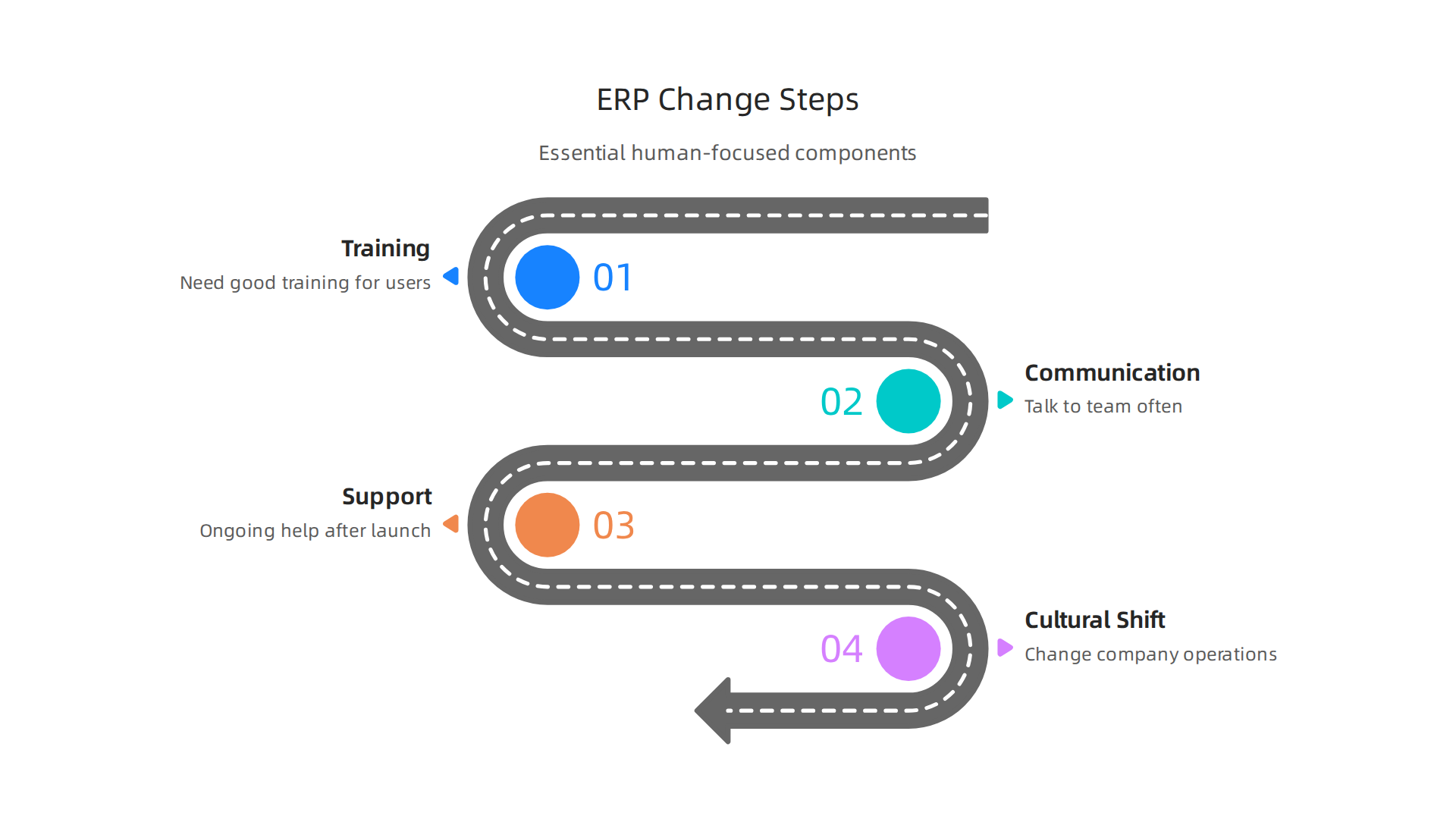

- Training: Everyone who uses the new system will need good training. This helps them understand how to do their daily tasks with the new software. Good training reduces frustration and helps people feel comfortable faster.
- Communication: It’s important to talk to your team often about why the change is happening, how it will help them, and what to expect. When people know what’s going on, they are more likely to accept the change.
- Support: After the system goes live, your team will need ongoing help and support. This might be a help desk or a team of internal experts who can answer questions.
- Cultural Shift: Sometimes, a new ERP means changing how your company operates. This can be a big shift, and it needs strong leadership to guide everyone through it.
Thinking about these steps from the start can help make sure your ERP project is successful and truly helps your business grow.
Enterprise software and technology are always changing. Staying updated is key for any business leader.
Ready to dive deeper into the world of AI and technology? Get clear daily AI updates.
The AI Newsletter Worth Reading
Getting an ERP system to work well for your business is a big job. But beyond just setting it up, you also need to understand all the money you will spend over time. This is called the Total Cost of Ownership, or TCO. Thinking about TCO helps you see the full picture, not just the first price tag.
Cost components and realistic TCO models
When you look at the cost of an ERP system, it is more than just buying the software. You have to consider all the little costs that add up over months and years. These costs fall into different groups.
Breaking Down the Costs
- Software Itself: This is the basic price. For
on-premise ERP systems, you usually buy a license one time. Forcloud based ERP systems, you pay a regular fee, like a monthly or yearly subscription. This is often 15% to 25% of the total cost over five years for a medium-sized company ERP TCO 2026: 5-Year Total Cost Comparison — SAP, Odoo …. - Getting Started (Implementation): This includes all the work to install the system, set it up just for your business, and move your old information over. It also covers training your team to use it. These services can be a big part of the cost, sometimes 25% to 40% of the five-year total ERP TCO Calculator & 5-Year Cost Guide.
- Making Systems Talk (Integration): Your new ERP will need to connect with other software you use, like your customer list or accounting tools. Building these connections costs money.
- Taking Care of Your Team (Change Management): After the system is live, your team will need more training and ongoing help. This ensures everyone uses the new system well and likes it. These ongoing costs are very important. Some experts even point out "hidden costs" like cleaning up old data or risks in contracts Total Cost of Ownership (TCO) for ERP: The 5-Year View.
Modeling TCO and Total Value
To get a real sense of the cost, you should look at the TCO over several years, usually 3 to 7 years. This helps you compare different most popular ERP systems fairly.
A simple way to think about TCO is:
TCO = Buying Costs + Setting Up Costs + Running Costs Over Time + Hidden Costs
Many businesses use tools like an Total Cost of Ownership Excel Template to help with this math. These templates help you list out all the costs for each year. This way, you can see how much you will pay in total over the long run.
When you compare ERP options, don’t just look at the upfront price. Think about the total value the system brings. A system that costs a bit more at first might save you a lot of money later or help your business grow faster. This detailed look at all costs helps leaders make smart choices for their company’s future. It is also good to know how to plan for and manage all IT spending, which you can learn more about in Strategic IT Asset Management Fuels Enterprise Success.
After looking at all the costs, there are other big things to think about when picking an ERP system. These are risks, how safe your data is, and if the company selling the ERP will be around to help you later. It is not just about the money you pay; it is about how secure your business will be.
Risk, security, and vendor viability assessments
Choosing one of the most popular ERP systems means you are giving it a lot of your company’s important information. Because of this, security is a huge deal. You need to know your data is safe and that the ERP vendor is strong and reliable.
Keeping Your Information Safe (Security and Compliance)
Your ERP system holds sensitive data like customer details, financial records, and employee information. Protecting this data is super important in 2026. If your data is not safe, your business could face big problems, like losing trust or getting into legal trouble.
Many rules and standards help make sure data is handled properly. For example, for cloud based ERP systems in the U.S., you might hear about SOC 2, which checks how a service provider protects customer data. Globally, ISO/IEC 27001 is a well-known standard for managing information security White-Label ERP Security Standards in 2026 | USA Guide. There are also specific laws like GDPR in Europe for data privacy and HIPAA for health information in the U.S. ERP Cybersecurity 2026: Complete Protection Guide for SMEs.
When you pick an ERP, you need to ask how it follows these rules. This includes:
- Data Encryption: Is your data scrambled so no one can read it without permission? This applies when data is stored and when it moves between places ERP Security & Compliance: Best Practices 2026.
- Access Control: Only the right people should be able to see or change certain information.
- Audit Trails: Can you see who did what in the system and when? This helps track any issues.
- Data Residency: For
cloud based ERP systems, where will your data actually be stored? Some laws require data to stay within certain countries.
Knowing these things helps ensure your chosen ERP platform safeguards enterprise data properly.
Checking the Company Behind the Software (Vendor Viability)
It is also smart to check on the ERP company itself. You want to make sure they are doing well and will continue to support their on-premise ERP systems or cloud offerings for a long time. Ask about their plans for the future. Do they have a clear roadmap for improving their software? How do they use different software development models to keep their products fresh and secure?
You can also look into how stable the company is financially. If a vendor goes out of business, you could be left without support or updates for your critical system. Choosing a vendor with a strong history and a clear vision for the future helps protect your investment. To make wise choices, understanding all the different kinds of technology businesses use is helpful. Learn more about these by reading about Enterprise technology domains every leader must understand in 2026. This is part of doing your homework. You are looking for a partner, not just a seller.
To stay current on the fast-changing world of enterprise technology, especially AI, you’ll find The AI Newsletter Worth Reading very helpful for daily insights.
Finding the right ERP partner means following a clear plan. It means going through a step-by-step process to make sure you pick the best system for your company.

This helps you avoid problems and ensures your chosen system, whether it is one of the most popular ERP systems or a custom fit, truly meets your needs.
Step-by-Step Selection Process
A good selection process often starts with a Request for Proposal (RFP) or a Request for Information (RFI).
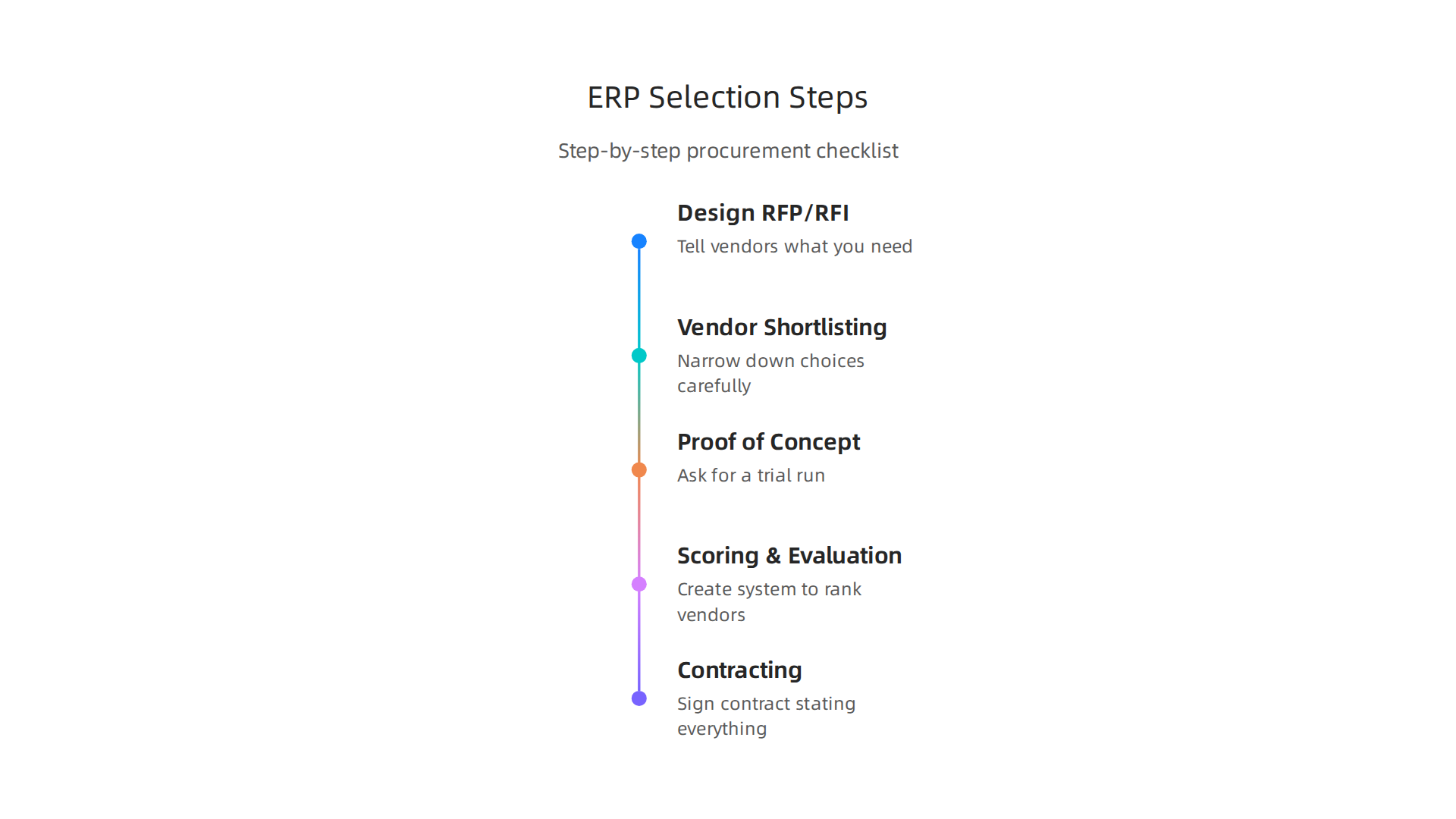
Think of this as putting together a detailed wish list and asking different companies how they can fulfill it.
Designing Your RFP/RFI
An RFP tells potential vendors exactly what you need. It should include details about your company, what you want the new ERP system to achieve, your budget, and how quickly you need it. You should clearly list your business goals and what you expect from the software ERP RFP: A Comprehensive Guide to Writing One in 2026. This helps vendors offer solutions that truly fit your company.
It is also smart to describe your current business processes and any problems you face. Then, ask vendors to explain how their ERP will solve those problems. A well-made RFP, ideally between 15-25 pages, focuses on the results you want, not just a list of features How to Write an ERP RFP: Free Template & Evaluation Criteria …. Many resources offer free templates and guides to help you create a useful RFP A complete ERP RFP template & guide (includes free template).
Vendor Shortlisting
After sending out your RFP, you will get many responses. The next step is to review them carefully and narrow down the choices. Look for vendors whose proposals clearly understand your needs and offer good value. This means checking their experience, how well their cloud based ERP systems or on-premise ERP systems fit your requirements, and their support plans.
Proof of Concept (POC) Criteria
Once you have a few top choices, you might ask for a Proof of Concept (POC). This is like a trial run where a vendor shows how their system would work with your company’s actual data and processes. You should have clear goals for this step. For example, can the system handle your daily sales orders? Does it connect with your other important software? This helps you see the ERP in action before making a big decision.
Scoring and Evaluation
To pick the best ERP, you need a fair way to compare the options. You can create a scoring system that ranks vendors based on how well they meet your needs. This might include things like:
- How well the software matches your business processes.
- The vendor’s reputation and financial health.
- The total cost of the system over time.
- How good their customer support is.
It is important to have both technical and business people involved in this scoring.
Contracting Best Practices
When you have chosen your ERP system, the final step is to sign a contract. This contract should clearly state everything, including costs, services, timelines, and who owns what data. Make sure it covers future updates, training, and ongoing support. Understanding all parts of your contract helps protect your business. For guidance on improving software development processes, you might also want to read about how to Optimize enterprise software with strategic software development lifecycle models.
Your Ready-to-Use Procurement Checklist
Here is a simple checklist to help you through the ERP selection process:
- Define Your Needs: What problems do you want the ERP to solve? What are your must-have features?
- Budget: How much can you realistically spend? Include all costs, not just the software itself.
- RFP/RFI: Write a clear document asking vendors for their proposals.
- Vendor Research: Look into the history and stability of potential ERP companies.
- Shortlist: Pick a few top vendors for a closer look.
- Demonstrations/POC: See the software in action with your specific business needs.
- Evaluation: Score each vendor based on your criteria.
- References: Talk to other businesses that use the ERP system you are considering.
- Contract Review: Carefully read and understand all parts of the agreement.
Summary
This article explains how medium and large enterprises should approach selecting an ERP system in 2026, highlighting why the decision can determine competitive success or failure. It walks through core evaluation criteria — scalability, integration, extensibility, security, and vendor viability — and compares market leaders like SAP, Oracle, Microsoft Dynamics and Workday while weighing tradeoffs such as all‑in‑one versus best‑of‑breed and cloud versus on‑premise deployments. The guide also outlines practical implementation issues including timelines (from months to multiple years), required resources, data migration, integrations, and the people‑side of change management. It breaks down Total Cost of Ownership (TCO) components and offers a simple selection process: RFP/RFI design, shortlisting, POC criteria, scoring and contracting best practices. Throughout, the article stresses planning for long‑term support, compliance and security, and choosing a vendor partner and ecosystem that will sustain the business over time. After reading, leaders will be able to evaluate ERP options, model realistic costs, run a disciplined procurement process, and prepare their organization for a successful ERP rollout.