
Oracle Applications Cloud Drives Enterprise Strategy and Growth

Why Oracle Applications Cloud matters for enterprise strategy
Imagine a big company like a busy factory. For everything to run well, all the different parts of the factory need to work together perfectly. This includes buying materials, managing the workers, and seeing how well everything is going. Oracle Applications Cloud is like a special set of smart tools that helps all these parts of a business talk to each other and work smoothly. In 2026, many senior leaders in big companies see Oracle Applications Cloud as a key part of how they plan for the future.

This powerful software helps businesses with many crucial jobs. For instance, it offers advanced procurement software solutions to help companies buy what they need in a smart way. It also includes modern workforce management software to manage employees, their schedules, and their pay. On top of that, it provides strong business analytics tools. These tools help leaders understand important facts about their business, like how well sales are doing or where they can save money. It’s all about making sure the whole company can keep growing and doing well.
When leaders choose big software like Oracle Applications Cloud, they think about a few important things. They ask, "How quickly will this software start helping our business?" This is known as "time-to-value." They also look at how risky it might be to switch to new software. What if there are problems? The total cost of owning the software over many years is also very important. This is called "total cost of ownership," and it includes more than just the first price. Lastly, they consider the company that makes the software and all the other tools and services that come with it. This is the "vendor ecosystem." Leaders want to be sure they pick a strong partner like Oracle that can support their business for a long time. Knowing about the cloud provider ecosystem enterprise strategy for 2026 helps them make smart choices.
To stay sharp on all the new technology, especially AI, many leaders find daily updates helpful. If you want clear daily AI updates, consider The AI Newsletter Worth Reading.
When leaders choose big software, they need to know how it is built. This is called the "architecture" of the software. Understanding the architecture of Oracle Applications Cloud helps businesses make smart choices for today and for the future. Just like a big building has different floors for different jobs, Oracle Applications Cloud is made of different layers that work together.
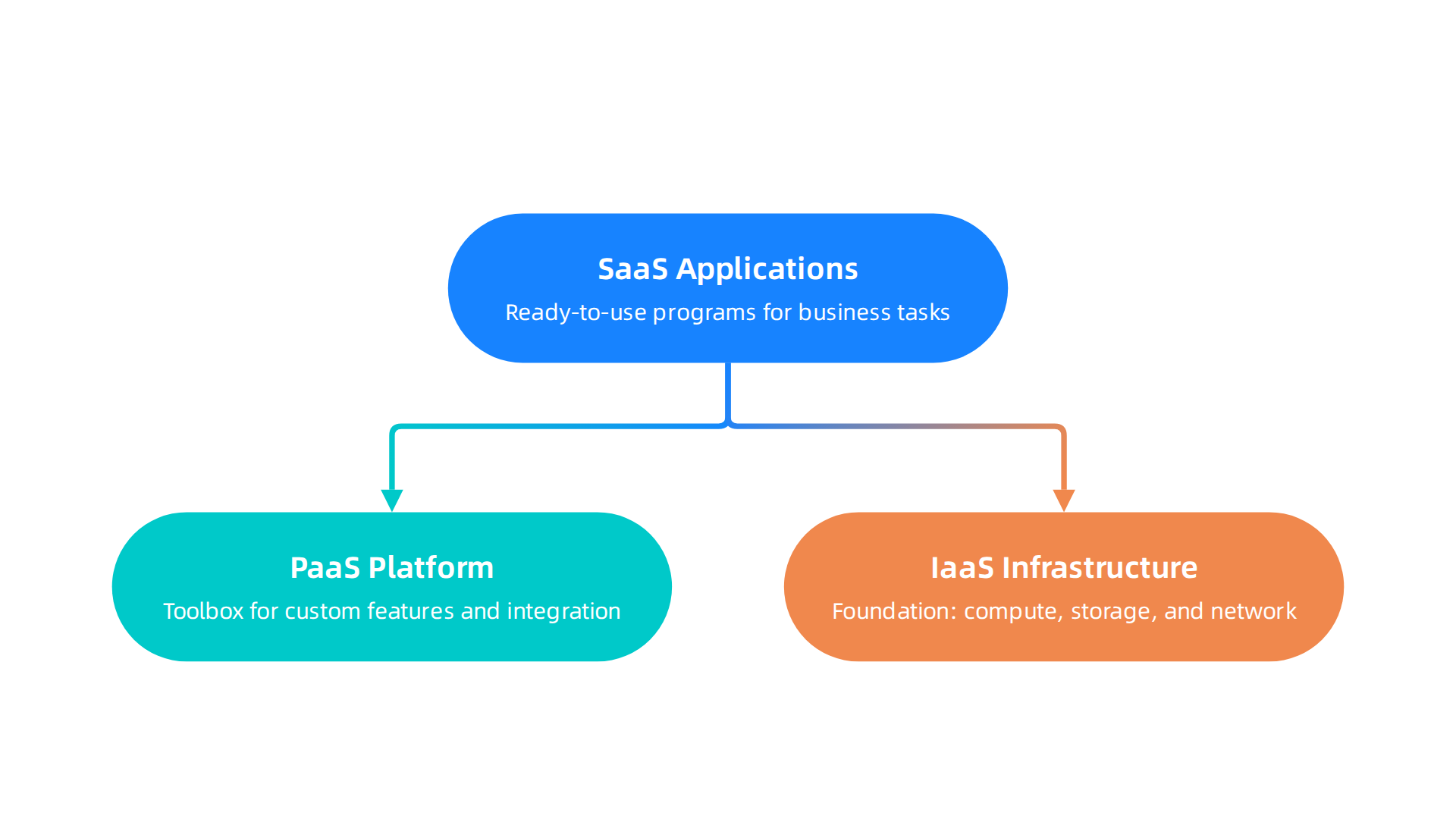
At the very top, where people interact with the software, are the applications. These are known as Software as a Service, or SaaS, applications. They are ready to use programs that help with many business tasks. For example, a company might use these for its procurement processes, which are like fancy shopping lists for businesses. They also use them for managing employees, like tracking hours and pay, which is part of workforce management. Oracle regularly adds new features and improvements to these applications, as seen in their New Features for 2026 updates.
Underneath these everyday applications is the Platform layer. This layer, sometimes called Platform as a Service (PaaS), gives businesses more power to change things or add new parts. Think of it as a toolbox that lets companies build their own custom features or connect Oracle’s software with other tools they use. This is very important for "extensibility," which means how much you can stretch and adapt the software to fit your special needs. It also helps with "integration," making sure all your different software pieces can talk to each other. Oracle designs its application architecture so these connections are smooth and easy. Leaders interested in building and managing these layers often look into subjects like Platform Engineering in 2026: A Strategic Guide for CIOs and CTOs.
And what’s beneath the platform? That’s the Infrastructure layer. This is the very foundation, providing all the computing power, storage, and network connections. For Oracle Applications Cloud, this means it runs on Oracle Cloud Infrastructure, or OCI. OCI is like the powerful engine and sturdy frame that makes everything else go. You can explore more about Oracle’s base cloud services on the main Explore Oracle Cloud Infrastructure page.
Oracle also focuses on how these layers work together over time. This is called "lifecycle management." It means they plan for how the software will be used, updated, and kept safe throughout its life. They have a framework with seven architectural pillars that helps companies set up and maintain their Oracle Fusion Cloud systems well. This way, businesses can rely on getting continuous improvements and strong support for their crucial business analytics tools and other processes.
2) Migration & modernization patterns: Lift-and-shift, replatforming, and SaaS adoption
After understanding how Oracle Applications Cloud is built, many businesses then think about how to move their existing systems to this modern cloud setup. This move is not a one-size-fits-all process. There are different ways to do it, and each has its own benefits and challenges. Let’s look at the common paths businesses take to migrate and modernize their systems in 2026.
Common Ways to Move to the Cloud
Businesses often pick from three main approaches when moving their software to the cloud:
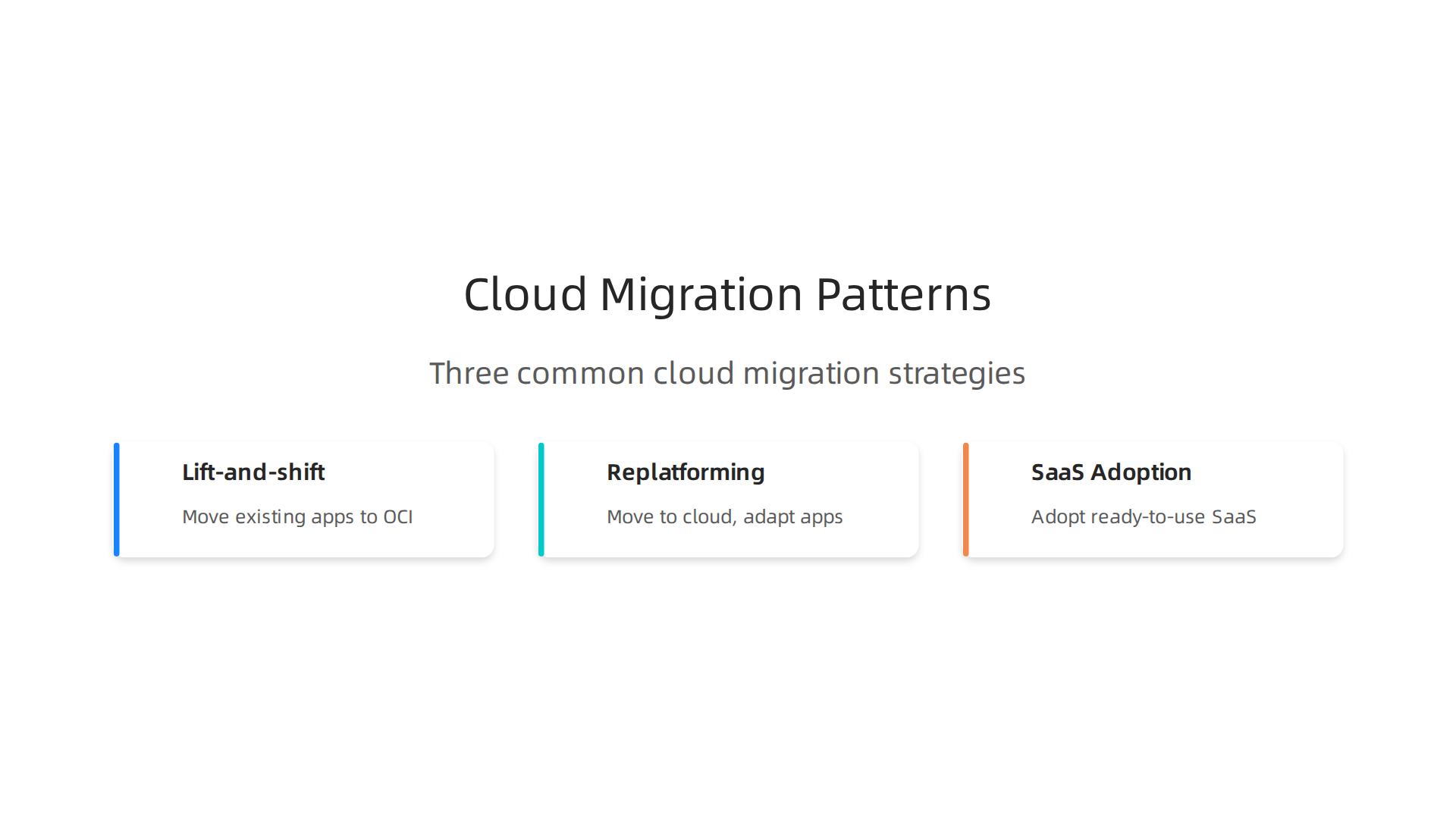
- Lift-and-shift: This is like taking your house and putting it on a truck to move it to a new plot of land without changing anything inside. With software, it means moving your existing applications and data to Oracle Cloud Infrastructure (OCI) without making big changes to the code. This path can be quicker and simpler for some, but it might not let you use all the cool, new features of a true cloud system right away. It’s often called "rehost" in the world of cloud migration planning The Complete Guide to Oracle Cloud Migration in 2026.
- Replatforming/Modernization: This approach is like moving your house but also doing some renovations along the way. You might change the kitchen or add a new room to make it fit the new land better. For software, this means moving to the cloud but also making some changes to your applications to take better advantage of cloud features, like how they scale up or down. You’re not starting completely over, but you are making improvements. Leaders also look into how to optimize enterprise software with strategic software development lifecycle models during this process.
- SaaS Adoption (Reimplementation): This is like deciding your old house doesn’t quite fit the new land, so you build a brand new house from scratch, using all the best modern designs and materials. For Oracle Applications Cloud, this means letting go of your old, possibly heavily changed software and adopting the standard, ready-to-use SaaS applications directly. This is a common choice for businesses looking to fully embrace modern procurement software solutions or workforce management software without carrying over old, complex setups.
Where Businesses Can Get Stuck
No matter which path a business chooses, there are common hurdles that can make the move tricky:

- Data Conversion: Moving all the old information into the new system is a big deal. The old data needs to be clean and fit the new format. Sometimes, data needs to be greatly changed before it can be moved. Businesses need to plan carefully for this, considering how to get clean data into Oracle Fusion Applications Cloud Options for migrating clean data to Fusion Applications Cloud. Also, ensuring your test and production environments match exactly is very important, as a mismatch can cause big problems Step-by-Step Oracle Cloud Migration & Features [2026].
- Customizations: Many older business systems have special changes made just for that company. These "customizations" might not work well in a standard cloud setup like Oracle Applications Cloud. Deciding which customizations to keep, change, or drop is a key part of the planning.
- Integrations: Most companies use many different software tools that need to "talk" to each other. Making sure the new Oracle system can smoothly connect with existing business analytics tools, CRM software, or other legacy applications is vital for everything to work together. This integration ecosystem needs careful planning Oracle Cloud Migration: Key Considerations for IT Leaders.
How to Choose the Right Path
Deciding whether to re-implement, modernize, or use a mix of old and new (hybrid coexistence) depends on a few things:
- How old and complex is your current system? Very old systems with many unique changes might benefit more from a fresh start (reimplementation) to fully use Oracle Applications Cloud.
- What are your goals? Do you want to save money, get new features, or just improve how things run?
- How much change can your business handle? A full reimplementation might bring big changes, while lift-and-shift is less disruptive.
- How quickly do you need to move? Lift-and-shift can be faster, but reimplementation can take more time.
Sometimes, businesses might even use a "hybrid coexistence" model, where they run some parts of their business on the old system and other parts on the new Oracle Applications Cloud for a while. This lets them switch over slowly. To make smart choices, leaders need to stay informed about the latest technology and strategies. Get clear daily AI updates from The AI Newsletter Worth Reading. It helps guide decisions for a stronger future in the cloud.
Moving to Oracle Applications Cloud is a big step, and understanding the costs involved is just as important as knowing how to move your systems. It’s not just about the initial price tag; it’s about the money you will spend over time. This is called the Total Cost of Ownership, or TCO. Let’s break down how to think about the costs for cloud applications in 2026.
Breaking Down the Total Cost of Ownership (TCO)
When you look at the TCO for Oracle Applications Cloud, think about it like owning a car.
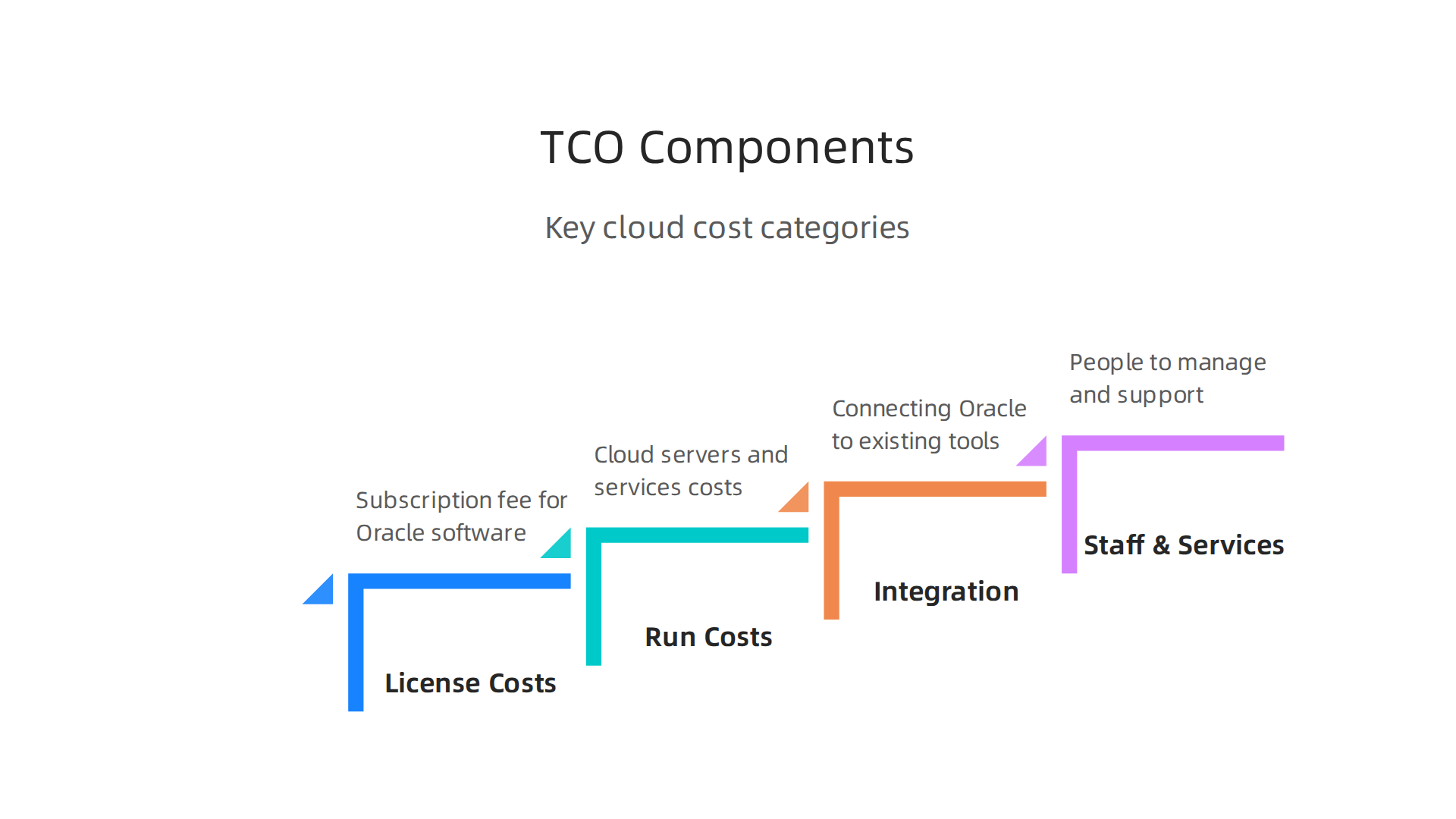
You have the price to buy it, but then there’s gas, insurance, and maintenance. For cloud software, these costs fall into a few main buckets:
- License Costs: This is what you pay to actually use the Oracle software. In the cloud, this usually means a subscription fee that you pay regularly, like every month or year. The cost can change based on how many people use it or what features you need.
- Run Costs (Infrastructure): This is the money spent on the cloud servers and other services that keep your Oracle applications running. Think of it as the ‘gas’ for your cloud car. These costs can go up or down based on how much you use the system, like how much data you store or how many computing tasks you run. Smart planning here can help watch costs with intent and design for day-two operations from the start Oracle Cloud Migrations: Strategy, Tools, Costs.
- Integration Costs: Many businesses use other software like business analytics tools or cloud-based CRM software. Making sure your new Oracle Applications Cloud talks smoothly with these other tools costs money. This includes the effort to build the connections and maintain them.
- Staff and Managed Services: You will need people to manage, update, and support your Oracle Applications Cloud. This might be your own team, or you might hire outside experts. This is like paying for a mechanic to keep your car in good shape.
What Changes Your Long-Term Costs?
Several things can make your cloud costs higher or lower over time:
- Consumption Patterns: How much you use the cloud system really matters. If your business grows quickly and more people use the software, or you process much more data, your run costs will likely increase. This is why it’s good to plan for how your usage might change.
- Customization Depth: Remember how we talked about special changes (customizations) in the last section? The more you change the standard Oracle Applications Cloud to fit your unique needs, the more it can cost. Customizations can make future updates harder and require more special care, adding to maintenance and staff costs. This can apply whether you’re working with procurement software solutions or workforce management software.
- Third-Party Connectors: If you use many other tools that connect to your Oracle system, these connections themselves can have costs. Some third-party tools charge fees, and setting them up and keeping them running adds to your overall spending.
Understanding these different costs helps businesses make smarter choices when moving to the cloud. It’s not just about finding the cheapest option today, but about having a clear picture of what you will pay over many years. Thinking ahead about how to evaluate insights and drive smarter cloud decisions can make a big difference for your budget. To dive deeper into making informed choices about your cloud strategy, consider checking out our guide on Cloud Research: How to Evaluate Insights and Drive Smarter Cloud Decisions.
Moving to Oracle Applications Cloud isn’t just about setting up new software; it’s also about making sure it works well with everything else your business uses. Think about it like a puzzle. All the pieces, old and new, need to fit together perfectly. This includes linking up with older systems you still use, other cloud programs, and your places for storing important data.
4) Integration, Extensibility, and the Developer Ecosystem
When you bring in Oracle Applications Cloud, you’ll likely need it to talk to other software your company uses. These connections, called integrations, are super important.
First, you might have older systems that keep running in your own office, not in the cloud. Oracle Applications Cloud can connect to these "on-prem" systems. This often involves special tools that help data flow safely between the cloud and your older setups.
Next, most businesses today use many different cloud programs. For example, you might use Oracle Applications Cloud for running your business, but a different cloud-based CRM software for customer service or another program for business analytics tools. Making these talk to each other is key. Oracle provides special tools, like Oracle Integration Cloud, to help with this.

These tools make it easier to link up different programs without needing a lot of complex coding. You can think of it like building bridges between different towns so people and goods can move freely between them. Oracle also offers ways to manage all these connections, making sure they work smoothly and securely. You can see how to build these connections using simple steps like choosing applications, connecting them, and activating the flow of information Cloud Integration & API Management For Dummies – Oracle.
Beyond just linking systems, businesses often want to make their Oracle Applications Cloud unique. This is called extensibility. Oracle offers ways to change and add to the software without breaking it.
- Low-Code Tools: These are like building blocks that let you make small changes or add new features without writing much computer code. It’s like having a kit where you can put parts together easily to make something new. This makes it faster and simpler to get the software to do exactly what you need.
- APIs (Application Programming Interfaces): Think of APIs as special doorways that let different software programs "talk" to each other in a structured way. Oracle Applications Cloud has many APIs that developers can use to connect to other tools or create new features. For example, Oracle Integration Cloud offers REST APIs for managing many parts of your integrations OIC API Explained. Learning how to use these is a big part of customizing and extending your cloud setup. There are also detailed guides and tutorials to help beginners understand how to use these APIs for different tasks within Oracle Fusion Cloud Oracle Fusion Cloud API Tutorial for Beginners | Step-by-Step ….
- Events: These are like signals that tell other parts of your software when something important happens. For example, when a new order is placed in Oracle Applications Cloud, an "event" can trigger another system to send a confirmation email to the customer. This helps automate tasks across different programs.
When making these changes, it’s really important to follow what Oracle calls "recommended patterns" for customizations. This means using ways of changing the software that Oracle suggests, so your changes are strong and don’t cause problems when Oracle updates the main software. Following best practices for migration helps ensure your applications can be easily configured and extended Best Practices for Migration – Configuring and Extending Applications.
The developer ecosystem around Oracle Applications Cloud is also very helpful. This includes all the tools, guides, and communities where developers can share knowledge and get help. This support makes it easier for your team to build new things or customize existing ones. Whether you’re dealing with procurement software solutions or workforce management software, making sure these systems integrate well is vital for smooth operations.
Understanding how to connect and customize your Oracle Applications Cloud correctly can help you get the most out of your investment. It ensures your software works together as one big, smart system that fits your business needs perfectly in 2026. For those in leadership roles aiming to improve their technical understanding, getting a deeper dive into the world of AI is crucial, especially as integration becomes more AI-driven.
Get clear daily AI updates from The AI Newsletter Worth Reading.
5) Security, Compliance, and Governance for Enterprise Deployments
Making your Oracle Applications Cloud work like one big, smart system is great, but keeping it safe and following all the rules is even more important. In 2026, businesses must be super careful about security, how they meet industry rules (compliance), and how they manage their software (governance). This helps protect your company’s important information and keeps everything running smoothly.
Keeping Your Data Safe with Core Security Controls
At its heart, Oracle Applications Cloud has strong security controls. These are like the locks and alarms that protect your data. They make sure only the right people can see and use your information. This includes things like:
- Who can access what: Setting up rules so a person in sales can’t see private HR files, for example.
- Data protection: Making sure data is scrambled (encrypted) both when it’s stored and when it’s moving between systems.
- Watching for threats: Tools that constantly look for anything unusual or dangerous that might be trying to get into your system.
Oracle offers a broad set of security features to protect your data, helping businesses stay secure in the changing digital world of 2026, as noted in their guide on Oracle Cloud Security: Tips and Best Practices for 2026.
Understanding Where Your Data Lives (Data Residency)
For many companies, especially those in specific industries or countries, knowing exactly where their data is stored is a big deal. This is called data residency. Different countries have different laws about where data must be kept. For instance, some European Union countries require that customer data stays within the EU.
Oracle Applications Cloud helps businesses meet these needs by offering different places (data centers) around the world where you can choose to store your data. This is super important for global companies that need to follow various local laws. Oracle makes sure their cloud services support data residency rules, processing, and transferring data safely across borders within the regions you choose to use WhatZ’n OCI? An Enterprise Evaluation Guide. You can even watch a short video explaining how Oracle Cloud helps Solve data residency compliance with Oracle Cloud.
Certifications for Special Industries
If your business works in a regulated industry like healthcare or finance, you know there are many strict rules to follow. Oracle Applications Cloud comes with various certifications and standards that show it meets these rules.
This means the software is built to handle sensitive information, whether it’s patient records or financial transactions.
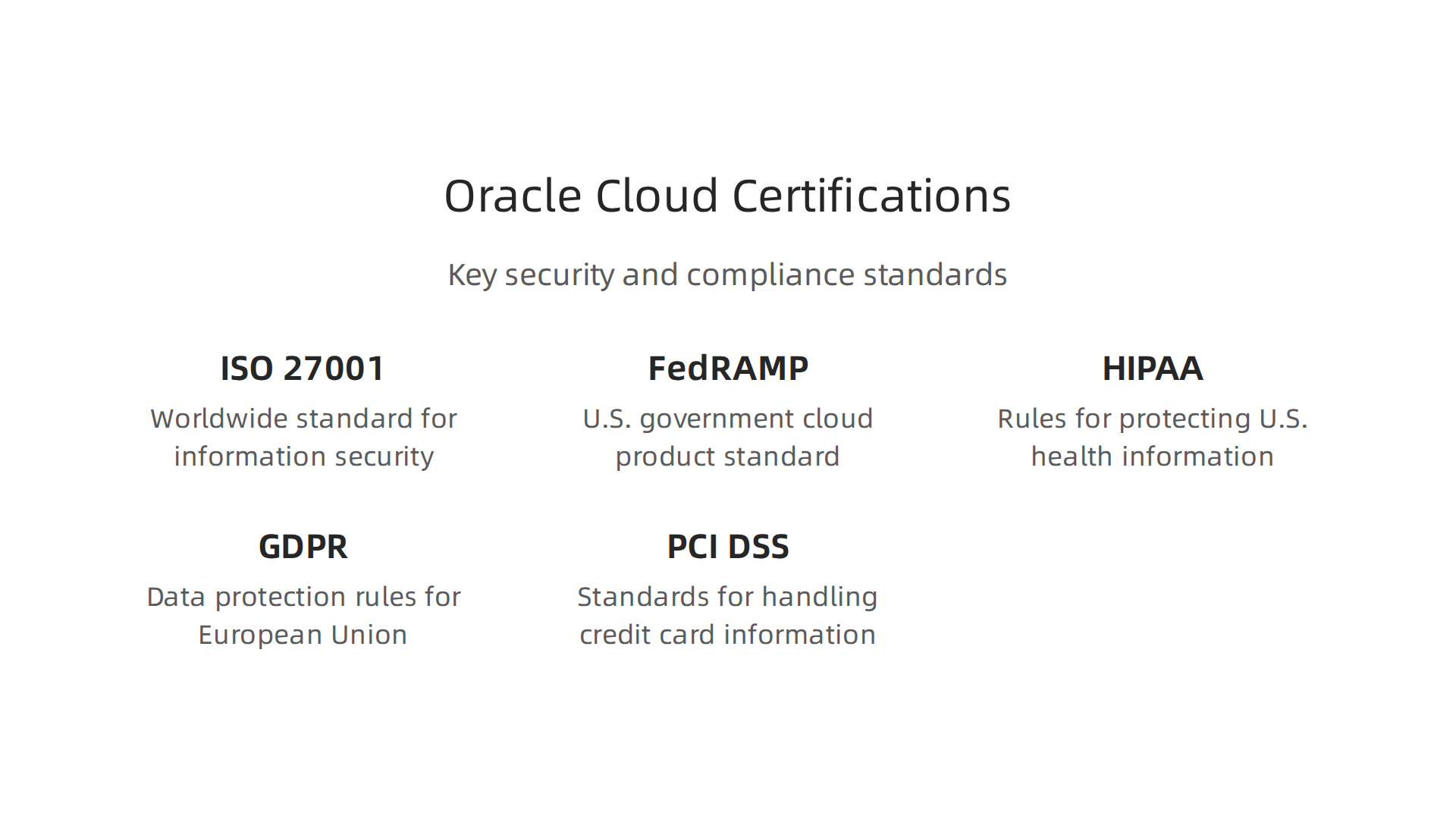
Some important certifications Oracle Cloud holds include:
- ISO 27001: A worldwide standard for managing information security.
- FedRAMP: A U.S. government standard for cloud products and services, important for government cloud solutions.
- HIPAA: Rules for protecting health information in the U.S.
- GDPR: Data protection rules for people in the European Union.
- PCI DSS: Standards for handling credit card information, which is key for procurement software solutions.
These certifications mean that Oracle has put in the work to ensure its cloud systems are secure and trustworthy. You can check Oracle’s website for an Overview of Compliance Documents that detail their adherence to these standards. Knowing your provider has these in place can save your company a lot of effort and worry.
How to Manage Everything (Governance)
Governance is about having clear rules and ways of working to make sure everything with your Oracle Applications Cloud stays secure and compliant over time. This includes:
- Managing Vendor Updates: Oracle regularly updates its software. Governance means having a plan for how your company will test and apply these updates without causing problems.
- Controlling Customizations: Remember how we talked about making the software unique? Governance ensures that any changes or new features you build don’t accidentally create security holes.
- Access Controls: This goes back to who can access what. Governance means regularly checking and updating these access rules as people join or leave your company, or change roles within departments that use workforce management software or business analytics tools.
Having good governance models helps reduce risks and ensures that your Oracle Applications Cloud setup remains safe and effective for years to come. It’s about setting up a plan to manage the cloud service properly and thoughtfully. For more general insights on navigating technology environments, consider how to build trust in new systems through efforts like Building Enterprise AI Trust with Human Oversight and Guardrails. By focusing on strong security, meeting compliance standards, and having clear governance, your business can use Oracle Applications Cloud with confidence in 2026.
6) Business outcomes, ROI examples, and vendor comparison checklist
After making sure your Oracle Applications Cloud setup is safe and follows all the rules, the next big step is to see how much it helps your business. What kind of good results can you expect? How can you show that it was a smart investment? This is all about looking at business outcomes, how it helps your money return (ROI), and how to pick the best software for your needs.
Seeing the Good Results: Business Outcomes and ROI
When you use a powerful system like Oracle Applications Cloud, you want it to help your business grow and work better.

This means looking at how it makes things easier and saves money.
Here are some ways to measure if it’s working:
- More Productivity: Are your teams getting more done in less time? For example, faster steps in approving purchases with procurement software solutions can save a lot of hours. Or, better tools for workforce management software can help HR teams handle staff needs quicker. Oracle Cloud users have seen better productivity, leading to big savings in effort. A report shows customers getting good results, like faster ways to close their books and better reporting Oracle Value Realization ERP Cloud Benchmark Report.
- Faster to Market: Can you create new products or services and get them to customers quicker? If your internal processes are speedy, your business can react faster to what customers want.
- Saving Money (Cost Avoidance): This means not having to spend money you would have otherwise. For example, if the software stops mistakes, you don’t have to spend money fixing them. Or, if it makes business analytics tools run smoothly, you avoid the costs of slow, old systems. Many businesses are looking to maximize their return on investment by moving to Oracle Fusion Cloud for these kinds of benefits Maximize Business ROI by Migrating to Oracle Fusion Cloud.
Your Checklist for Comparing Cloud Software
Choosing the right enterprise software, like Oracle Applications Cloud, is a big choice. It’s like picking the right tools for a big building project. You want to make sure you get the best fit for your company. Here is a simple checklist to help you compare different options in 2026:
- What Features Do You Need?
- Does it have all the specific things your company needs for tasks like accounting, human resources, or sales?
- Does it offer robust business analytics tools to help you understand your data?
- How Easy Is It to Use?
- Will your employees find it simple to learn and use every day? If it is too hard, they might not use it well.
- Can It Grow with Your Business?
- As your company gets bigger, can the software handle more data and more users without slowing down?
- How Safe Is It?
- Does it have strong security to protect your company’s important information? (We talked about this a lot in the last section!)
- How Does It Connect with Other Tools?
- Will it work well with the other software your business already uses?
- What Does It Cost?
- Look at all the costs: the software itself, setting it up, training, and ongoing support.
- What Kind of Help Can You Get?
- How good is the company’s customer support if you run into problems?
- How Does It Compare to Others?
- It helps to see how different cloud ERP systems stack up against each other. Some studies compare big names like Oracle against others, looking at costs and how long projects take 2026 Cloud ERP Comparison: Analyzing Top Six Platforms.
Making a careful choice is very important. Think about how these different points affect your business’s goals. When you look at new tools, remember to consider options beyond the main software, like how to choose good cloud-based productivity tools how to evaluate and select the best tools for your enterprise in 2026.
Staying updated on the fast-moving world of enterprise technology, especially AI, can help you make the best choices.
Get clear daily AI updates from The AI Newsletter Worth Reading.
Summary
This article explains why Oracle Applications Cloud is central to modern enterprise strategy and how leaders should evaluate it across architecture, migration, cost, integration, security, and outcomes. It breaks the solution into three layers—SaaS applications, PaaS platform, and OCI infrastructure—and describes how lifecycle management and a seven-pillar framework enable scalable, AI-ready deployments. The piece outlines common migration paths (lift-and-shift, replatforming, and SaaS reimplementation), the practical roadblocks (data conversion, customizations, and integrations), and how to choose the right approach based on system age, goals, and change tolerance. It also explains the components of total cost of ownership—licenses, run costs, integration, and staffing—and what drives long-term cost changes. Integration patterns, low-code extensibility, APIs and event-driven designs are covered so teams can connect legacy and cloud systems safely. The security, compliance and governance section highlights access controls, data residency, certifications and update governance. Finally, the article gives measurable ROI examples and a vendor-comparison checklist to help leaders pick and justify the right cloud path.