
Build a Snowflake Data Lake That Works in 2026

Many companies build data lakes hoping to unlock big insights. But a lot of these projects just don’t deliver.

The data becomes hard to manage, querying is slow, and costs spiral out of control. Legacy data lakes built on old infrastructure struggle with scalability and performance. That is where a snowflake data lake changes everything.
Snowflake offers a cloud-native platform built from the ground up for the cloud.
It separates storage and compute so you can scale each independently. You do not have to worry about provisioning disks or managing complex clusters. Snowflake handles all of that automatically. The result is a data lake that actually works for analytics, data science, and even real time applications.
So what is a data lake exactly? At its core, a data lake is a central place to store all your data structured, semi-structured, and unstructured in its raw form. Snowflake’s approach adds governance, performance, and ease of use that traditional lakes often lack. If you want a deeper look at the core concepts, check out this data lake architecture and use cases guide from Snowflake.
This guide gives you a step by step roadmap for building a successful Snowflake data lake in 2026. You will learn best practices for storage, ingestion, governance, and query optimization. We also cover real world insights from organizations that have made the switch. Whether you are a data engineer, a CTO, or an analytics leader, you will get practical advice you can use right away.
For enterprise leaders navigating the fast moving world of cloud and data, staying current is hard. That is why we recommend The Deep View Newsletter for clear daily AI and technology updates. It helps you cut through the noise and focus on what matters.
Before diving deeper, you might also want to read our research on how to evaluate and drive smarter cloud decisions. It sets the stage for why cloud native platforms like Snowflake matter for enterprise success.
Now let us walk through exactly how to build your snowflake data lake from the ground up.
So you have heard about a Snowflake data lake. But what does that actually mean in practice?
A Snowflake data lake is a unified data platform. It blends the best parts of a data lake with the best parts of a data warehouse. You get the cheap, flexible storage of a lake and the fast, reliable query performance of a warehouse all in one place.
Snowflake does this by separating storage from compute. That means you can store huge amounts of data without paying for expensive compute power all the time. And when you need to run queries, you spin up compute resources exactly when you need them. This is a key part of Snowflake’s modern data architecture for AI and lakehouse analytics.
Because storage and compute are independent, you get near-infinite scalability. Need to store a petabyte of logs? No problem. Want to run 100 concurrent analytics queries? Also no problem. Snowflake handles all the scaling behind the scenes. This is why many organizations choose Snowflake as a governed data lakehouse for AI and analytics.
Another big difference is support for semi-structured data. Traditional data lakes often struggle with formats like JSON, Avro, or Parquet. Snowflake handles them natively. You can load raw JSON logs and query them directly with SQL. No need to transform everything upfront. This saves a ton of time and complexity.
Snowflake also runs on all three major clouds: AWS, Azure, and Google Cloud. That cloud-agnostic design is huge for enterprise hybrid strategies. You can keep some workloads on AWS and move others to Azure without changing your data platform. It gives you flexibility and avoids vendor lock-in. The 2026 view on data lake software options highlights how Snowflake’s architecture has matured into a strong lakehouse option.
When you put it all together, a Snowflake data lake gives you a single place to store, govern, and query all your data.

It removes the need to maintain separate systems for lakes and warehouses. And it does all of that while keeping costs predictable.
If you are building a modern data stack, understanding this architecture is the foundation. For a deeper look at how to tie everything together, check out this real-time data pipeline blueprint for 2026.
Core Advantages of a Snowflake Data Lake for Enterprise Analytics
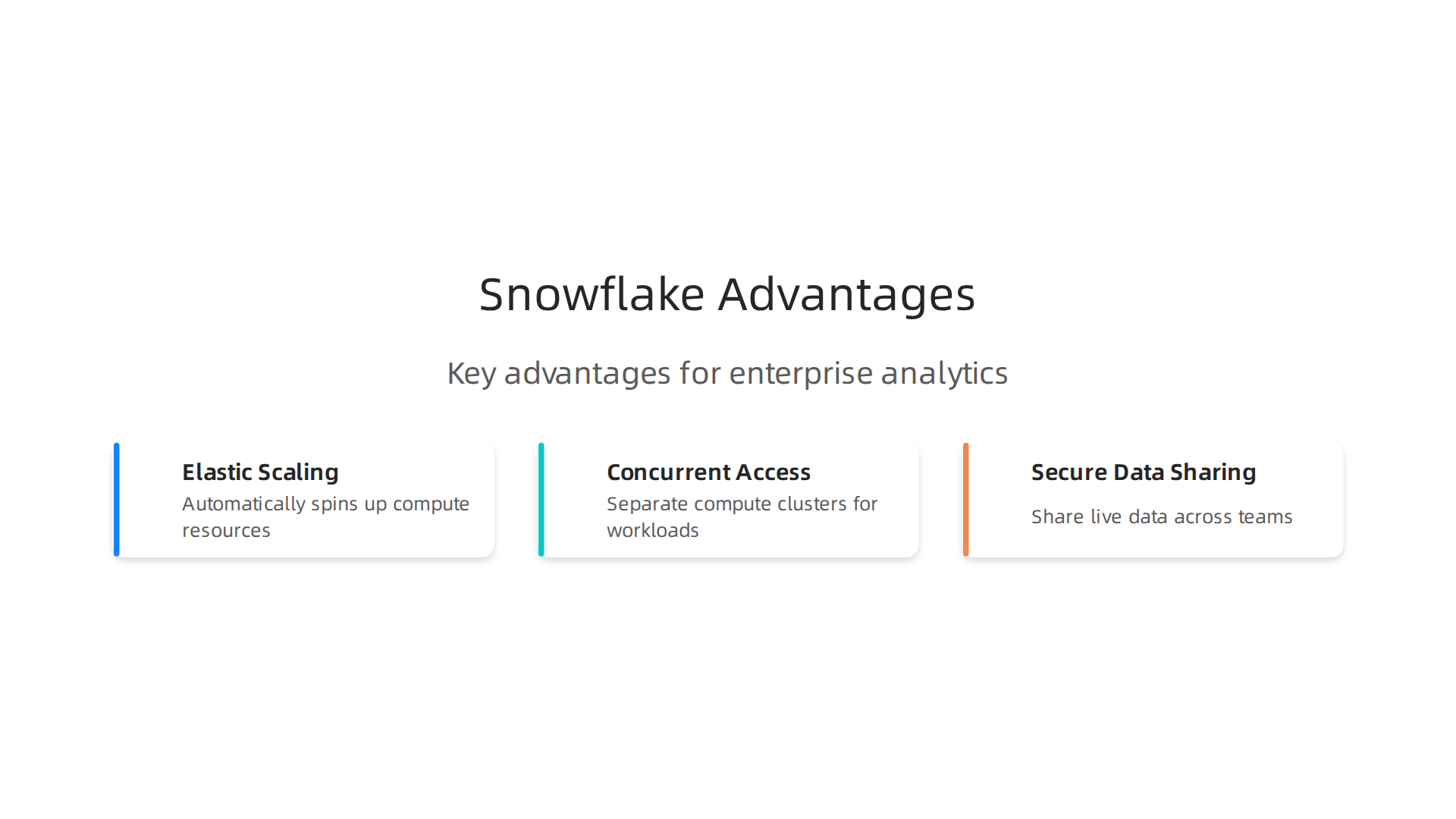
Snowflake stands out for enterprise analytics because it solves three big problems that slow down most data teams.
Let’s look at each one.
Elastic Scaling That Happens Automatically
One of the biggest headaches with older data systems is capacity planning. You either pay for way too much compute or you run into slowdowns when traffic spikes. Snowflake fixes this with automatic elastic scaling. When a sudden data surge hits, Snowflake quietly spins up more compute resources. When things calm down, it scales back. You never have to guess or babysit the system. That is why many companies trust the Snowflake Data Cloud scalability and performance to handle data that grows from gigabytes to petabytes without breaking a sweat.
Concurrent Access Without Performance Fights
In a typical enterprise, the same platform has to serve many groups at once. Data engineers run ETL pipelines. Business analysts pull up dashboards. Data scientists train machine learning models. All of these workloads can fight for resources. Snowflake solves this with separate compute clusters for each workload. You can run a heavy transformation and a live BI report at the same time with zero slowdown. The platform’s multi-cluster resource isolation architecture makes this possible. Each workload gets its own compute, so they never step on each other.
Secure Data Sharing and Real Collaboration
Data silos are a major enemy of enterprise analytics. Different departments keep their data locked away, and getting a single view of the business feels impossible. Snowflake lets you share live data across teams, partners, and even customers securely.

No copying or moving data around. Your sales team can see warehouse inventory in real time while finance runs year-end reports on the exact same data set. The platform supports secure real-time data sharing across organizations globally, breaking down silos for good.
If you are comparing enterprise data platforms, these three advantages make a huge difference. For more on making smart cloud choices, read this guide on cloud research for evaluating insights.
And to stay informed on AI and data trends that affect your decisions, get The AI Newsletter Worth Reading. It delivers clear daily updates to help you stay ahead.
Step 1: Planning Your Snowflake Data Lake Implementation
Now you know the core advantages of a Snowflake data lake. But getting those benefits starts with a solid plan. Rushing into setup without a clear roadmap leads to wasted time and higher costs. Here is how to plan your implementation the right way.
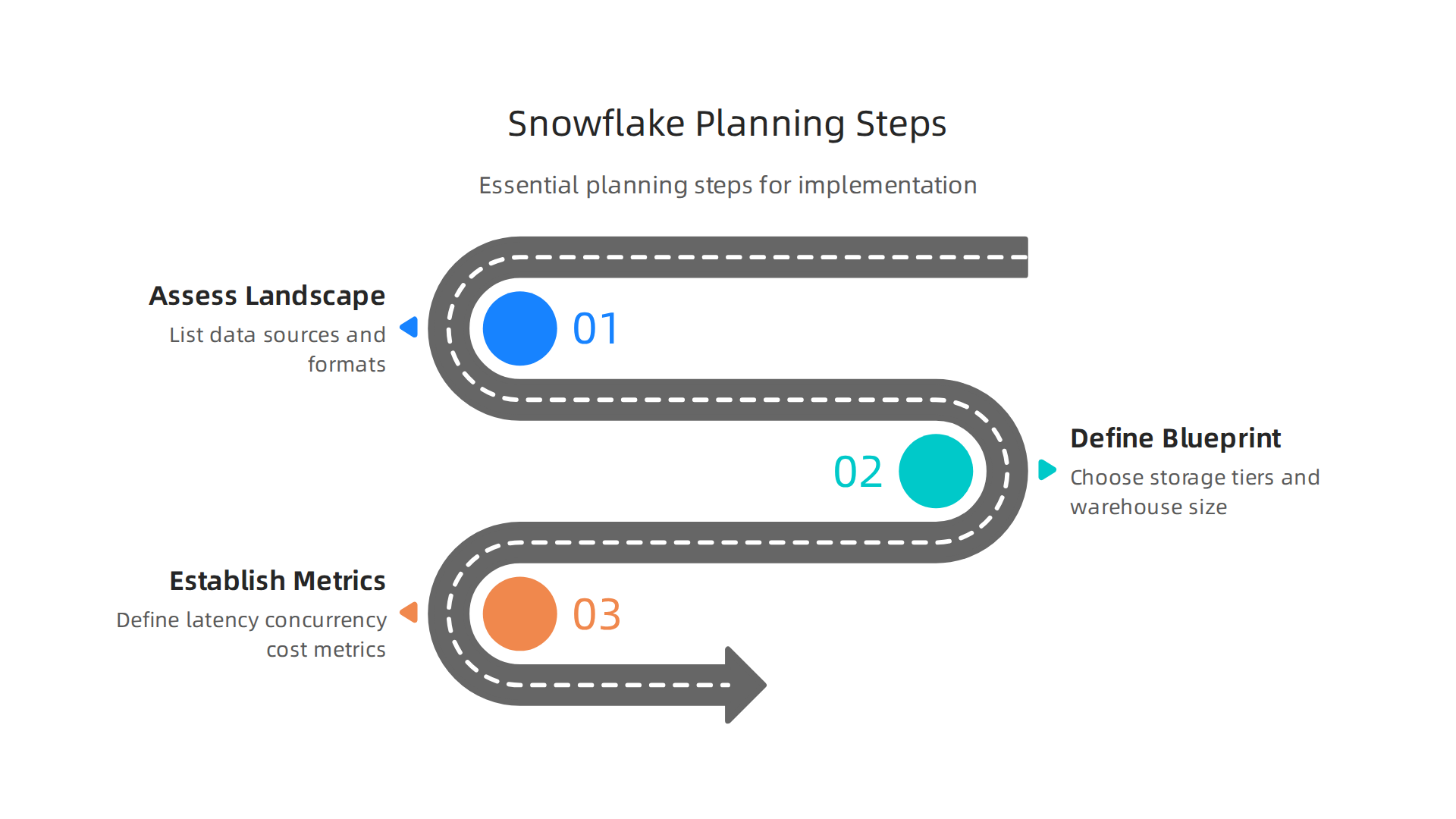
Assess Your Existing Data Landscape
Before you move any data, you need to know what you are working with. Start by making a full list of every data source in your organization. That includes databases, application logs, streaming feeds, and external APIs. For each source, write down the data format (structured, semi-structured, or unstructured), how often it updates, and who owns it. You also need to document any governance rules like retention policies or access restrictions that apply. A thorough data inventory prevents surprises later. Many teams follow a data lake implementation checklist that includes this assessment step.
Define Your Architecture Blueprint
Once you know your sources, design how your Snowflake data lake will be set up. This blueprint covers several decisions. First, choose your storage tiering strategy: raw landing zone, curated zone, and consumption zone. Each zone has different performance and cost needs. Next, pick the right size for your virtual warehouses. Start small and let Snowflake scale based on real usage. Also, plan your data sharing approach. Who needs live access to which data sets? For best practices on architecture and access, check out this guide on Snowflake data lake best practices. It covers role-based access controls and warehouse configuration.
Establish Success Metrics
How will you know your data lake is working well? Define clear metrics before launch. Key ones include query latency (how fast reports load), concurrency (how many users can run queries at once without slowdown), cost per query, and time to insight (how quickly new data becomes available for analysis). These metrics help you tune performance and justify the investment to stakeholders. Use them to guide your ongoing optimization.
As you plan your pipelines and ingestion, check out this resource on building real time reliable infrastructure for more on how to connect your data sources smoothly.
With your plan in place, you are ready to move to the next step: setting up your Snowflake environment.
Step 2: Data Ingestion and Integration Strategies
With your Snowflake environment ready, it is time to bring data in. How you ingest data shapes your whole data lake performance.
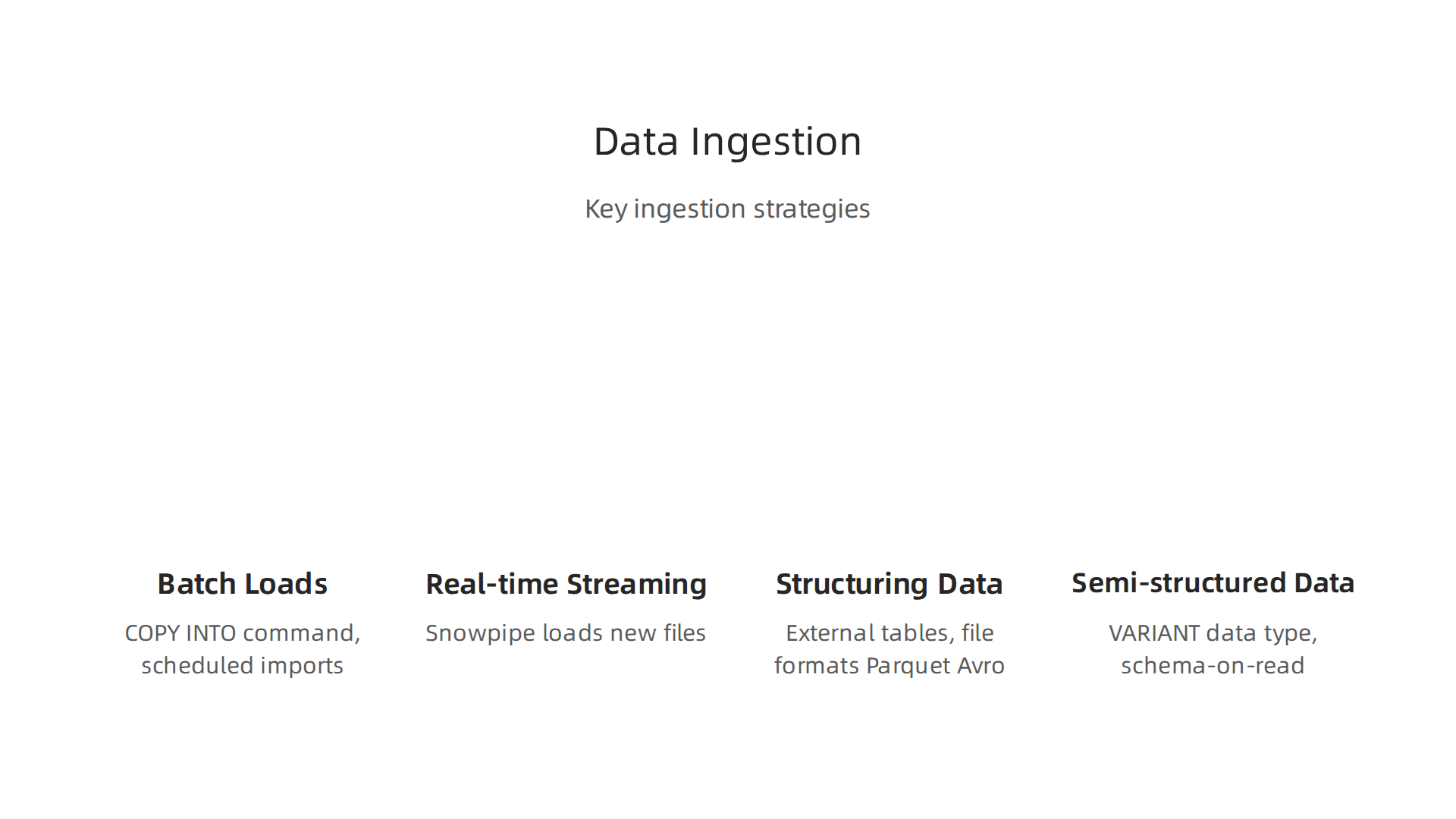
There are two main paths: batch loads and real-time streaming.
Batch loads use the COPY INTO command. This is perfect for large, scheduled imports from cloud storage like Amazon S3 or Azure Blob. You can run it nightly or hourly. For example, loading yesterday’s sales data or customer logs. It is simple and cost-effective when you don’t need instant updates.
Real-time streaming uses Snowpipe. Snowpipe automatically loads data as soon as new files land in your storage bucket. This is great for live dashboards, sensor data, or clickstream events. You get near-instant availability without manual scheduling. Snowpipe is built to handle continuous ingestion at scale, which is a key advantage of using a Snowflake data lake for live analytics.
Structuring your data as it arrives matters too. You will want to create external tables that point directly to files in your cloud storage. This lets you query data without loading it first. File format choices like Parquet (columnar, compressed) or Avro (row-based, schema-rich) give you different performance trade-offs. Partition your storage folders by date or source to make queries faster and cheaper.
Semi-structured data like JSON, XML, or logs is a breeze with Snowflake. The VARIANT data type stores any nested structure directly. Because Snowflake uses schema-on-read, you do not need to define the schema upfront. Just load the raw JSON, and your analysts can query it on the fly. This saves a ton of time compared to traditional ETL.
For a broader look at how to collect and prepare data for analytics, check out this guide on data collection methods for enterprise AI. It covers best practices that pair well with your ingestion setup.
As you build your pipelines, remember that good ingestion sets the foundation for everything downstream. Get this right, and your data lake runs smoothly from day one.
Want to stay ahead of the latest data and AI trends? Subscribe to The AI Newsletter Worth Reading for clear, daily updates that help you make smarter technology decisions.
Step 3: Security and Governance Setup
Getting data into your Snowflake data lake is step one. Step three is making sure that data is secure, governed, and compliant. Here is how to set that up the right way.
Role-Based Access Control and Data Masking
Start with roles. Snowflake lets you create custom roles that match your team structure. A data engineer might have permissions to load and transform data. A business analyst might only see finished tables. This is called role-based access control.
On top of roles, use dynamic data masking. This hides sensitive details from people who do not need to see them. For example, a customer support agent sees only the last four digits of a Social Security number. A compliance officer sees the full value.
Snowflake provides strong security and compliance features right out of the box. Everything is encrypted automatically, both at rest and while moving across networks.
Data Cataloging and Lineage
You also need to know what data you have and where it came from. Snowflake Horizon is the built-in tool for this. It helps you tag, search, and track every asset in your lake.
Data lineage shows you the full journey of a data point. It starts as a raw log file, goes through a transformation pipeline, and ends up in a business dashboard. This makes audits much easier and builds trust with your stakeholders.
Snowflake is delivering an enterprise lakehouse with enhanced open data access, making governance more flexible than ever.
Compliance: HIPAA, GDPR, SOC 2
Different industries have different rules. Healthcare needs HIPAA. Europe requires GDPR. Enterprise buyers look for SOC 2 reports.
Snowflake supports all three. You get detailed audit logs, network policies to block unwanted traffic, and data replication across regions for disaster recovery. For teams with strict data residency needs, an on-prem data lake with Snowflake and Cloudian offers a hybrid path.
Why This Matters
Good governance does not slow you down. It lets your teams move faster because they trust the data. Once your security is solid, you can focus on pulling insights from the lake.
If you are building out your overall cloud approach, read this guide on how to drive smarter cloud decisions. It will help you build a security strategy that scales with your business.
Optimizing Performance and Cost in Snowflake Data Lake
Setting up governance is just the start. A snowflake data lake needs to run fast without burning through your budget. Here is how to balance performance and cost the smart way.
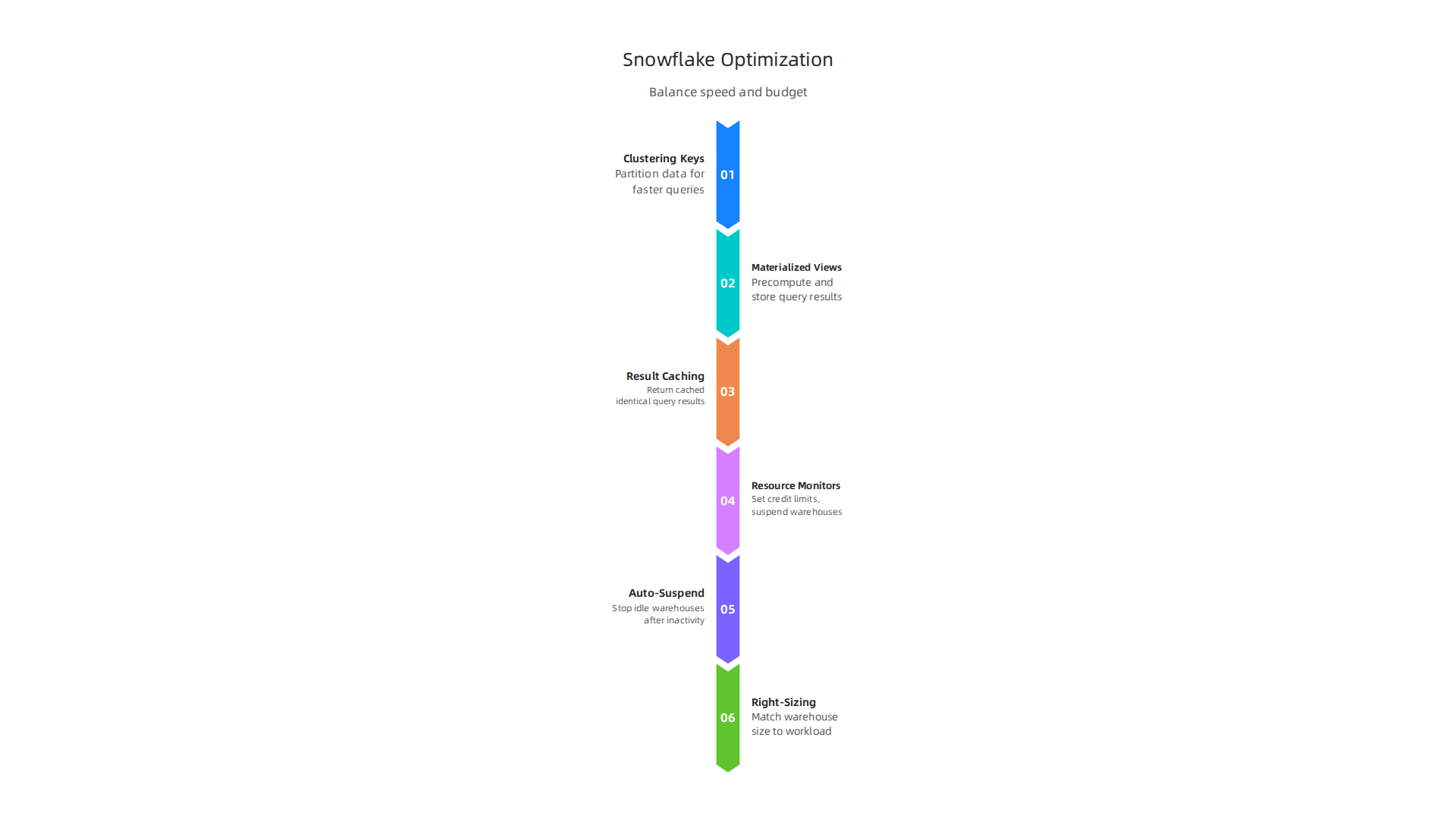
Use Clustering Keys to Speed Up Queries
Snowflake stores data in micro-partitions. When you query a table, it scans only the relevant partitions. Clustering keys tell Snowflake how to organize those partitions by a specific column, like date or customer ID.
This reduces the amount of data scanned per query. The result is faster dashboards and lower compute costs. Snowflake can also automatically recluster your data as new rows come in. The official Snowflake cost reduction strategy guide suggests implementing clustering keys on frequently filtered columns for maximum savings.
Materialized Views and Query Result Caching
Running the same complex query over and over is wasteful. Materialized views pre-compute the results and store them as a table. Every time someone runs that query, Snowflake reads the cached result instead of reprocessing all the raw data.
Query result caching works similarly. If a user runs an identical query within 24 hours, Snowflake returns the cached result instantly. No compute credits consumed. For repeated analytics on your dashboards, this is a huge win.
Cost Control: Resource Monitors, Auto-Suspend, and Right-Sizing
Here is where most teams overspend. The fix is simple.
Set resource monitors on every warehouse. These are credit limits that trigger alerts or automatically suspend the warehouse when a threshold is hit. According to the Snowflake cost optimization guide for 2026, starting with X-Small or Small warehouses for BI dashboards is a best practice. Only scale up to Large or larger for heavy ETL jobs.
Enable auto-suspend to stop idle warehouses after two to five minutes of inactivity. This alone can cut compute costs by 25 to 50 percent.
Right-sizing means matching warehouse size to workload. Start small, test, and scale up only when needed. Most teams overprovision out of fear, but Snowflake’s pay-as-you-go model rewards cautious testing.
Why This Matters for Your Analytics
An optimized snowflake data lake means your data visualization tools like AWS QuickSight load in seconds, not minutes. Faster queries lead to better decision making across the organization.
To keep your setup running lean, monitor usage patterns weekly and adjust resource monitors as needed. The teams that optimize early save the most over time.
If you want to stay ahead of best practices in 2026, consider subscribing to a trusted source for daily insights. The AI Newsletter Worth Reading delivers clear daily AI updates that help you spot new optimization opportunities before your competition does.
Real-World Enterprise Use Cases
Beyond cost optimization, let’s look at how real companies put a Snowflake data lake to work. Three industries in particular show the power of this platform.
Financial Services: Fraud Detection and Real-Time Analytics
Banks and fintech companies process millions of transactions every minute. A Snowflake data lake pulls together transactional data from payment gateways, CRM systems, and risk databases into one governed environment. This lets fraud detection models scan every transaction in near real time.
According to the 15 top Snowflake use cases for real business decisions guide, financial teams use Snowflake to run complex SQL queries against live data streams. If a suspicious pattern appears, the system flags it within seconds. No more waiting for overnight batch jobs.
Healthcare: Unifying EHR, Lab, and Claims Data
Healthcare organizations sit on massive amounts of data. Electronic health records, lab results, and insurance claims all live in separate systems. A Snowflake data lake acts as the single source of truth.
Population health analytics becomes possible when you join patient demographics, lab values, and claims history in one query. Doctors can spot trends in chronic disease management. Administrators can track readmission rates. And researchers can build AI models on clean, governed data. The result is better patient outcomes and lower operational costs.
Retail: Customer 360 and Demand Forecasting
Retailers want to know their customers across every touchpoint. A Snowflake data lake unifies point-of-sale data, website clicks, loyalty program activity, and inventory levels.
This enables a complete Customer 360 view. Marketing teams can segment audiences based on real purchase behavior, not guesswork. Supply chain planners can forecast demand more accurately by blending historical sales with external factors like weather or social media trends. Snowflake’s built-in data sharing and machine learning integration make these workflows smooth.
To build a data foundation that supports these use cases, start with a solid data pipeline blueprint. It will help you move from raw data to actionable insights without the usual headaches.
These three industries prove that a well-designed Snowflake data lake is not just a storage layer. It is the engine behind faster fraud detection, smarter patient care, and deeper customer understanding.

Common Pitfalls and How to Avoid Them
A Snowflake data lake can transform how your team works with data. But many organizations stumble on a few common mistakes. Here is how to spot them and steer clear.
Pitfall 1: Over-ingesting data without proper partitioning or pruning
It is tempting to load everything into your Snowflake data lake. But dumping raw data without planning how it gets stored and queried leads to runaway compute costs. Every query scans more data than it needs to. That burns credits fast.
The fix is straightforward. Implement partitioning on frequently filtered columns like date or region. Structure your queries to take advantage of Snowflake’s automatic partition pruning. This reduces the amount of data scanned per query. According to the Snowflake cost optimization guide, effective data organization can deliver 25-75% cost savings. Start with smaller datasets, evaluate usage patterns, then scale up.
Pitfall 2: Neglecting data lifecycle management
Stale data sitting in expensive storage tiers quietly drains your budget. Old logs, forgotten test tables, and abandoned temporary files pile up over months and years.
Set data retention policies early. Use Snowflake’s Time Travel and Fail-safe windows carefully. Move cold data to cheaper object storage or an external data lake. Put automated cleanup jobs in place to purge unused objects weekly. A little discipline here saves a lot of money.
Pitfall 3: Underestimating the need for governance and access controls
Without strong governance, your Snowflake data lake becomes a compliance risk. Sensitive data can end up visible to the wrong people. Regulators do not overlook this.
Define clear access roles from day one. Use row-level security and dynamic data masking for sensitive fields. Set up resource monitors with credit quotas and automated alerts to catch runaway spending. If you need a stronger foundation for data strategy, start with a clear analytics definition for enterprise leaders to align your team on goals and guardrails.
Avoid these three pitfalls, and your Snowflake data lake will stay fast, compliant, and cost-efficient.
For daily insights on how technology leaders build smarter data strategies, subscribe to The AI Newsletter Worth Reading. It delivers clear, actionable updates straight to your inbox.
Summary
This article is a practical 2026 roadmap for building a Snowflake data lake that delivers real analytics value instead of becoming an expensive, slow archive. It explains what a Snowflake data lake is, how Snowflake separates storage and compute for elastic scaling, and why that matters for performance, concurrency, and semi-structured data support. The guide walks you through planning your implementation, choosing ingestion patterns (batch vs streaming), and structuring raw, curated, and consumption zones. It covers security and governance features—role-based access, masking, lineage—and shows how to optimize queries and costs with clustering keys, materialized views, and resource monitors. You’ll also find real-world enterprise use cases in finance, healthcare, and retail plus common pitfalls to avoid so you can launch a governed, high-performance lakehouse that supports analytics, data science, and real-time apps.