
Fortify Your Enterprise with an AWS Cognito IAM Strategy

Why enterprise leaders need a clear IAM strategy and where AWS Cognito fits
In 2026, businesses of all sizes rely heavily on digital tools and services. This means many people, both inside and outside the company, need to access different systems. Making sure only the right people can get to the right information and tools is a huge job. This is where a strong Identity and Access Management (IAM) plan comes in handy. It’s about keeping your business safe and running smoothly.
For enterprise leaders, building a smart IAM strategy is more important than ever.

It protects sensitive data from bad actors and makes sure employees can do their jobs without unnecessary hurdles. Think about all the different apps and cloud-based services your company uses. Each one needs clear rules about who can log in and what they can do. Best practices suggest that human users should use a reliable identity provider to access services, often with temporary login details, to boost security. You can learn more about general security best practices in IAM to protect your systems Security best practices in IAM. Without a good plan, things can get messy and risky very quickly. It’s a key part of your overall Cloud Provider Ecosystem Enterprise Strategy for 2026.
One popular tool that helps with this is aws cognito. This aws services list item is a special type of identity platform from Amazon Web Services (AWS). It helps you manage who can sign up, sign in, and access your web and mobile apps. AWS Cognito makes it easier to handle millions of users, keeping their information safe while giving them a smooth experience. This is super helpful for any aws cloud architect looking to build secure and scalable applications. For example, if you have an app where customers create accounts, AWS Cognito can handle all the user accounts and logins, so you don’t have to build that part yourself. It helps developers focus on building cool features instead of worrying about tricky security details.
This article will help you understand how aws cognito can fit into your company’s IAM strategy. We will look at important things like how to choose the right identity platform, what to think about if you need to move users from an old system to a new one, and how to balance security with costs. Our goal is to give you clear information to make smart choices for your business in 2026 and beyond.
Stay ahead with critical insights for enterprise leaders.
Get clear daily AI updates from The AI Newsletter Worth Reading.
To really understand how aws cognito can help your business, it’s good to know what it actually does. Think of aws cognito as a special tool from the aws services list that handles all the user sign-ups, sign-ins, and access control for your apps. It’s built to be very flexible, so it works for many different kinds of businesses and apps, whether they are on mobile phones or on the web.
Key Parts of AWS Cognito
aws cognito has two main parts that work together:
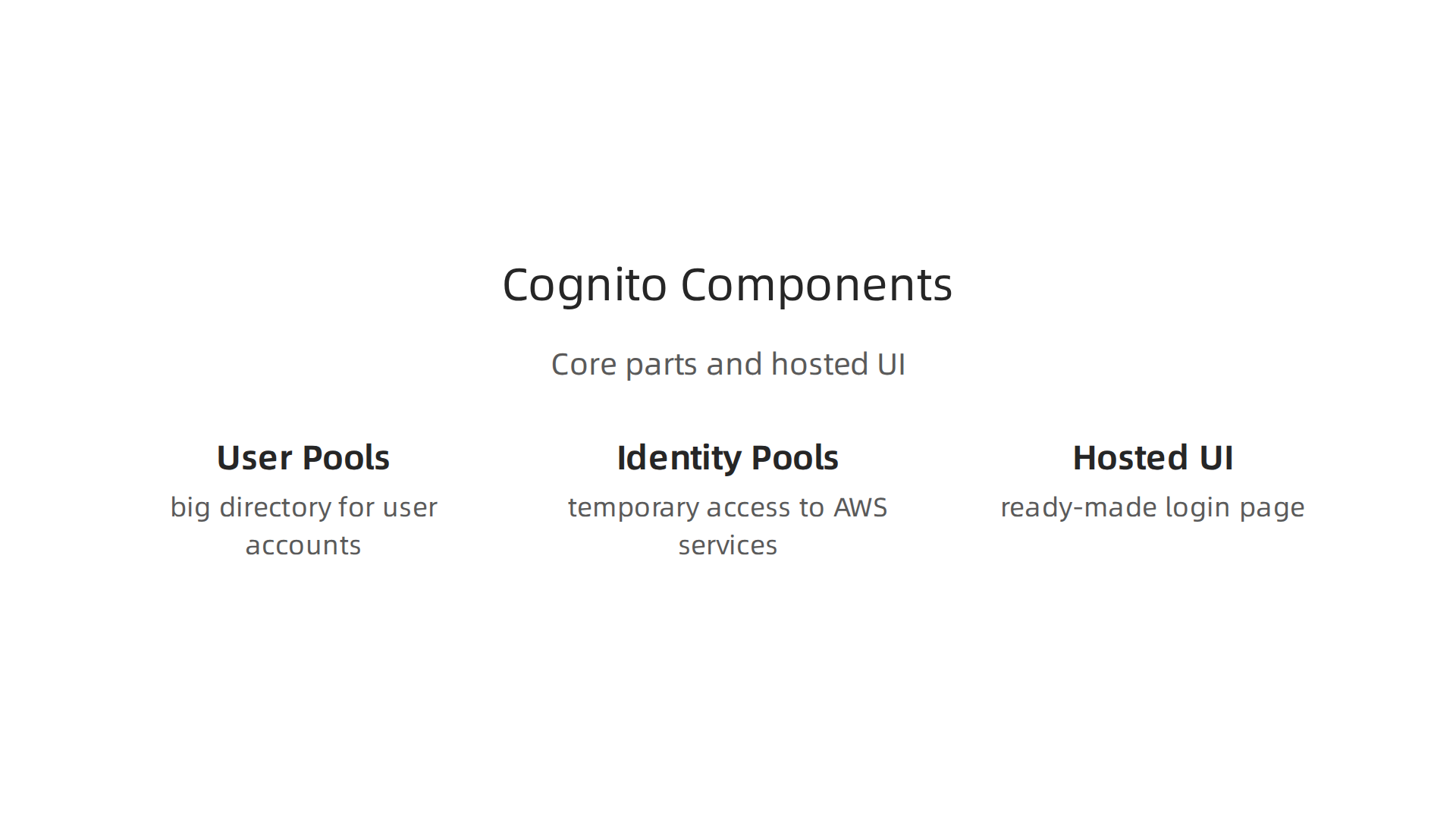
- User Pools: This is like a big directory where all your users have their accounts. When someone signs up for your app, their information goes into a User Pool. It handles things like registration, login, and forgotten passwords. It can also manage strong security features like multi-factor authentication, which means users need more than just a password to log in. This keeps user accounts extra safe.
- Identity Pools (Federated Identities): This part gives your app users temporary access to other AWS services. Imagine your users log into your app using their Google account. The Identity Pool helps your app get a special key from AWS, allowing that user to access things like cloud storage or special computing power (like
aws ecscontainers) securely, without you having to give them full AWS login details. This is especially helpful for apps that need to use variouscloud-based servicesfrom AWS. You can find more details about how these pools work in the main Amazon Cognito Documentation.
Making Login Easy and Safe
aws cognito also comes with a "Hosted UI." This is a ready-made login page that you can easily add to your app. It saves a lot of time for developers because they don’t have to build a login page from scratch. This hosted page can be set up to let users sign in with popular social media accounts like Google, Facebook, or Apple. It also supports standard ways for businesses to log in, like SAML and OIDC. This is important for big companies that already use systems like Okta or Azure AD. An aws cloud architect often looks for these kinds of features to make sure new apps fit well with existing company tools.
How Companies Use AWS Cognito
Many medium-to-large companies use aws cognito in different ways:

- Customer-Facing Apps: For websites or mobile apps where customers create accounts,
aws cognitois a great choice. It handles all the user management, letting customers sign up and sign in easily and securely. - Employee Access to Specific Apps: While it’s mainly for customer apps, some companies might use it for certain internal tools that need separate user directories.
- Integration with Existing Systems: For companies that already have strong identity systems,
aws cognitocan connect to them. This means employees can use their existing company login to access newcloud-based servicesthat useaws cognito. This makes sure everyone has a smooth experience and follows the company’s security rules. This integration is a key part of howaws cognitofits into overall Identity and Access Management (IAM), helping with both who gets in (authentication) and what they can do (authorization), and contributes to future-proof IT infrastructure management for 2026. Its security features are regularly checked by outside experts to meet important standards like SOC, PCI, and HIPAA, which is crucial for enterprise-level compliance needs. You can learn more about its compliance validation to meet security objectives Compliance validation for Amazon Cognito.
Authentication & Authorization: Protocols, Tokens, and Lifecycle Management
Beyond just user accounts, aws cognito is really good at making sure only the right people can get into your apps and use specific tools. This is called authentication (who you are) and authorization (what you can do). It does this by using common ways that big companies already rely on.
How AWS Cognito Handles Logins
aws cognito works with important security languages like OpenID Connect (OIDC) and SAML. These are like universal translators for logging in.
When a user signs in, aws cognito checks their secret (like a password) and then gives out special digital tickets called JSON Web Tokens, or JWTs. These tokens are like a secure pass that tells your app who the user is and what they are allowed to do. Developers use OIDC libraries to understand these tokens. For example, if your users log in with an OIDC provider, aws cognito helps manage that whole process securely, redirecting users to the correct login pages and handling the tokens. You can find more details on how this works in the authentication flow for identity pools.
Using these standard ways means aws cognito can easily connect with other company systems. This helps an aws cloud architect design solutions that fit well with existing business tools.
Managing Your Users’ Journey
aws cognito also helps manage the entire "life" of a user in your app, from when they first join to when they might need help:
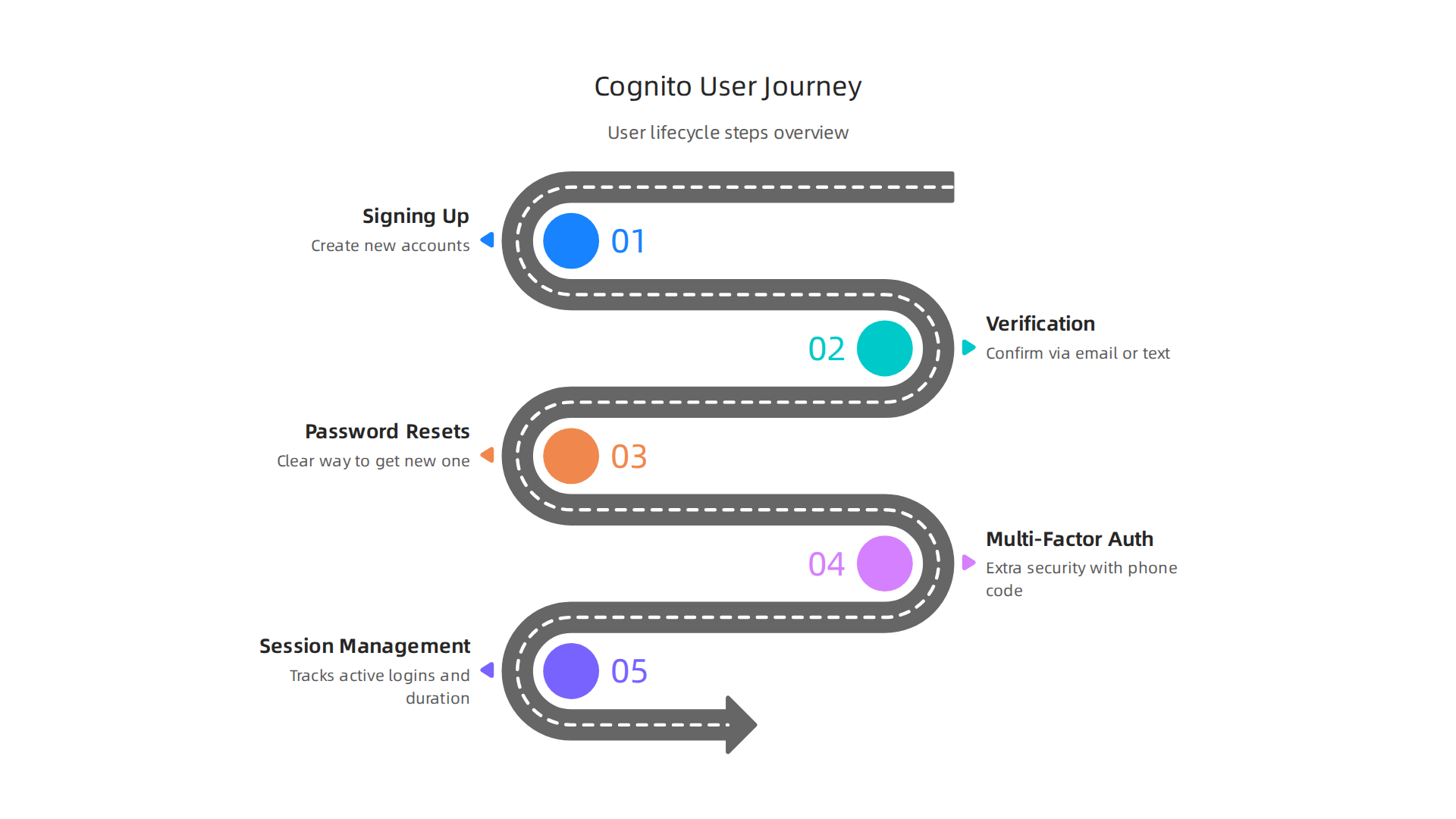
- Signing Up: Users can easily create new accounts.
- Verification: It makes sure users are real by sending emails or text messages to confirm their identity.
- Password Resets: If someone forgets their password,
aws cognitohas a clear way for them to get a new one. - Multi-Factor Authentication (MFA): For extra security, users can be asked for more than just a password, like a code from their phone. This keeps accounts safer. You can even customize how
aws cognitohandles these steps, for example, by using special "Lambda triggers" that can check how a user has answered security questions before granting them access, as explained in the Lambda Trigger Contract for user pool authentication. - Session Management: It keeps track of who is logged in and for how long, which is very important for many
cloud-based services.
This full management helps businesses handle many users smoothly, which is often called "at scale."
Making AWS Cognito Work Just for You
Sometimes, businesses need special rules for their apps. aws cognito is flexible enough for this. For example, you can:
- Custom Claims: Add your own bits of information (called "claims") to the user’s digital pass (the JWT). This means you can store things like a user’s role in the company or what team they belong to. You can even customize access tokens in Amazon Cognito by adding or removing these claims.
- Custom Rules: Set up special rules about who can do what. For instance, only managers can see certain reports.
- Role-Based Access: Give different types of users different levels of access. A customer will have different permissions than an employee, ensuring everyone has access only to the parts of the app they need. This helps product teams build secure applications for various
aws services listcomponents, including those that might interact withaws ecscontainers.
These features mean aws cognito isn’t just a basic login system; it’s a powerful tool that can be shaped to fit many complex business needs.
Stay informed about the fast-moving world of enterprise technology and AI. Get clear, daily insights that help you make better decisions.
The AI Newsletter Worth Reading
Security and compliance considerations for enterprise adoption
Moving from how users log in, let’s talk about keeping everything safe and following important rules. For big companies using aws cognito, security and compliance are super important. They make sure customer information is protected and that the business follows all the necessary laws and standards. An aws cloud architect must think about these things from the very start.
Key Security Features You Need
When choosing a service like aws cognito, businesses look for strong security features. These include:
- Data Protection:
aws cognitohelps protect user data with encryption, which means turning information into a secret code so only authorized people can read it. It helps keep things safe both when data is sitting still and when it is moving. You can learn more about how to set upaws cognitoto meet your security goals in the Security in Amazon Cognito documentation. - Extra Login Steps (MFA): As we talked about earlier, Multi-Factor Authentication (MFA) adds an extra layer of security. This means users need more than just a password to get in, like a code from their phone. This makes it much harder for bad actors to get into accounts.
- Breach Detection: Good security tools can spot unusual activity that might mean someone is trying to break in. While
aws cognitofocuses on identity, it works with otheraws services listto help detect and prevent issues. - Activity Logs: Keeping a record of who did what and when is crucial. This is called logging, and it helps businesses keep an eye on things and investigate if something goes wrong. These logs are also vital for showing auditors how securely
cloud-based servicesare being managed.
Meeting Important Rules and Standards
For enterprises, just being secure isn’t enough. They also need to prove they follow specific rules, called compliance.

These rules often come from the government or industry groups. aws cognito is built to help meet many of these strict rules, such as:
- SOC, PCI, FedRAMP, and HIPAA: These are big names in compliance. SOC (Service Organization Control) reports show how well a service provider handles customer data. PCI (Payment Card Industry) is for handling credit card info. FedRAMP is for U.S. government use, and HIPAA is for healthcare data.
aws cognitogoes through regular checks by outside experts to show it meets these standards. This "compliance validation" means a lot for businesses needing to trust the service with sensitive data. You can find information about these reports in the Compliance validation for Amazon Cognito details. - Audits: Companies regularly have audits where someone checks if they are following all the rules.
aws cognitohelps enterprises pass these audits by providing a secure system for managing user identities. Anaws cloud architectcan leverage this to build systems that are easy to audit.
Keeping Things Safe Every Day
Operational security is about the daily work needed to keep systems safe. This includes:
- Monitoring: Always watching the system for anything unusual.
- Incident Response: Having a plan for what to do if a security problem happens.
- Vendor Risk Assessments: Checking that any company you work with (like AWS) also follows good security practices.
These steps are important for any enterprise relying on cloud-based services. Thinking about how to future proof your IT infrastructure management for 2026 means including strong operational security from the start. aws cognito makes it easier to build secure applications by handling many of the tricky parts of identity management.
Stay informed about the fast-moving world of enterprise technology and AI. Get clear, daily insights that help you make better decisions. The AI Newsletter Worth Reading
Once your aws cognito setup is secure, the next big step for many companies is moving existing users or connecting to other systems.

This means making sure everyone can still log in easily and safely. An aws cloud architect often guides these important moves.
How Companies Move Users to AWS Cognito
Moving user accounts from an old system to a new one like aws cognito can be done in a few ways. Think of it like moving houses; you can move everything at once or little by little.
- Lift-and-Shift: This is like moving everything in one go. You take all your user data from the old system and move it directly to
aws cognito. This works best for simpler setups. Tools are available to help import users in bulk, often using simple file uploads, as described in guides for approaches for migrating users to Amazon Cognito. - Phased Migration: Many big companies prefer to move users in steps. They might move a small group first, make sure everything works, and then move more groups over time. This helps avoid big problems and ensures a smooth change. Companies like MindTelligent have used this method to move their user management systems to
aws cognitosuccessfully, showing how a phased migration strategy can work well. - Hybrid Directory Synchronization: For some businesses, keeping the old system and the new
aws cognitosystem working together at the same time is key. This means both systems share user information, often for a period, until the old system can be fully retired. This approach is common when moving from older, on-premises systems tocloud-based services.
Thinking about the best way to move your data is a big part of creating a good strategic data migration service.
Connecting AWS Cognito to Other Systems
aws cognito doesn’t just manage users on its own; it can link up with many other systems your company already uses. This is called integration.
- Single Sign-On (SSO): SSO lets users log in once and access many different applications without needing to log in again. This is super helpful for big companies.
aws cognitocan connect with common enterprise Identity Providers (IdPs) using standards like SAML, which makes SSO easy to set up. You can find help for configuring identity providers for your user pool. - User Provisioning (SCIM): This means automatically creating, updating, or deleting user accounts in different systems. SCIM (System for Cross-domain Identity Management) is a common way to do this. For example, when a new employee joins, SCIM can automatically create their account in all the tools they need access to. This saves time and keeps user lists accurate across all your
aws services list. If you want to automate user management with SCIM,aws cognitocan be part of that solution. - API-driven User Management: For custom needs, developers can use APIs (Application Programming Interfaces) to manage users directly. This gives lots of flexibility to create unique user experiences or integrate with special
aws ecsapplications.
When choosing a cloud provider like AWS, understanding how different services work together is part of a smart cloud provider ecosystem enterprise strategy.
Planning Your Migration to AWS Cognito
A good plan is key to any successful move. When migrating to aws cognito, consider these steps:
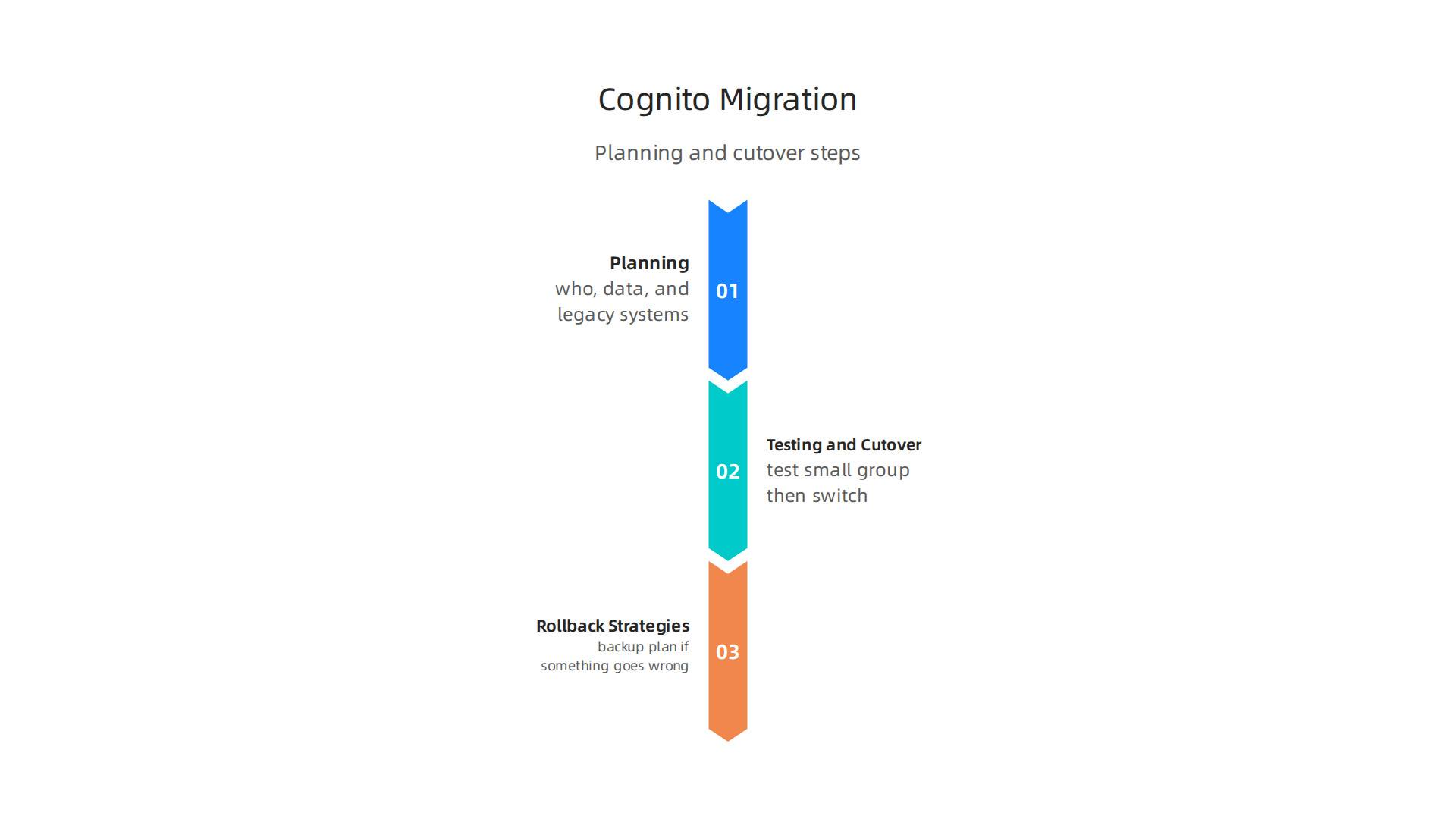
- Planning: Figure out who needs to move, what data you need to bring, and how the new system will work with your old ones.
- Testing and Cutover: Before moving everyone, test with a small group. Once you’re ready, set a time to switch from the old system to
aws cognitofor all users. This "cutover" should be carefully planned to cause the least trouble. - Rollback Strategies: Always have a backup plan. What if something goes wrong during the move? Knowing how to go back to the old system quickly helps reduce risks.
By thinking about these points, businesses can make their move to aws cognito smooth and successful, ensuring users have a great experience.
After successfully moving your users and setting up how aws cognito talks to other systems, the next big thing to think about is making sure it works well for everyone, all the time, no matter how many people are using it. This is super important for big companies, often called enterprises, that need their systems to be strong and always ready.
Scaling, reliability, and performance for enterprise workloads
When a company uses aws cognito for its users, it needs to know that the system can handle a lot of people logging in at once without slowing down. It also needs to be reliable, meaning it almost never breaks. These things are key for a good user experience.
How Fast and Smooth is AWS Cognito?
Thinking about performance means how quickly users can log in and get to their apps.
- Speed (Latency): This is how long it takes for a user to log in after they type their password.
aws cognitouses special tokens to quickly check who a user is. These tokens, like ID tokens and access tokens, are given out after a user signs in. This makes the process fast for users to get into different apps without waiting too long, as explained in guides about authentication flows for Amazon Cognito user pools. - Handling Many Users (Burst Behavior): Imagine hundreds or thousands of people trying to log in at the same time, perhaps at the start of a workday.
aws cognitois built to handle these "bursts" of activity. Anaws cloud architecthelps set upaws cognitoto scale up and down, meaning it can use more power when needed and less when things are quiet. - Making Login Easy (Reducing Friction): To make things smooth, businesses can use features like single sign-on (SSO) or passwordless login.
aws cognitoalso allows customizing tokens. For example, you can change what information is inside a user’s access token to make it work better with youraws services list, as discussed in an article on how to customize access tokens in Amazon Cognito user pools. This makes the user’s journey feel seamless.
Keeping Things Running: Reliability and Availability
For any cloud-based services, it’s not enough to be fast; it also needs to be always available.
- Always On (Availability):
aws cognitois designed to be highly available. This means it has backup systems in different places. If one part has a problem, another can take over quickly. - Copies in Different Places (Regional Replication and Failover): AWS has many data centers around the world.
aws cognitocan be set up to have copies of user data and services in different locations, known as regions. If a problem affects one region, user requests can "failover" to another region automatically, keeping everything running. This is a key part of how AWS handles system reliability. - What You Can Expect (SLA Considerations): AWS has Service Level Agreements (SLAs) that promise a certain level of uptime for its services. For enterprises, understanding these guarantees helps ensure that
aws cognitomeets their needs for continuous operation.
Testing and Watching Your System
Even with strong reliability, it is important to test and monitor aws cognito to make sure it performs well for your specific needs.
- Testing How Much It Can Handle (Load Testing): Before going live with many users, companies should do load testing. This means pretending that many users are logging in at once to see how the system behaves. It helps find any weak spots.
- Watching for Problems (Monitoring Metrics): Once
aws cognitois running, it’s vital to watch key metrics. This includes how many active users there are, how many requests are being made, and if there are any errors. Tools are available to track usage and costs, such as by monitoring Amazon Cognito costs, which often relate to monthly active users (MAUs). This helps anaws cloud architectspot issues early and keep performance high.
Ensuring your aws cognito setup can handle enterprise-level demands for performance and reliability is crucial. It supports the overall goal of providing a secure and smooth experience for all users. For more on managing your digital infrastructure effectively, you might find our insights on future-proof your IT infrastructure management for 2026 helpful.
For business leaders looking to stay informed on these critical technology trends, especially in enterprise AI and cloud solutions, a dedicated resource can be invaluable.
Get clear daily AI updates from The AI Newsletter Worth Reading.
The previous section talked about how well aws cognito works for many users. Now, let’s talk about how much it costs, the work involved to keep it running, and the rules you need to follow for a long time. These are all big things for businesses, especially large ones.
Cost, operational trade-offs, and governance for long-term ownership
When a company uses aws cognito, it needs to think about the money it will spend over time, the effort needed to keep things running, and the rules it must follow. These are important for owning the system for a long time.
What Drives the Cost of AWS Cognito?
When you use aws cognito, you generally only pay for what you use each month. This means there are no big upfront fees. The main things that make up the cost are:
- Monthly Active Users (MAUs): This is the number of unique users who log in or interact with your app in a month. The more MAUs you have, the more you will pay.
aws cognitohas different pricing plans, like Lite, Essentials, and Plus, which offer various features and costs per MAU. For example, some plans give you the first 10,000 MAUs for free each month. After that, you pay a small fee for each user, which can change from $0.0055 to $0.02 per MAU in 2026, depending on the plan and how many users you have, as explained in AWS Cognito Pricing Explained (2026). - Federation Calls: If your users log in using other services like Facebook, Google, or your company’s existing identity system (using SAML or OIDC), these are known as federation calls. You might pay extra for these special logins if you go over a certain free limit.
- Hosting Custom UIs: If you build your own special login pages or user management screens instead of using the standard
aws cognitoones, you will pay for theaws services listyou use to run those custom parts. This could involve services likeaws ecsor other computing services. - Monitoring and Operations: Keeping an eye on
aws cognitoand making sure it runs smoothly also has costs. This includes using AWS tools to watch its performance and ensuring everything is secure. Anaws cloud architecthelps manage these expenses and keeps an eye on the bigger picture.
The Work Behind the Scenes: Operational Overhead
Using cloud-based services like aws cognito also means you need to manage some important tasks.
- Backup and Restore: Even though
aws cognitois very dependable, it’s smart to have a plan for saving your user data and bringing it back if something goes wrong. This is a key part of keeping your system safe. - Support Model: Businesses need to know who to call if there is a problem. This means having a clear plan for getting help, either from AWS directly or from your own IT team.
- Runbook Maturity: For big companies, having clear, step-by-step guides for common issues or tasks is very important. These "runbooks" help your team fix problems quickly and keep
aws cognitorunning well. Sometimes, moving existing users toaws cognitocan be a big project that needs careful planning, as shown in the MindTelligent Case Study: Migrating IAM from Okta to AWS Cognito.
Setting the Rules: Governance for Long-Term Use
For any large company, following rules and keeping data safe is extremely important.
- Tenant Isolation: If your company serves different groups or customers, you need to make sure that each group’s data is kept separate and secure from others.
aws cognitohelps you set this up properly. - Data Residency: This means knowing exactly where your user data is stored. For many industries, there are strict rules about where data must be kept (like in a specific country).
- Lifecycle Policies: You need clear rules for how long user data is kept, when it is updated, and when it should be removed. These policies help keep your system organized and compliant with privacy laws. Having a good strategy for your overall Cloud Provider Ecosystem Enterprise Strategy for 2026 is a part of this long-term planning.
Understanding these costs, the work involved, and the necessary rules helps ensure that aws cognito is a good and lasting choice for your company.
When a company thinks about using AWS Cognito for a long time, it’s not just about the monthly bill. It is also about deciding if it is the right fit for the business now and in the future. Big companies need a clear plan to make smart choices.
Decision framework and best practices for enterprise adoption
Choosing the right user management system, like aws cognito, is a big step for any company. Business leaders and product managers need a good way to decide when to use it, when to build their own system, or when to buy a ready-made one from another company.
They also need to think about not getting stuck with just one provider.
When to Adopt, Build, or Buy
- When to Adopt AWS Cognito:
aws cognitois a great choice if your company wants to quickly get a user login system working without a lot of setup. It is very good for apps that need to handle many users, as it grows with your needs. It lets your team focus on building new features for your customers instead of spending time on setting up and maintaining user accounts. This is especially true if you are already using otheraws services listor want to make it easy for users to log in with social media like Google or Facebook. - When to Build Your Own: Building your own system might seem like a good idea if your company has very special needs that no existing service can meet. However, this often costs a lot of money and takes a lot of time and effort. You would need to manage everything yourself, from security to backups. This often involves many
aws services listand anaws cloud architectto oversee the complex design. - When to Buy a Different Solution: Sometimes, a company might find a pre-built solution from another vendor that fits its needs perfectly. This is often called a "build-or-buy" decision. The benefit is getting a complete package, but it might mean less control and higher costs over time.
Avoiding Vendor Lock-in
A big worry for companies is getting "locked in" with one provider. This means it becomes very hard or expensive to switch to a different service later. With aws cognito, you can reduce this risk by making sure you can easily export your user data if you ever need to move to another system. Planning this ahead of time is a smart move for long-term flexibility.
Operational Best Practices for AWS Cognito
For cloud-based services like aws cognito, setting up the right rules for who can do what is key.
- Role-Based Access Control (RBAC) and Attribute-Based Access Control (ABAC): These are fancy ways to say "who gets permission to do what."
- RBAC means you give permissions based on a user’s role (like "admin" or "customer"). For example, an admin can change user settings, but a customer cannot.
- ABAC gives more detailed permissions based on specific traits, like a user’s department or location. It is a good idea to only give users the minimum permissions they need to do their jobs. This is called the "principle of least privilege" and is a key security best practice for
aws cognitoand other AWS services alike, as highlighted in security guidance for IAM roles for Amazon Cognito and AWS IAM Security Best Practices in 2026.
- Testing and Monitoring: Just like any important system, you need to test
aws cognitooften to make sure it is working right. You also need to watch it all the time (monitoring) to catch any problems early. Tools from AWS can help with this. - Incident Response Integration: If something does go wrong, your company needs a clear plan to fix it fast. This "incident response" plan should be ready and connected to your
aws cognitosetup.
Expert Tip: For big companies, it is best to set up aws cognito so that human users always sign in using a trusted identity provider like your company’s existing login system. This is known as federation. This helps keep things secure and consistent, especially when users need to access other Identity and access management for Amazon Cognito. Also, make sure to use multi-factor authentication (MFA) for added security, which means users need more than just a password to log in. These simple steps make your user system much safer.
To stay on top of all the latest changes and best practices in enterprise technology, including AI and cloud solutions, it helps to have reliable information.
Get clear daily AI updates from The AI Newsletter Worth Reading.
Summary
This article explains why enterprise leaders need a clear Identity and Access Management (IAM) strategy and how AWS Cognito can fit into that plan. It describes Cognito’s two core components — User Pools for account management and Identity Pools for temporary AWS access — and how these map to common enterprise needs like SSO, MFA, and token-based authentication (OIDC/SAML/JWT). The piece covers practical topics such as migration approaches (lift-and-shift, phased, hybrid), integration patterns with existing IdPs, security and compliance considerations (SOC/PCI/HIPAA/FedRAMP), and operational concerns like scaling, availability, and monitoring. It also breaks down cost drivers (monthly active users, federation calls, hosting custom UIs), governance trade-offs, and how to avoid vendor lock-in. After reading, leaders and architects will understand when Cognito is a good fit, how to plan migrations, and which controls and tests are needed to run Cognito securely and reliably at enterprise scale.