Enterprise AI Apps A Research Backed Roadmap for Selection Integration and ROI

Enterprise teams today face a tough reality. You probably use a dozen different tools for messaging, file sharing, project management, and video calls. Data gets stuck in separate silos. Nothing talks to each other easily.

That is where AI apps step in to help.
AI apps promise to bring everything together into one intelligent workspace. Instead of jumping between tabs, you can ask a single system to summarize a meeting, draft a document, and update your team’s status. The promise sounds good. But making it work at scale takes planning.
The numbers show why this matters. Right now, 72% of large enterprises have at least one AI workload running in production, up from just 20% in 2020. At the same time, worker access to AI tools rose by 50% in 2025 alone. Teams are eager to use generative AI solutions and cloud-based collaboration platforms. Yet only 9% of companies have reached full AI maturity. Most are still experimenting or stuck with fragmented technology.
That gap between adoption and real results is what we will tackle in this guide. Whether you are a CIO mapping out your next investment or an IT systems engineer evaluating integration options, you need a clear plan. This article gives you a research-backed roadmap for selecting, integrating, and maximizing the return on your enterprise AI apps.
We will start with the biggest challenge first: understanding what your team actually needs. Then we will walk through evaluation criteria, integration strategies, and ways to measure ROI. Along the way, we will point you to expert analysis and helpful resources.
If you want deeper daily insights on AI and enterprise technology, the The Deep View Newsletter delivers clear updates right to your inbox.

For more context on the broader trends shaping enterprise technology in 2026, check out our data-backed overview on enterprise AI adoption in 2026.
The Rise of AI Applications in Enterprise Collaboration
We just covered the messy reality of disconnected tools. Now here is the good news: 2026 is the year AI apps stop being experiments and start being everyday tools. The shift is happening fast.
Think about your own workday. You probably already use a team chat app, a video conferencing tool, and a document editor. These platforms are not standing still. Major collaboration platforms like Microsoft Teams, Slack, and Google Workspace now embed generative AI solutions directly into their interfaces.

You can get a meeting summary without asking. You can draft a reply in seconds. You can find files just by describing them.
This matters because the numbers back it up. According to a 2026 Deloitte report, worker access to AI tools jumped 50% in 2025 alone. And 72% of large enterprises now have at least one AI workload running in production, up from just 20% in 2020. That change is huge.
But native features inside big platforms only go so far. That is why third-party AI apps are filling important gaps. Tools that specialize in meeting transcription, action item tracking, and workflow automation are popping up everywhere. They connect to your existing stack and handle the tasks your main platform does not do well.
For example, you might use a native AI assistant in Slack for quick answers. But for deep document analysis or cross-platform automation, a dedicated third-party app might work better. The trick is knowing which approach fits your team’s habits.
If you are evaluating options, start with your current collaboration toolkit. See what AI features they already offer. Then look for gaps. Many IT systems engineers and chief innovation officers find that a mix of native and third-party AI apps delivers the best results.
The competitive pressure is real too. Companies that fully adopt AI apps are seeing productivity gains that make others scramble to catch up. According to Azumo, 87% of large enterprises are adopting AI solutions, but only 9% have reached full maturity. That gap represents a big opportunity for teams that get this right.
As you plan your next moves, it helps to see how other leaders are stacking their tech stack. Our guide on cloud-based productivity tools walks through the evaluation process step by step.
And if you want daily updates on which AI apps are actually delivering results, the The Deep View Newsletter brings you clear, practical insights straight to your inbox.
Key AI App Capabilities Transforming Teamwork
Picture this. You join a meeting, but you do not take a single note. Later, a perfect summary lands in your inbox.

Action items are assigned to the right people. Deadlines are set. This is not a dream. This is what the best ai apps in 2026 can do for your team every day.
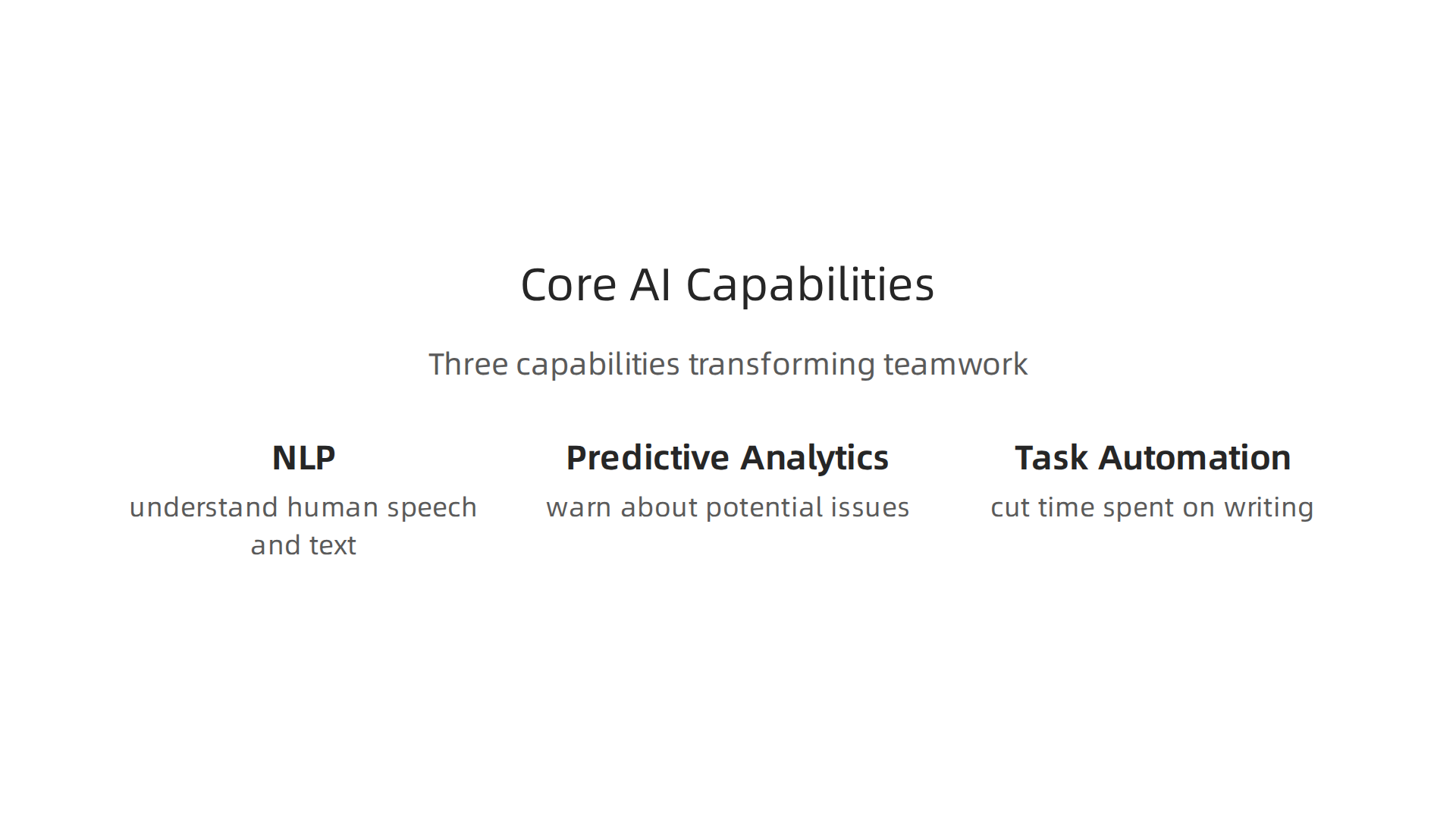
Three core capabilities are driving this change. Understanding them helps you pick the right tools for your team.
Natural Language Processing (NLP)
The first capability is natural language processing. Modern generative ai solutions understand human speech and text better than ever. They listen to your meetings, pull out key decisions, and turn conversations into tasks automatically. The Stanford AI Index shows that AI keeps getting better at understanding context. This means you can search your files just by describing what you need. No more digging through folders. You just ask, and the tool finds it.
Predictive Analytics
The second capability is prediction. Instead of looking at what went wrong, ai apps now warn you about what might go wrong. They analyze your project data and flag risks. They tell you when a deadline is too tight or when your team needs more support. A 2026 PwC study found that companies using AI for prediction capture the biggest economic gains. For anyone in an it systems engineer job, this means fewer emergencies and more stable systems.
Task Automation
The third capability is task automation. Scheduling meetings, sorting emails, entering data. These small jobs steal hours from your week. According to research from Anthropic, AI can cut the time spent on writing and analysis tasks dramatically. When you automate this busywork, your team gets time back for innovation and strategy. Cloud-based collaboration platforms are a natural home for these automated workflows. They run quietly so your team can focus on what matters.
Putting These Capabilities to Work
The smartest teams do not try to adopt everything at once. They pick one problem and find an ai app that solves it well. Maybe you start with meeting summaries. Maybe you start with risk prediction. The key is to match the capability to your biggest pain point. Some tools, like YouLearn AI, are designed to adapt to your team’s specific workflows over time. This kind of tailored approach often leads to the highest adoption. To see how other leaders are building their stacks, take a look at our guide on enterprise AI adoption in 2026.
If you want to know which capabilities are actually delivering results right now, sign up for The Deep View Newsletter. It delivers clear, practical AI insights to your inbox every day.
Security and Compliance Considerations for AI Integration
All that power from ai apps sounds great. But here is the thing. If your AI tool leaks sensitive data or breaks a compliance rule, the cost can be huge. Before you let any AI tool touch your team’s conversations, files, or workflows, you need to think about security first.
Compliance Is Not Optional Anymore
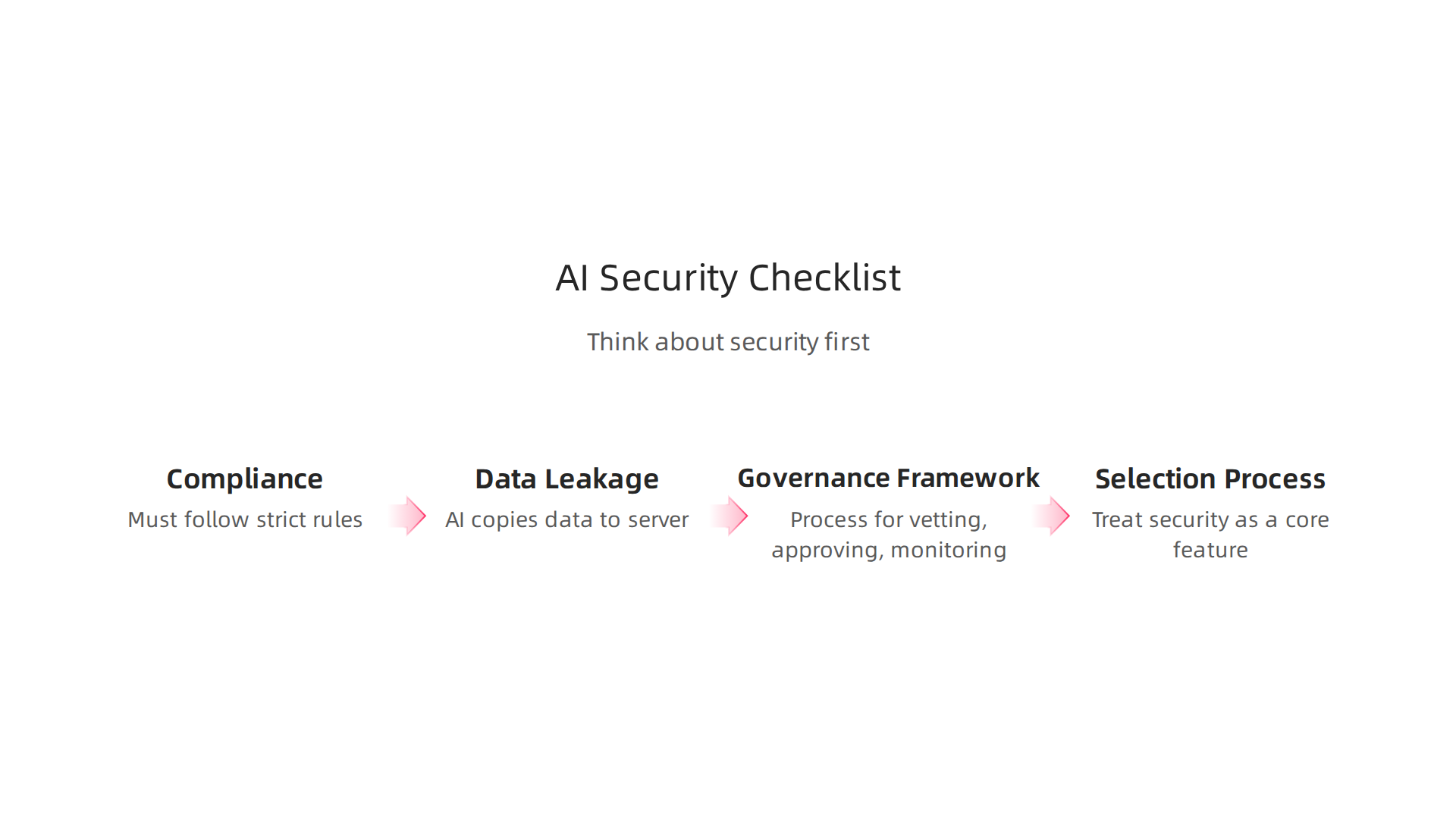
When ai apps process internal communications, they must follow strict rules. Depending on where you operate, you may need to meet GDPR in Europe, HIPAA in healthcare, or SOC 2 for data security. Many enterprise AI tools now come with certifications for these standards. A good practice is to verify certifications before you sign up. For example, tools like Scytale support compliance across 80+ frameworks including SOC 2, ISO 27001, and HIPAA.
Always check that a tool aligns with your specific industry requirements.
Watch Out for Data Leakage
Every time an AI tool reads a meeting transcript, an email thread, or a shared file, it creates a copy of that data on a third party server. That is a risk. If the tool is not transparent about how it handles your data, you could be sharing confidential information without knowing it. According to a guide on the secure AI productivity stack by MeetingNotes, security and compliance are now non-negotiable for enterprise tools. You need to ask tough questions: Where is my data stored? Who can access it? Is it used to train the AI model?
Build a Governance Framework
The smartest enterprises do not just buy AI tools and hope for the best. They create a formal process for vetting, approving, and monitoring every AI app. This includes setting access controls so only authorized users can use the tools. It also means keeping audit trails so you can see who used what and when. Venn’s guide to AI governance tools explains that organizations use these tools to enforce policy and protect sensitive data. Having a governance framework helps you catch problems before they become breaches.
Make Security Part of Your Selection Process
When you evaluate ai apps, treat security as a core feature. Request a SOC 2 Type II report. Ask if they sign a HIPAA Business Associate Agreement. Check that they support data residency in your country. The more you know upfront, the fewer surprises later.
If you want to stay on top of AI security best practices and tool reviews, get clear daily updates from The Deep View Newsletter. It delivers practical insights right to your inbox.
And if you are building out a full AI strategy, read our deep dive on enterprise AI adoption in 2026 to see how leaders are handling compliance at scale.
Overcoming Integration Challenges and Avoiding Pitfalls
You have checked security. You have picked a solid tool. Now comes the part that trips up most teams. Actually getting your AI apps to work smoothly with your existing systems.
It sounds easy. Plug in an API. Connect a data feed. Done. But the reality is messier.
Common pitfalls you should expect
Here are the three biggest problems I see teams facing in 2026.
First, API rate limits. Every time your AI app talks to another system, it uses up a call. If your app tries to sync too much data too fast, the provider cuts you off. This stalls workflows and frustrates users.
Second, data doesn’t match. Your CRM stores dates as one format. Your generative AI solutions expect another. Without a unified data schema, your AI sees garbage and outputs garbage. This is especially painful when you connect cloud-based collaboration platforms to legacy databases.
Third, people push back. Change is hard. If you drop a new AI tool on your team without warning, they will ignore it or fight it.

You might hear things like "this is slower" or "I trust my own notes more."
How to avoid these traps
The smartest approach is a phased rollout. Do not flip the switch for everyone at once. Start with one team or one workflow. Let them test it. Fix the bugs. Then expand.
Build a champion network. Find two or three people who love trying new tools. Give them early access. Let them show others how the AI saves time. Peer proof is stronger than any email from the CIO.
Be honest about limitations. Your AI is not perfect. It will hallucinate facts. It will misunderstand context. Tell your team upfront so they stay skeptical and verify outputs. That builds trust, not disappointment.
Use the right tools to bridge gaps
Middleware platforms can help you connect old systems to new AI apps without custom coding. Tools like MuleSoft, Workato, or Zapier handle data mapping and rate limits for you. If your in-house developers need to build something custom, custom connectors give you control. Check out the Enterprise AI Integration Readiness Guide for 2026 for a full breakdown of what to prepare before you start connecting.
For a deeper look at how leaders handle AI rollout across the organization, read our guide on enterprise AI adoption in 2026. It covers phased strategies, governance, and real world examples.
Keep learning with daily insights
Integration gets easier when you know what others are doing. The landscape changes fast. Get clear, practical updates on AI apps, tools like YouLearn AI, and new integration patterns from The Deep View Newsletter. It lands in your inbox every day with insights that help you stay ahead.
Measuring ROI of AI Apps in Collaboration Workflows
So you have your AI apps up and running. Your team is using them. But here is the real question. How do you know if they are actually worth the money?
Measuring ROI of AI in collaboration is not as fuzzy as it sounds. There are real numbers you can track. And there are softer wins that matter just as much.
Tangible metrics that tell the story
Start with the hard data. Track time saved per meeting. If your AI apps summarize calls automatically, how many minutes does that save each person per week? Add that up across the team.
Check your email volume. Generative AI solutions that draft replies or automate follow-ups can cut inbox clutter by a lot. One study from UC Today shows that enterprises using AI for collaboration see faster decision cycles and lower support ticket volumes. Those are numbers you can put in a spreadsheet.
Look at support ticket volume too. If your AI handles common questions inside your cloud-based collaboration platforms, your support team gets fewer tickets. That means fewer hires needed.
Research from Deloitte found that 66% of organizations say improving productivity and efficiency is the top benefit they get from enterprise AI. That is a clear signal that the metrics work.
Intangible benefits you cannot ignore
Not everything shows up in a dashboard. Employee satisfaction matters. When AI takes over repetitive tasks, people feel less burned out. They spend more time on creative work.

Cross-team alignment improves because information flows faster.
These softer benefits show up in retention rates and engagement scores. They are harder to calculate but just as real.
How to build your ROI framework
Your calculation needs to cover three cost buckets. Subscription costs for the AI apps. Training time for your team. And integration overhead for your IT systems engineer jobs to connect everything.
Compare those costs against the time saved and the productivity gained. For a deeper look at how leaders build these frameworks, read our guide on enterprise AI adoption in 2026. It includes real examples of ROI calculations.
Stay current with daily insights
The numbers change fast as AI apps improve. Get clear daily updates on collaboration tools, new metrics, and best practices from The Deep View Newsletter. It lands in your inbox every day with practical insights that help you measure what matters.
How to Choose the Right Enterprise AI Apps for Your Stack
You have measured your ROI and know AI apps are worth the investment. But the hardest part comes next. Picking the right ones for your specific stack.
The market is flooded. By 2026, 72% of large enterprises have at least one AI workload in production, up from 55% in 2024, according to CodersLab data. But only 9% have reached full AI maturity, per Azumo research. That gap shows how easy it is to pick the wrong tool.
What to look for before you buy
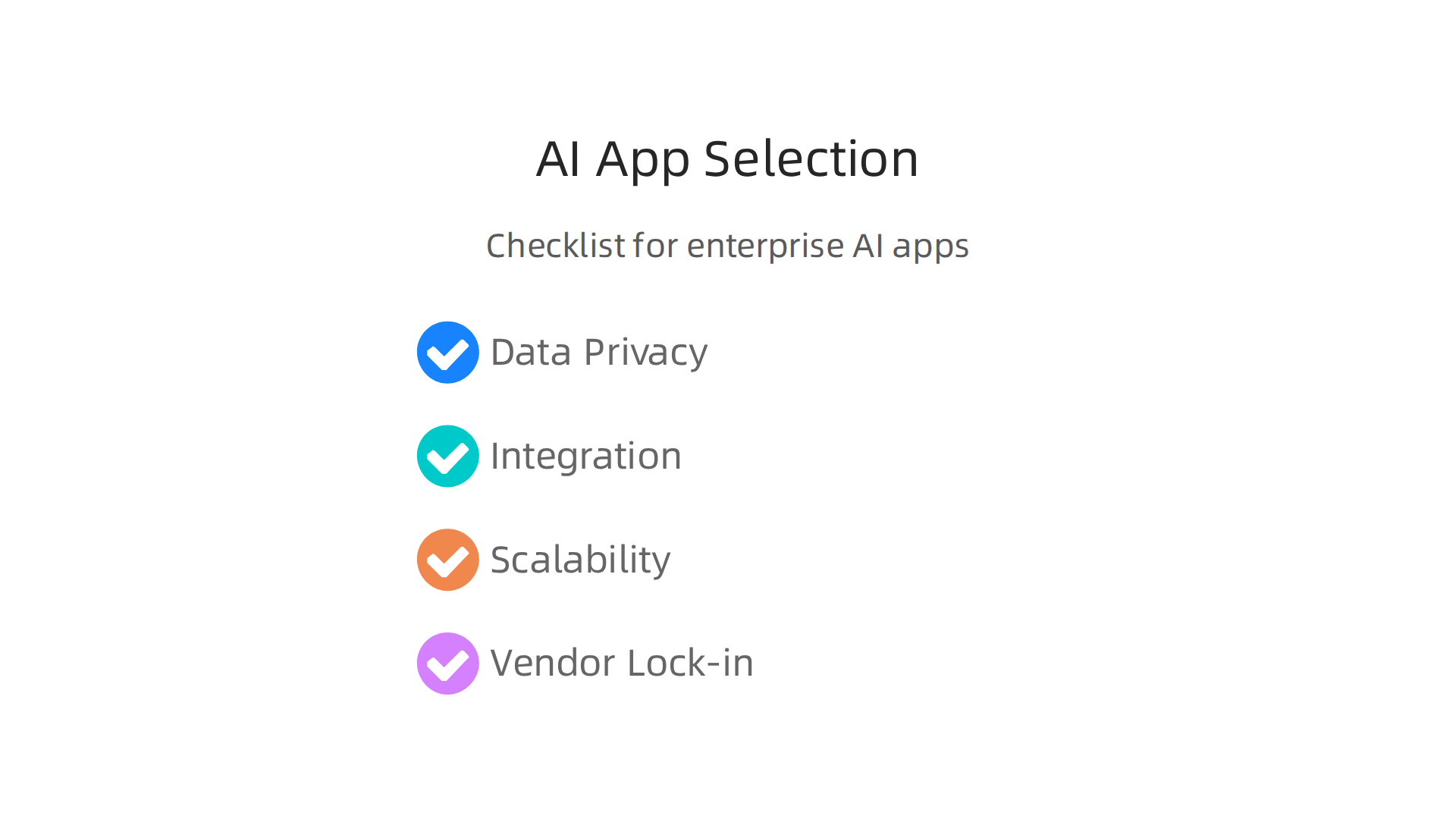
Data privacy first. Your collaboration data is sensitive. Check where the AI processes and stores information. Does it meet your industry compliance rules? Do not skip this step.
Integration is everything. The best generative AI solutions are useless if they do not work with your existing tools. You want native integrations with your cloud-based collaboration platforms like Microsoft Teams, Slack, or Google Workspace. Also look for open APIs. That makes it easier for your IT systems engineer jobs to connect everything without custom coding.
Scalability matters. Your team might start with 50 users today but grow to 500 next year. Make sure the AI app can handle larger workloads without slowing down or costing a fortune.
Watch out for vendor lock-in. Some AI apps make it hard to switch later. Check the contract. Can you export your data easily? Can you move to another provider without rebuilding everything? If not, think twice.
Test before you commit
Always run a pilot. Pick a small group of power users from different teams. Let them test the AI app in real workflows for two to four weeks. Ask them about speed, accuracy, and ease of use. Their feedback will reveal problems you would never see in a sales demo.
For a deeper look at building a full evaluation framework, check our guide on enterprise AI adoption in 2026. It includes checklists and vendor scorecards.
Stay ahead of the fast-moving AI landscape
New AI apps launch every week. Choosing the right ones takes ongoing learning. Get clear daily updates on the best tools, integration tips, and industry news from The Deep View Newsletter. It lands in your inbox every morning with practical insights that help you make smarter tech decisions.
Future Trends: AI-First Collaboration Platforms
You have picked your ai apps carefully. You have tested and rolled them out. But here is the thing: the tools you choose today will look very different in just a couple of years. By 2027 and 2028, a new generation of platforms is coming. These are built AI-first from the ground up.
Think about the way your teams work right now. Chat in one app. Documents in another. Data analysis in a third. AI-first collaboration platforms will blend all of that into one seamless experience. Generative AI solutions will power everything, showing up as smart agents that help with project management, find knowledge across your company, and support decisions with real data. According to IBM’s 2026 tech trend predictions, this convergence of AI and real-time work is already reshaping enterprise tools.
What does that mean for you? The lines between writing a document, chatting with a colleague, and running a report will disappear. You will ask an agent inside your collaboration platform to summarize a meeting, pull up last quarter’s sales figures, and suggest next steps all in the same window. No switching tabs. No waiting for answers.
For your IT systems engineer jobs, this changes everything. Instead of selecting individual apps and stitching them together, your team will focus on managing a platform ecosystem. You will decide which AI agents your cloud-based collaboration platforms allow, how they access data, and how they follow your governance rules. A report from Skopx on enterprise AI predictions highlights that agentic AI and ecosystem governance will be top priorities by 2027.
The shift is already starting. If you want to prepare, start thinking about how your current tools integrate. Can they support AI agents? Do they allow you to control data flows? For more on building a forward-looking strategy, check our guide on enterprise AI adoption in 2026.
Staying ahead of these trends means learning continuously. That is why getting short, practical updates every day helps. The Deep View Newsletter delivers clear daily insights on exactly these topics, so you never miss what is coming next.
Summary
This guide explains how enterprise teams can move AI apps from experiment to everyday productivity by selecting, integrating, and measuring the right tools. It covers why AI matters now—with adoption and access metrics showing rapid growth—and outlines the core capabilities to prioritize: NLP, predictive analytics, and task automation. The article walks through security and compliance requirements, practical governance steps, and how to avoid integration pitfalls like API limits and mismatched data. It recommends phased pilots, champion networks, and middleware options to reduce friction, and gives a clear approach to calculating ROI including tangible and intangible benefits. Finally, it helps leaders evaluate vendors for privacy, scalability, and lock-in while pointing toward the coming shift to AI-first collaboration platforms and organizational changes you should prepare for.