
Optimize Azure API Management Pricing for Multi-Cloud with AWS Insights

The world of business technology is always changing. Today, many companies use a lot of different software services called APIs, or Application Programming Interfaces. Managing all these APIs can get tricky, especially when you use more than one cloud service like Azure and AWS services. This is known as "API sprawl," and it can make things hard to control.
A big worry for many leaders is the cost. Understanding things like API Management pricing can be complex because there are many different options and price tiers, like Consumption, Developer, Basic, Standard, and Premium, each with different features and costs, as detailed in 2026.
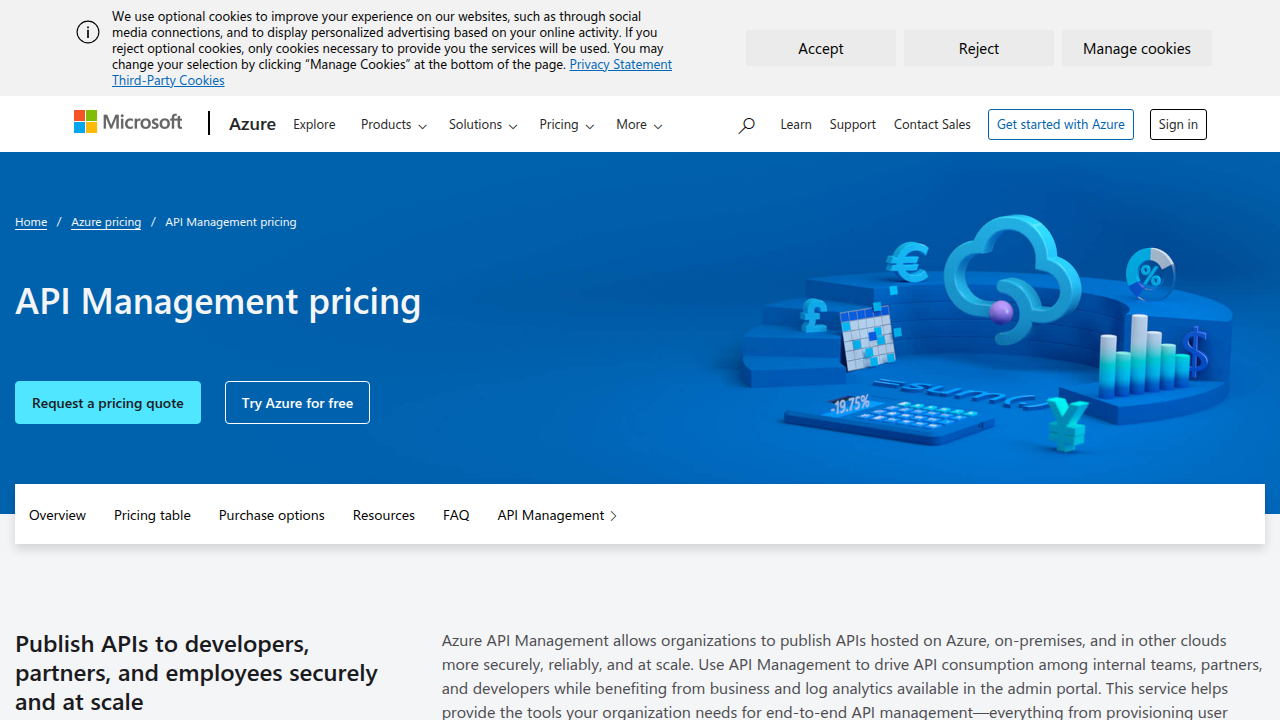
For example, some tiers charge per API operation, while others have monthly costs based on units or gateways. Keeping track of these costs, especially when mixing cloud providers, is a key challenge.
Actually, it’s not just about spending money. It’s also about making sure everything works together smoothly, stays safe from online threats, and can grow as your company grows. Many leaders are looking for ways to connect their existing tools with new ones, often involving big names like AWS and even thinking about what’s next with platforms like Google Cloud Next.
This article is here to help you make smart choices. We will give you clear plans for how to set up your technology, how to save money, how to keep your systems secure, and how to move your information easily when you’re working with AWS. Our goal is to make sure you have the best information to succeed.
This guide is made for people who lead technology and business teams. This means CIOs, CTOs, product leaders, and even founders of software companies (SaaS founders) who are trying to pick the best API tools for their businesses.

If you want to dive deeper into how different cloud services fit into your overall plan, exploring your Cloud Provider Ecosystem Enterprise Strategy for 2026 can offer more insights.
Navigating the many updates in enterprise technology, especially with AI, can be tough.
Get clear daily AI updates from The AI Newsletter Worth Reading.
Navigating the many updates in enterprise technology, especially with AI, can be tough. But having a good plan for your APIs is one of the smartest choices you can make. API management helps your company in big ways. It makes it easier for all your different software parts to work together, whether they are in one cloud or spread across many, like Azure and AWS services.
Business Gains from Smart API Management
Good API management brings clear benefits to your business:
- Faster Connections and More Reuse: Imagine your different software programs need to talk to each other. Without a plan, each new connection is built from scratch. API management creates clear rules for how these programs can share information. This means new tools and services can be connected much faster. It also lets your teams reuse existing connections, saving time and effort. This makes your developers much more productive.
- New Ways to Make Money: For companies that build software (SaaS founders) or have valuable data, API management can open doors to new income. You can safely offer your APIs to other businesses or developers, letting them use your services in their own products. This turns your technology into a new source of money.
Technical Needs for Mixed Cloud Environments
On the technical side, API management helps solve complex challenges:
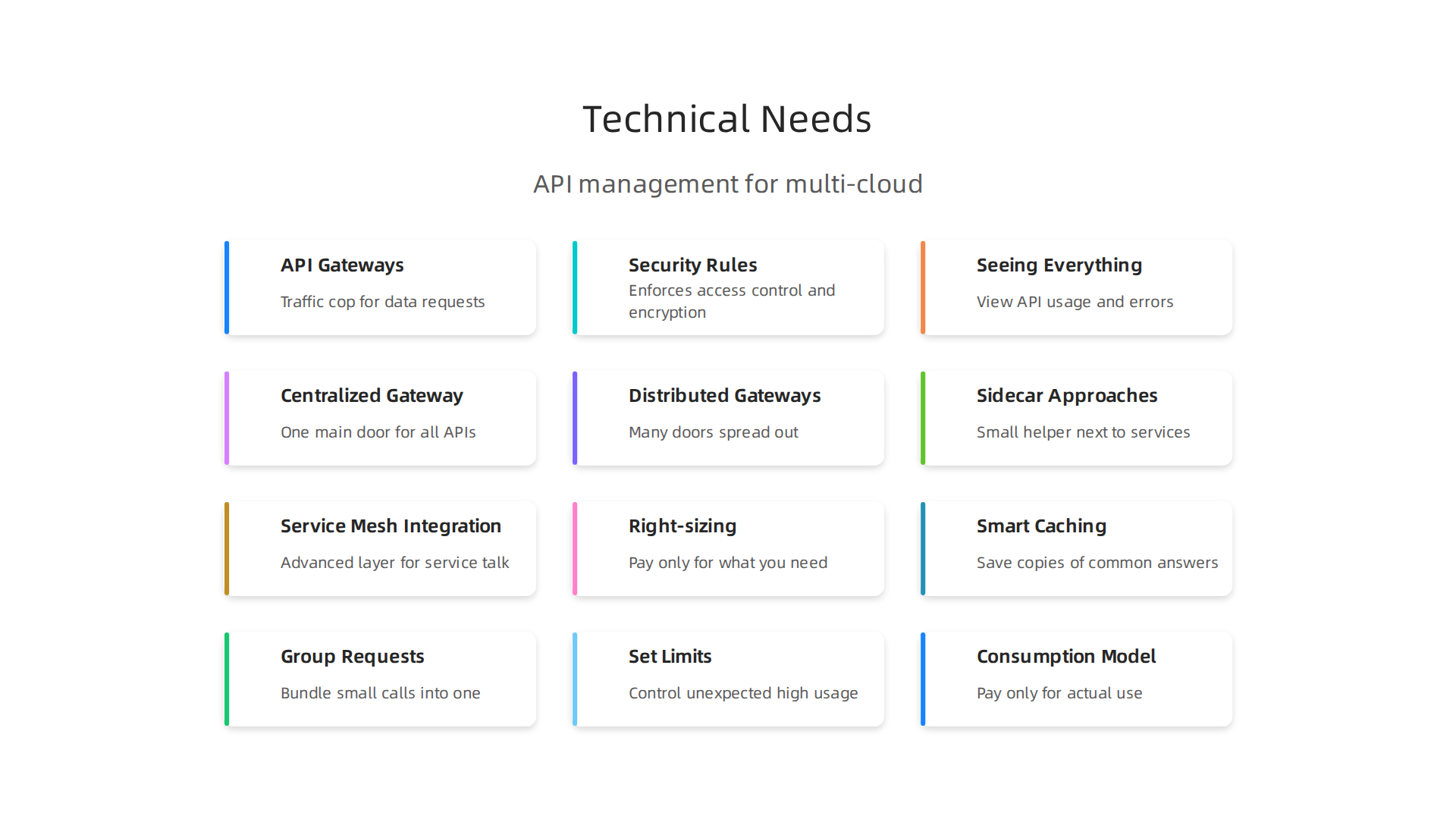
- API Gateways: Think of an API gateway as a traffic cop for all your data requests. When a program wants to use an API, it first goes through the gateway. The gateway then sends the request to the right place, like an application running in Azure or one in AWS services. This is super important when you’re using many different cloud providers. Research shows that proper API gateways can offer strong performance for multi-cloud setups.
- Security Rules: The gateway also enforces important rules. It makes sure only the right people or programs can access your data. It applies security rules like strong authentication and makes sure data is encrypted, which means it is scrambled to keep it safe. These are critical steps for protecting your cloud systems, following guidelines like those for API Protection for Cloud-Native Systems from NIST.
- Seeing Everything and Managing Life Cycles: It’s important to know if your APIs are working well and if there are any problems. API management gives you a clear view of everything, from how many times an API is used to where errors might be happening. It also helps manage an API through its whole life, from when it’s first planned to when it’s updated or retired. This is especially helpful in a complex, mixed cloud setup, and when thinking about future platforms like Google Cloud Next.
To learn more about how to build solid systems, check out guides on Platform Engineering in 2026: A Strategic Guide for CIOs and CTOs.
How API Management Changes Your Organization
API management also affects how your teams work and how you pick technology:
- Buying Decisions and Vendor Choices: Your company will need to decide which API management tools to buy. This involves looking at many things, like what features each tool offers, how much support you get, and the cost. Understanding your options, like comparing AWS API Gateway vs Azure API Management (2026), helps you make the best choice. This is also where understanding costs, like azure api management pricing for different service levels, becomes key.
- Who Owns What: Managing APIs means different teams need to work together. Who is responsible for keeping the APIs running? Who handles security? Clear ownership helps everything run smoothly.
For business leaders trying to make sense of all this, it is helpful to look at all the facts. Getting insights from good Cloud Research How to Evaluate Insights and Drive Smarter Cloud Decisions can guide your choices.
Choosing the right API management tools means looking closely at how much they cost. This is true for Azure API Management pricing and options from other providers, like AWS services. It’s not just about the sticker price; it’s about understanding how you’ll be charged and what value you get.
Comparing Azure API Management Pricing with AWS API Management Options
When your company picks an API management tool, understanding the different ways you pay is very important. Both Azure API Management and AWS API Gateway have various pricing models.
Azure API Management Pricing
Azure offers a few ways to pay for its API Management service in 2026, depending on your needs. These are often called "tiers" or "plans":
- Consumption Plan: This is like a pay-as-you-go model. You pay only for the API calls you use, often with the first million calls included for free each month. After that, you pay per a certain number of API operations. This plan has no fixed monthly costs, making it good for businesses with changing API use.
- Developer Plan: This plan is for testing and development. It’s much cheaper, sometimes even free for learning purposes, but it’s not meant for live, important services.
- Basic, Standard, and Premium Tiers (and their v2 versions): These tiers have fixed monthly costs and offer more features and higher reliability. You’re billed hourly based on "scale units," which are like packages of resources. As you move up to Standard or Premium, you get more powerful features, like being able to connect your API gateway directly to your private network, which is key for advanced security. For example, some Premium tiers can cost thousands of dollars per month for advanced enterprise needs, while a Basic plan might start around $150 per month in 2026, according to pricing guides. You can find detailed breakdowns on the official API Management pricing page.
AWS API Gateway Pricing
AWS API Gateway also uses a pay-as-you-go model. For AWS services, you generally pay for:
- API Requests: How many times your APIs are called.
- Data Transfer Out: How much data leaves the AWS network.
- Caching: If you use caching to speed up your APIs, there’s an extra charge for that.
This means that with AWS, your costs mainly depend on how much your APIs are used, similar to Azure’s Consumption plan, but with slightly different details for things like data transfer.
Key Cost Drivers Across Cloud Providers
When comparing costs, you need to look at more than just the base price:
- Number of Requests: How many times APIs are called. More calls usually mean higher costs.
- Data Throughput: The amount of data moving in and out of your APIs.
- Instance Sizes/Scale Units: For fixed-cost tiers, the size or number of "units" you choose affects the price.
- Features: Some advanced features, like a special developer portal, strong security policies, or support for connecting private networks, are only available in higher, more expensive tiers. These are important for large businesses.
- Data Egress: This is the cost of moving data out of the cloud provider’s network. It can add up, especially in multi-cloud setups or when connecting to outside services.
Making the Right Decision
Sometimes, a service with a higher per-request cost, like a Premium tier in Azure, might actually be a better value. This is because it could offer better performance, simpler management, or features that save your team a lot of time and effort in other ways. For example, getting a developer portal or advanced security features built-in might cost more upfront but save you from having to build and maintain those things yourself. Looking at a full cost breakdown, such as the Azure API Management Licensing: Pricing Tiers, Capacity (2026), can help you see the bigger picture.
It’s wise to consider your long-term strategy for all your cloud services. For leaders, gaining deep insights from various sources can help you navigate these complex choices. If you want to learn more about how different cloud platforms work together, explore insights on the Cloud Provider Ecosystem Enterprise Strategy for 2026. This holistic view is crucial, especially as you think about future updates like those for Google Cloud Next, which could introduce new possibilities and pricing structures.
For enterprise leaders focused on making smart technology choices, staying informed is key.
Get clear daily AI updates from The AI Newsletter Worth Reading.
When you manage APIs across different cloud platforms, like Azure and AWS, picking the right way to set things up is very important. This setup is called an architectural pattern.

It helps your APIs work well together, stay safe, and be easy to use. Knowing these patterns helps you avoid problems and make the most of your cloud tools.
Common Ways to Set Up API Management
There are a few main ways to arrange your API gateways:
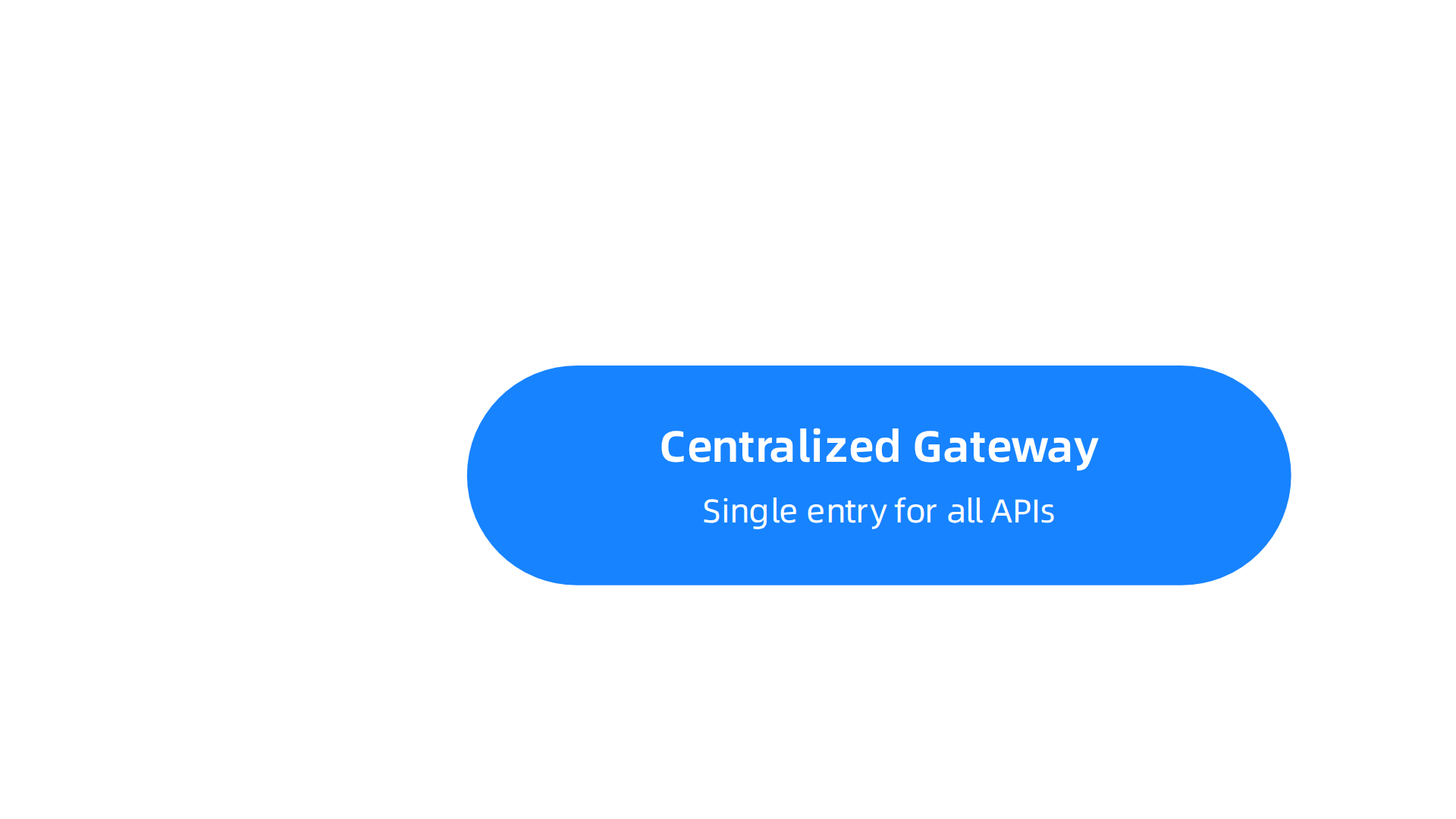
- Centralized Gateway: This is like having one main door for all your APIs, no matter where they live. All requests go through this single gateway. It’s simple to manage because all your rules are in one place. But if that one gateway gets too busy, it can slow things down, especially for users far away. It might also be a single point of failure.
- Distributed Gateways: Instead of one door, you have many doors spread out. These gateways are closer to your users or where your services run. This helps make APIs faster because requests don’t have to travel as far. It’s great for global businesses. However, managing many gateways can be more complex, and keeping all the rules the same across them needs careful work. Research shows that using multi-cloud gateways can help improve performance and follow local rules across different regions, according to UMA Technology’s findings on Multi-Cloud Gateway Setup for global API endpoints observed under real-world load.
- Sidecar Approaches: Imagine a small helper right next to each of your services. That’s a sidecar gateway. It handles API tasks just for that one service. This way is very good for small, independent services (called microservices). But adding a helper to every service means more things to keep track of.
- Service Mesh Integration: This is a more advanced way to manage how services talk to each other. It adds a special layer that helps with security, how fast things run, and seeing what’s happening. It’s often used with many microservices. While powerful, it can be very tricky to set up and manage.
A study comparing these types of setups for companies using many clouds found that different patterns have their own benefits and drawbacks for things like security and how complex they are to run. This includes hybrid options that mix centralized and distributed ideas, as discussed in AI-Driven API Architectures for Multi-Cloud Enterprises: A Comparative Study of Centralized, Distributed, and Hybrid Deployment Models.
Working Across Azure and AWS
Many companies use both Azure and AWS. This means you might have Azure API Management serving APIs in Azure, but also needing to connect to services running on AWS. You might be using AWS services like API Gateway, Lambda (for running code), and IAM (for managing who can access what).
Azure API Management can act as a gateway for your AWS services, too. This means one place to manage all your APIs, even if they are hosted on different clouds. While this gives you lots of choices and helps avoid relying too much on one cloud provider, it can also make things more complicated. You might have extra costs for moving data between clouds (called data egress). Keeping security strong across both clouds is also a big task. NIST provides Guidelines for API Protection for Cloud-Native Systems that are useful for securing APIs in any cloud environment. For Azure specifically, Microsoft offers an Azure Security Baseline for API Management to help keep your APIs safe.
How to Choose Your API Pattern
When deciding which pattern is best for you, think about these things:
- Latency: How fast do your APIs need to be? If speed is key, distributed or sidecar might be better.
- Regulatory Boundaries: Are there rules about where your data must be stored or processed? This might mean you need gateways in specific regions.
- Operational Maturity: How much experience does your team have with complex systems? Start with simpler patterns if your team is new to this.
- Cost: Each pattern affects your overall spend. While specific azure api management pricing and AWS costs were discussed earlier, remember that a complex setup might require more staff and tools, adding to the total cost. You need to connect cloud research with your own needs to make a smart choice.
- Future Plans: Think about what your business will need next. Will you be using more cloud providers, perhaps even services from Google Cloud Next? Planning for a flexible setup helps a lot. To make truly smart choices about cloud platforms, it’s wise to explore helpful insights on Cloud Research: How to Evaluate Insights and Drive Smarter Cloud Decisions.
When picking the right way to set up your APIs across different clouds, it’s not just about speed or cost. Keeping your APIs safe, following rules, and making sure everyone uses them correctly are just as important. This means focusing on security, governance, and compliance.
Security, Governance, and Compliance Best Practices for Cloud API Management
Making sure your APIs are secure is a big deal, especially when you use many cloud services like Azure and AWS. You need good ways to check who can use your APIs and what they can do.
Strong Security for Your APIs
- Who Can Access What? This is called authentication and authorization. You need to make sure only the right people and systems can use your APIs. Common ways to do this include:
- OAuth 2.0: This is like giving someone a special ticket to use a service without sharing your secret password. It’s a key part of API security for businesses in 2026.
- mTLS (Mutual Transport Layer Security): This means both your API and the thing trying to use it show their ID to each other. It creates a very secure connection.
- JWT (JSON Web Tokens): These are like small, secure ID cards that prove who you are and what you’re allowed to do.
Putting these into practice is one of the Top 10 API Security Best Practices & Standards for 2026.
- Setting Rules (Policy Enforcement): Your API gateway acts like a guard, making sure everyone follows the rules you set. This could be checking the size of data, how many times someone can use an API, or if they have the right security token.
- Keeping Secrets Safe: Things like passwords, API keys, and certificates are "secrets." You need special secure places to store them so they are not easily found. This is called secrets management. In Azure, for example, secret named values should be kept secure.
- Encrypt Everything: Always encrypt your data. This means scrambling it up so only authorized people can read it. It’s important for data moving between clouds and data just sitting there. Many experts agree that strong encryption, like using HTTPS, is vital for API Security: Best Practices for Cloud-Native Environments.
Good Governance for APIs
Governance is about making sure your APIs are managed well over their whole life, from when they are first made to when they are no longer used. This is extra important when dealing with multiple cloud providers like Azure, AWS services, or even thinking about future integrations with platforms like Google Cloud Next.
- API Lifecycle Controls: APIs change over time. You need a clear process for making new ones, updating them (versioning), and eventually retiring old ones. This helps avoid confusion and keeps your systems tidy.
- Access Management: Beyond just who can use an API, you also need to control who on your team can manage the APIs. This includes setting up roles and permissions so people only have access to what they need.
- Tracking and Logging: Always keep good records of who accessed what API and when. This is called auditing and logging. If something goes wrong, these logs help you figure out what happened. Comprehensive auditing and logging are among the key API Security Best Practices: OWASP Top 10 Guide (2026).
Staying Compliant and Reducing Risks
When your APIs work across different clouds, you need to think about rules and laws (compliance). Different countries or industries might have specific rules about where data can be stored and how it’s handled.
- Data Movement Risks: Moving data between clouds (like from Azure to AWS) can sometimes cost more and has risks. You need to make sure data stays safe and follows rules even when it travels.
- Avoiding Vendor Lock-in: Using tools from only one cloud provider too much can make it hard to switch later. Designing your APIs to be flexible and work with different cloud providers helps you avoid being stuck with one vendor.
- Connect Cloud Research with your specific needs to understand security challenges. To truly drive smarter cloud decisions, it helps to understand various enterprise technology domains every leader must understand in 2026.
- Cost of Security: While strong security costs money, it prevents bigger losses from attacks. Consider how security features impact your overall cloud spend and integrate this into your budgeting alongside your azure api management pricing evaluations. Tools are available to help manage API costs across different providers, as shown in insights about API Management Cost: Azure, AWS, Kong & Apigee.
Keeping an eye on security costs is smart, but there are many other ways to save money when managing your APIs across different clouds.

Let’s look at how to spend smarter and make every dollar count.
Cost Optimization Techniques (Practical Steps and Azure APIM Pricing Considerations)
When you use different cloud services like AWS services and Azure, watching your spending is key. There are good ways to keep your API costs down without hurting how well they work.
Smart Ways to Lower Your API Costs
- Use the Right Size for What You Need: A big part of saving money is making sure you’re not paying for more than you need. This is called "right-sizing." For instance, with Azure API Management, you can pick different levels of service. If you choose a level that’s much more powerful than your actual needs, you’ll end up spending too much. Finding the right fit can help you reduce your Azure API Management costs by a lot. This kind of careful planning is a top way to optimize cloud costs in 2026, helping you get the most out of your money, as explained by the Cloud Cost Optimization in 2026 guide.
- Smart Caching: Think of caching like taking a shortcut. If many people ask for the same information from your API, you can save a copy of that answer closer to them. This way, your API doesn’t have to do the work every single time. This saves requests and, in turn, money. Plus, it makes things faster for everyone! Learning to optimize API costs often includes strong caching rules.
- Group Your Requests: Instead of making ten small calls to an API, sometimes you can bundle them into one bigger call. This reduces the number of trips your data has to make. Less trips often mean lower costs and better performance. This is also called "batching." If you’re managing costs for third-party APIs, grouping requests can be a smart move, as highlighted in strategies for Third-Party API Cost Management in 2026.
- Set Limits on Usage: You can set rules for how often someone can use your API. This is called "rate limiting." It’s good for security, but it also stops unexpected high usage that could lead to huge bills. It helps protect your budget from surprise costs.
- Pay Only for What You Use: Some cloud services offer a "consumption model." This means you only pay for what you actually use, rather than paying for a service that’s always running, even if it’s not busy. This can be much cheaper for APIs that have busy and quiet times, especially when looking at the options across various cloud providers.
Understanding the Total Cost of Ownership
It’s not just about the price for each API call. You need to look at the "Total Cost of Ownership" (TCO). This means thinking about all the costs and benefits that might not be obvious at first glance.
- Team Time and Effort: How much does it cost to have your team build, manage, and fix these APIs? This is called "operational overhead." If a tool makes your team work faster or with fewer problems, it might be worth a bit more upfront because it saves money in staff time. Budgeting for multi-cloud API use can prevent costly mistakes, as shown in insights from The $2.4 Million Mistake: API Budgeting for Multi-Cloud.
- Faster Development: How quickly can your developers build new features or products using your APIs? When developers are more efficient, they create more value, and that also saves money over time. This is a key part of your TCO, whether you’re working with Azure, AWS services, or even planning for things like Google Cloud Next.
- New Business Value: What new things can your APIs help your business do? The value an API brings, like letting you reach new customers or offer new services, might be so big that its cost seems small in comparison. It’s about how much the API helps your business grow and succeed.
Seeing Your Spending Clearly
To truly understand where your money is going, you need clear billing and ways to sort your costs.
- Cost Tools: Imagine a grocery bill that only says "food" for everything. You want to see "apples," "milk," and "bread" so you know what you’re buying. Luckily, there are tools to help you see exactly what each API or cloud service costs. For Azure, there are many Top Azure cost management tools in 2026 available. You can also find 20 Best Cloud Cost Optimization Tools in 2026 that work across different clouds.
- Using Tags: "Tags" are like digital sticky notes you put on your cloud resources, including your APIs. You can tag them with things like "project name," "team," or "department." Then, when you get your bill, you can sort it to see how much each project or team is spending. This helps you
connect cloud researchand make smarter decisions about how to use your money. To properly evaluate insights and drive smarter cloud decisions, understanding these costs is very important.
Staying on top of these trends and technologies is key to smart spending. If you want to keep learning about new tools and ways to manage costs, there’s a great resource.
Get clear daily AI updates from The Deep View Newsletter. The AI Newsletter Worth Reading
When you understand where your API money goes, the next big step is how to move your APIs or connect them across different cloud services. This is called "migration" or "hybrid multi-cloud integration." It means bringing your APIs from one cloud to another, or making them work together in a mix of clouds, like Azure and AWS.
Moving Your APIs: Different Ways to Migrate
Moving APIs is like moving house. You can do it in different ways. Here are some common patterns for migrating or connecting your APIs:
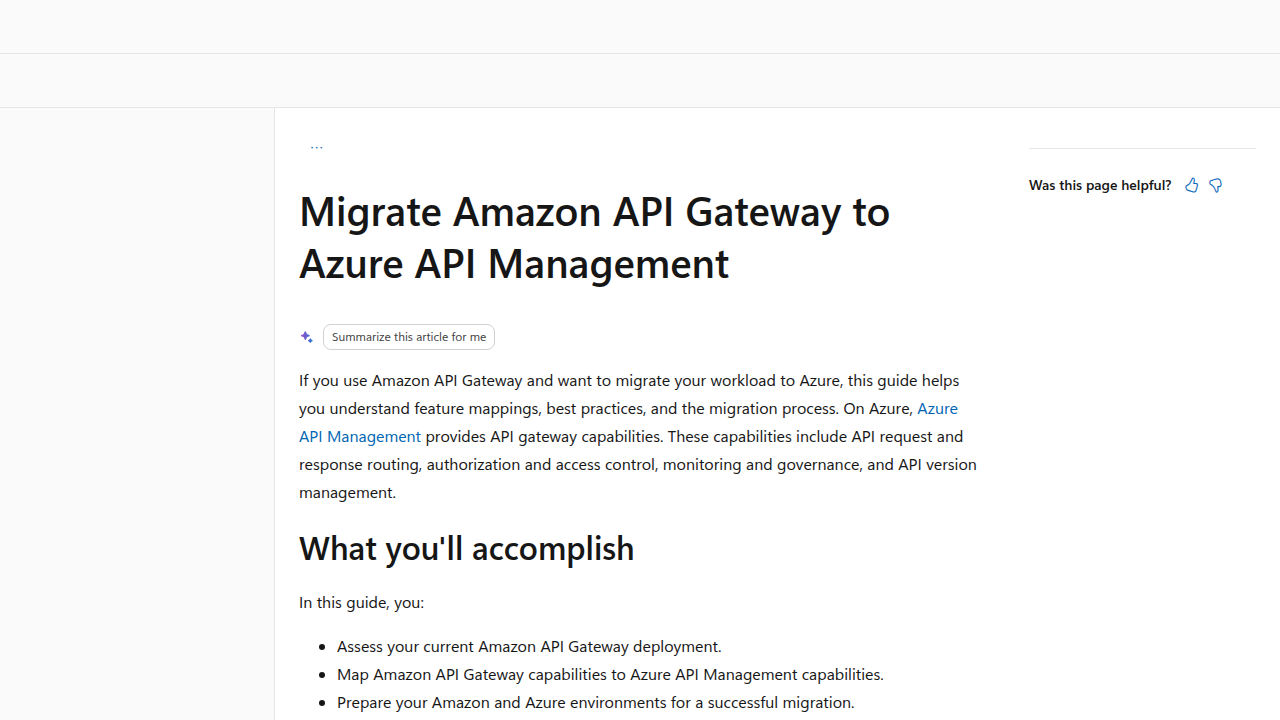
- Lift-and-Shift: This is like packing up your old house and moving it directly to a new spot without changing much. For APIs, it means taking your existing API setup from one cloud (like AWS services) and setting it up almost exactly the same way in another cloud (like Azure API Management). This can be quicker, but you might not get all the benefits of the new cloud right away. When moving from Amazon API Gateway to Azure API Management, careful planning is key to ensure a smooth transition with minimal downtime, as Microsoft advises for Migrate Amazon API Gateway to Azure API Management.
- Strangler Facade: Imagine a vine growing around an old building, slowly replacing it. This method works similarly. You put a new API gateway, like Azure API Management, in front of your old APIs. Then, you slowly start moving parts of your old APIs to the new cloud. The new gateway handles the new parts, and eventually, the old parts are "strangled" or removed. This way, your users don’t notice big changes, and you can manage the
azure api management pricingmore easily as you scale. This approach helps in creating AI-Driven API Architectures for Multi-Cloud Enterprises. - Side-by-Side Gateway Coexistence: This is where you have API gateways in different clouds working at the same time. For example, you might have Azure API Management handling some APIs in Azure and AWS API Gateway managing others in AWS. Both gateways exist and route traffic to the right services. This creates a flexible setup for a Multi-Cloud and Hybrid API Management with Azure APIM, especially when you need to maintain services across different environments. You can also look into Best API Gateways for Multi-Cloud and Hybrid to understand the options better.
Your Migration Playbook: An Operational Checklist
Moving or integrating APIs across clouds needs a clear plan to avoid problems.
- Testing, Testing, Testing: Before you switch anything, test your APIs thoroughly in the new setup. Make sure everything works just as it should.
- Rollback Strategies: Always have a "plan B." What if something goes wrong? You need to know how to quickly switch back to your old setup so your users aren’t affected.
- Traffic Shifting: Don’t move all your users at once. Start by sending a small group of users to the new APIs, then slowly send more and more. This is like a gentle transition, not a sudden jump.
- Backward Compatibility: Make sure your new APIs can still talk to older apps or services. You don’t want to break things for people who are still using the older versions. Consistency in performance is key across different cloud providers, as highlighted in the API Gateway Performance Analysis for Multi-Cloud Microsoft study.
Choosing the Right Tools and Vendors
When you’re trying to bridge Azure API Management and AWS-native services, picking the right tools is important.
- Azure vs. AWS API Gateways: Azure API Management is often chosen by companies already using Azure, while AWS API Gateway is great for those deeply tied to
aws servicesand AWS Lambda functions. Knowing the differences helps you decide which works best for your specific needs, as detailed in the comparison of AWS API Gateway vs Azure API Management (2026). - Bridging the Clouds: You might use tools that help manage APIs across both clouds at once. This way, you get a single view of all your APIs, no matter where they live. This is part of a larger strategy for your cloud provider ecosystem enterprise strategy for 2026.
- Considering Other Clouds: Don’t forget that your strategy might also include other clouds, perhaps even looking ahead to next-gen platforms like
google cloud nextofferings. You want a setup that can grow with you. Understanding how to connect cloud research is vital to making informed vendor and tooling choices, ensuring your architectural decisions, like those in Platform Engineering in 2026, support your goals.
Summary
This article explains how to manage APIs across mixed cloud environments — especially between Azure and AWS — to cut costs, improve security, and simplify operations. It covers the key pricing models (Azure tiers like Consumption, Developer, Basic/Standard/Premium and AWS pay‑per‑request), technical patterns for gateways (centralized, distributed, sidecar, service mesh), and practical migration approaches (lift‑and‑shift, strangler façade, side‑by‑side coexistence). You’ll learn which factors drive costs (requests, data egress, scale units, features) and concrete ways to lower spend such as right‑sizing, caching, batching, and rate limits. The guide also lays out security, governance, and compliance best practices—authentication options (OAuth2, mTLS, JWT), policy enforcement, secrets management, and logging. Finally, it helps enterprise leaders choose architectures and vendors, plan migrations with testing and rollback steps, and align API strategy with broader cloud and platform engineering goals.